
Lumenate: The Psychedelic Meditation App
Updated
Current Version
a3.2.6
Offered By

Stop worrying about high battery drain when using Lumenate: The Psychedelic Meditation App on your phone. Free yourself from the tiny screen and enjoy the app on a much larger display. From now on, get a full-screen experience of your app with the convenience of a keyboard and mouse. MEmu offers you all the surprising features you’d expect: quick installation and easy setup, intuitive controls, and no more worries about battery life, mobile data, or unexpected calls. The all-new MEmu 9 is the choice for using Lumenate: The Psychedelic Meditation App on your computer. With the MEmu multi-instance manager, you can run two or more accounts at the same time. Most importantly, our exclusive emulation engine unlocks your PC’s full potential, delivering smooth and enjoyable performance.
Show more
Enjoy superb experience of using Lumenate: The Psychedelic Meditation App on PC with MEMU App Player. It's a powerful free Android emulator which provides you with thousands of android apps for their desktop version. Enjoy connecting with friends and polishing your work with higher efficiency! We're a brand new app, if you find any problems please reach out to us at support@lumenategrowth.
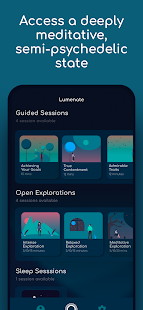
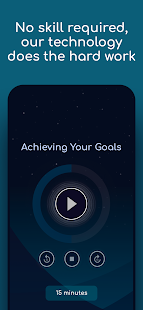
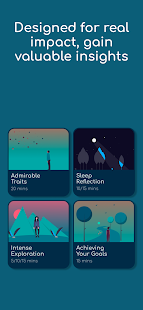
We're a brand new app, if you find any problems please reach out to us at support@lumenategrowth.com and we'll do everything we can to fix it!
Get yourself comfortable, turn your phone so the flashlight is facing you, close your eyes then fall effortlessly into an immersive journey through a kaleidoscope of colours created by your subconscious. The Lumenate App uses research-backed stroboscopic light sequences from your phone's flashlight to neurologically guide you into an altered state of consciousness between that of deep meditation and classic psychedelics.
“The Lumenate light project is more than just a fun experience. It offers users an opportunity for personal growth and development. The success of the project is testament to the careful design, scientific background and evidence-based approach of the Lumenate inventors. I see this tool being an important element in the future of clinical psychedelic research and treatments. The inventors have my full endorsement” Dr Ben Sessa, Co-founder of Breaking Convention and Researcher at Bristol University and Imperial College.
Research-Backed - Scientifically developed through hundreds of EEG brain scans.
Accessible - Designed for mobile phones, making this unique and powerful experience easily accessible wherever and whenever you want it.
Impactful - We guide you through using this powerful altered state of consciousness, helping you explore your subconscious thoughts and gain valuable insights.
Effortless- There’s no skill required, our research-backed neural guiding method will do all the hard work for you.
Instant - Fits into even the busiest schedule by consistently achieving a deeply meditative, semi-psychedelic state within seconds.
Control - You’re in complete control, simply move your phone to change the experience intensity or turn the flash away to instantly stop the effects.
Upgrade to Lumenate Plus to get unlimited access to:
- Intention setting and integration elements help to transform this fun and immersive experience into a powerful platform for personal growth and self-reflection
- Guided sessions on everything from achieving goals to recognising true contentment or allocating your time.
Sleep session that neurologically guides you into the first stages of sleep onset.
- 5 to 20 min ‘Open explorations’ which allow you to freely explore your subconscious thoughts without specific verbal direction.
Every session has a unique purpose composed soundtrack to help steer and accompany you on your subconscious voyages.
- New content regularly released
- Journal section to capture meaningful moments
- Download feature to enjoy your favourite sessions offline
Note: This app is not suitable for those under the age of 18 or those with (or with direct family history of) photosensitive epilepsy or juvenile myoclonic epilepsy
If you would like to use the app but genuinely can’t afford it, please email support@lumenategrowth.com and we will arrange free access for you.
Show more

1. Download MEmu installer and finish the setup

2. Start MEmu then open Google Play on the desktop

3. Search Lumenate: The Psychedelic Meditation App in Google Play
Install
4. Download and Install Lumenate: The Psychedelic Meditation App
5. On install completion click the icon to start

6. Enjoy using Lumenate: The Psychedelic Meditation App on PC with MEmu
MEmu Play is the best Android emulator, and 100 million users already enjoy its superb Android app experience. Powered by advanced virtualization technology, it lets you enjoy thousands of Android apps smoothly on your PC—including the most graphics-intensive ones.
Bigger screen with better graphics; Long duration, without limitation of battery or mobile data.
Full Keymapping support for precise control of keyboard and mouse or gamepad.
Multiple game accounts or tasks on single PC at one time with Multi-Instance manager.
Use Lumenate: The Psychedelic Meditation App on PC by following steps: