Motify: fitness coach, yoga, home & gym workout
Updated
Current Version
1.23.0
Offered By

Stop worrying about high battery drain when using Motify: fitness coach, yoga, home & gym workout on your phone. Free yourself from the tiny screen and enjoy the app on a much larger display. From now on, get a full-screen experience of your app with the convenience of a keyboard and mouse. MEmu offers you all the surprising features you’d expect: quick installation and easy setup, intuitive controls, and no more worries about battery life, mobile data, or unexpected calls. The all-new MEmu 9 is the choice for using Motify: fitness coach, yoga, home & gym workout on your computer. With the MEmu multi-instance manager, you can run two or more accounts at the same time. Most importantly, our exclusive emulation engine unlocks your PC’s full potential, delivering smooth and enjoyable performance.
Show more
Enjoy superb experience of using Motify: fitness coach, yoga, home & gym workout on PC with MEMU App Player. It's a powerful free Android emulator which provides you with thousands of android apps for their desktop version. Enjoy connecting with friends and polishing your work with higher efficiency! Motify is the first application where you will find 100+ personal trainers who share hundreds of unique exercise videos.

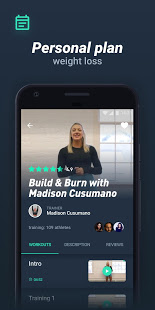
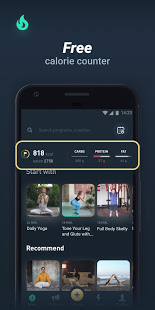
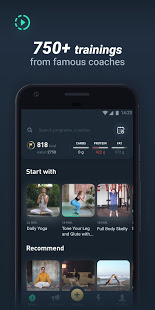
Motify is the first application where you will find 100+ personal trainers who share hundreds of unique exercise videos. Exercise for kids, adults, beginners and professionals — сhoose from single exercises or training programs in a wide variety of intensity levels.
Loss Weight Plan — special diet, training on a daily basis, calorie tracker and your personal fitness coach. Whether you prefer home fitness or working out in the gym, our magic 18 minutes per day will change your body shape faster than you think!
Bodybuilding — focus on different groups of muscles every day.
Abs and Core Training: on your way to 6 packs you might focus on a weight loss tracker first to control your fat mass. Stomach workout is combined with the upper body and core and can be easily done as a home training.
Leg Workout: squat variations, body weight lunges and weight training.
Arm, Shoulder and Chest Workout: push ups, pull ups and weight lifting.
Prepare for exciting and effective daily workouts, fitness trainer of your choice will support your progress all the way!
Motify is a way to go for all levels and categories, we offer:
Mass gaining and weight loss workout for men
Gym based and home workout for women
Kids fitness
Yoga for kids and adults, pilates, meditation and morning exercises
Best do it at home fitness workouts! Exercises at home require no equipment. Start with the easy workout and see how it goes.
Workout with a personal trainer anywhere, anytime. Whether indoors or outdoors, all you need is a smartphone, the desire to work hard, a smartphone and Motify to achieve your goals.
Whether you want to lose weight, build muscle, reduce stress, increase endurance, improve stretching, ease back/neck pain or just receive proper nutrition tips, Motify can help you achieve it.
Be sure to connect with friends and motivate each other, too! It makes working out even more fun.
Show more

1. Download MEmu installer and finish the setup

2. Start MEmu then open Google Play on the desktop

3. Search Motify: fitness coach, yoga, home & gym workout in Google Play
Install
4. Download and Install Motify: fitness coach, yoga, home & gym workout
5. On install completion click the icon to start

6. Enjoy using Motify: fitness coach, yoga, home & gym workout on PC with MEmu
MEmu Play is the best Android emulator, and 100 million users already enjoy its superb Android app experience. Powered by advanced virtualization technology, it lets you enjoy thousands of Android apps smoothly on your PC—including the most graphics-intensive ones.
Bigger screen with better graphics; Long duration, without limitation of battery or mobile data.
Full Keymapping support for precise control of keyboard and mouse or gamepad.
Multiple game accounts or tasks on single PC at one time with Multi-Instance manager.
Use Motify: fitness coach, yoga, home & gym workout on PC by following steps: