
OnePay – Mobile Banking
Updated
Current Version
5.73.0
Offered By

Stop worrying about high battery drain when using OnePay – Mobile Banking on your phone. Free yourself from the tiny screen and enjoy the app on a much larger display. From now on, get a full-screen experience of your app with the convenience of a keyboard and mouse. MEmu offers you all the surprising features you’d expect: quick installation and easy setup, intuitive controls, and no more worries about battery life, mobile data, or unexpected calls. The all-new MEmu 9 is the choice for using OnePay – Mobile Banking on your computer. With the MEmu multi-instance manager, you can run two or more accounts at the same time. Most importantly, our exclusive emulation engine unlocks your PC’s full potential, delivering smooth and enjoyable performance.
Show more
Enjoy superb experience of using OnePay – Mobile Banking on PC with MEMU App Player. It's a powerful free Android emulator which provides you with thousands of android apps for their desktop version. Enjoy connecting with friends and polishing your work with higher efficiency! Cash back earned as OnePay Points, redeemable as a deposit into a OnePay deposit account/other available options pursuant to the OnePay Rewards Terms at onepay.
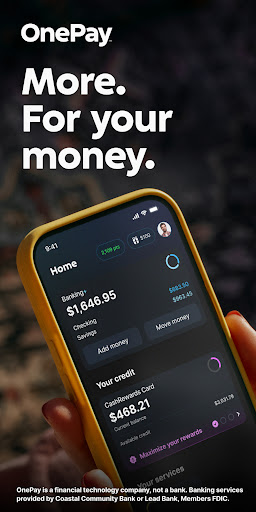
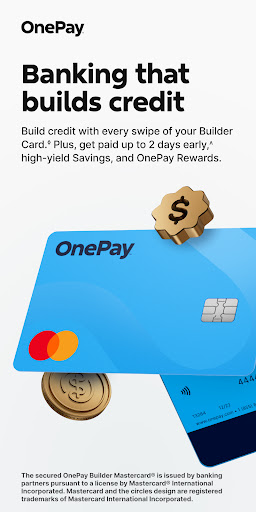
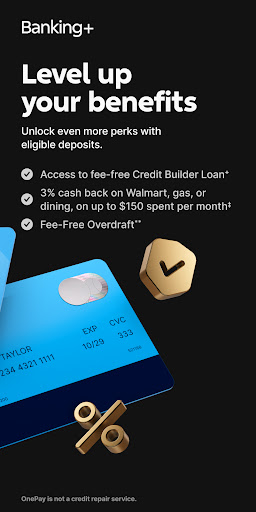
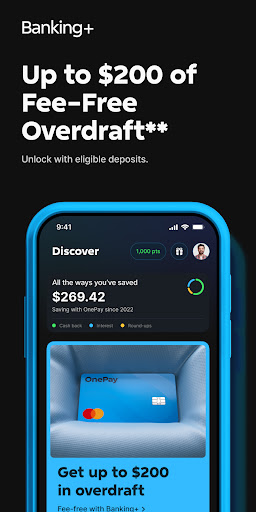
Cash back earned as OnePay Points, redeemable as a deposit into a OnePay deposit account/other available options pursuant to the OnePay Rewards Terms at onepay.com/rewards-terms For terms/conditions relating to OnePay products, onepay.com/terms For individual reward details see OnePay app. For certain reward offers utilizing OnePay Credit Cards, and 3rd-party cards linked in the OnePay Wallet, purchases must be made using the physical card
Eligible deposits requirement met when your OnePay deposit account either (i) receives Direct Deposits totaling $500+ in the current or previous month or (i) had a balance of $5,000+ at the end of the previous month
⁺Credit Builder Loans available to Banking+ customers only & require additional signup onepay.com/legal/licenses
∞Subject to credit approval. Cash back earned as points on purchases made with your OnePay CashRewards Mastercard, which can be redeemed as a statement credit, as a deposit into a OnePay account, or other available options
‡Only available to customers who unlock Banking+ with eligible deposits. You must select cash back category in the OnePay app monthly & you begin earning on the date it is selected. Eligible purchases are based on MCC
**Must be 18+. When on, Savings Backup will be used before Fee-Free Overdraft. Overdraft balance due right away. Eligible transactions are at the discretion of OnePay & may exclude certain transactions (eg, bill pay, global transfers) onepay.com/overdraft-details
◊Builder Card helps you build credit by reporting your Builder Card activity to the credit bureaus unless you opt out. Any changes to your credit score are independently determined & based on your overall financial behavior; results may vary & are not guaranteed. OnePay deposit account required. If eligible, your spending power is based on your Checking balance. Transactions using your virtual debit card are not reported. OneProgress Services LLC (NMLS ID 2460509) onepay.com/legal/licenses
^Direct deposit required. Funds availability may vary
²Bonus Term 10/27/2025–12/31/2026. Bonus applied to your 1st purchase of gas using an Upside Offer for gas (Gas Offer). Use of a Gas Offer must be made during the Bonus Term to earn the Bonus. Limit of one per customer. Cash back is provided as OnePay Points, which can be redeemed as a deposit into a OnePay deposit account, or other available options. Gas offers are not available in New Jersey or Wisconsin. Cash back amounts & caps vary by gas station & are subject to change at any time. Any gallon or spend caps applicable to a Gas Offer will also be applicable to the Bonus
±Offer Term: 3/21/25–9/30/26. Offer is only available to customers who began their OnePay deposit account application process directly on Walmart.com, the Walmart app, OnePay.com, the ONE@Work app, or the OnePay app, is limited to one use only & is not transferable. Applicable to purchases at U.S. Walmart locations & on Walmart.com only. Enrollment is not required. Purchases for cash substitutes, gift cards, prepaid cards, financial services (e.g. check cashing, remittance services, peer to peer transfers) & ATM withdrawals are not eligible for cash back. OnePay.com/10percent
Show more

1. Download MEmu installer and finish the setup

2. Start MEmu then open Google Play on the desktop

3. Search OnePay – Mobile Banking in Google Play
Install
4. Download and Install OnePay – Mobile Banking
5. On install completion click the icon to start

6. Enjoy using OnePay – Mobile Banking on PC with MEmu
MEmu Play is the best Android emulator, and 100 million users already enjoy its superb Android app experience. Powered by advanced virtualization technology, it lets you enjoy thousands of Android apps smoothly on your PC—including the most graphics-intensive ones.
Bigger screen with better graphics; Long duration, without limitation of battery or mobile data.
Full Keymapping support for precise control of keyboard and mouse or gamepad.
Multiple game accounts or tasks on single PC at one time with Multi-Instance manager.
Use OnePay – Mobile Banking on PC by following steps:
































