SeaBank
Updated
Current Version
1789703663
Offered By

Stop worrying about high battery drain when using SeaBank on your phone. Free yourself from the tiny screen and enjoy the app on a much larger display. From now on, get a full-screen experience of your app with the convenience of a keyboard and mouse. MEmu offers you all the surprising features you’d expect: quick installation and easy setup, intuitive controls, and no more worries about battery life, mobile data, or unexpected calls. The all-new MEmu 9 is the choice for using SeaBank on your computer. With the MEmu multi-instance manager, you can run two or more accounts at the same time. Most importantly, our exclusive emulation engine unlocks your PC’s full potential, delivering smooth and enjoyable performance.
Show more
Enjoy superb experience of using SeaBank on PC with MEMU App Player. It's a powerful free Android emulator which provides you with thousands of android apps for their desktop version. Enjoy connecting with friends and polishing your work with higher efficiency! Simple, Profitable, for Everyone!
Simple, Profitable, for Everyone!
Opening a SeaBank account is easy, it only takes 3 minutes. You can immediately enjoy:
1. Easy and Fast Digital Transactions with QRIS
Successfully pay for anything, anytime with just one scan.
2. No Admin Fees
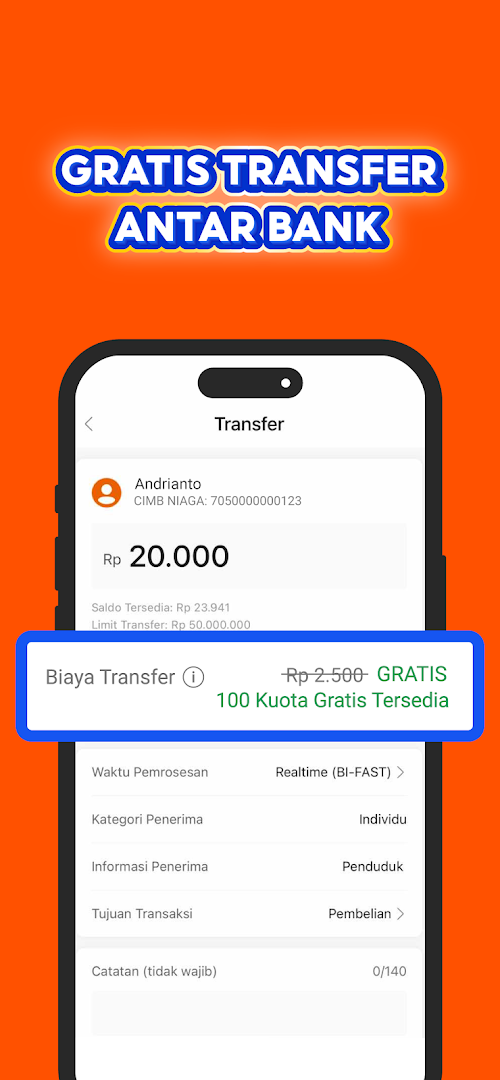
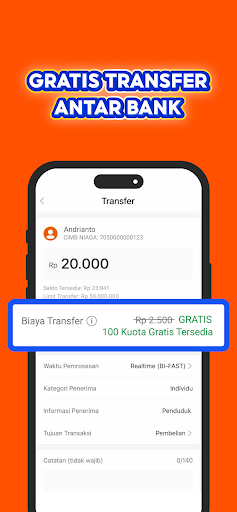
Free admin fees and 100x transfer fees per month to all banks.
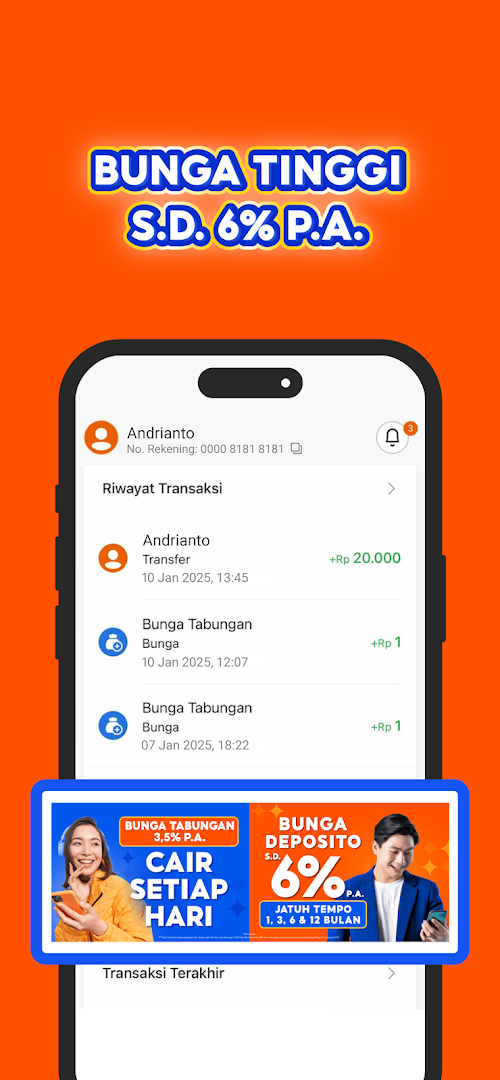
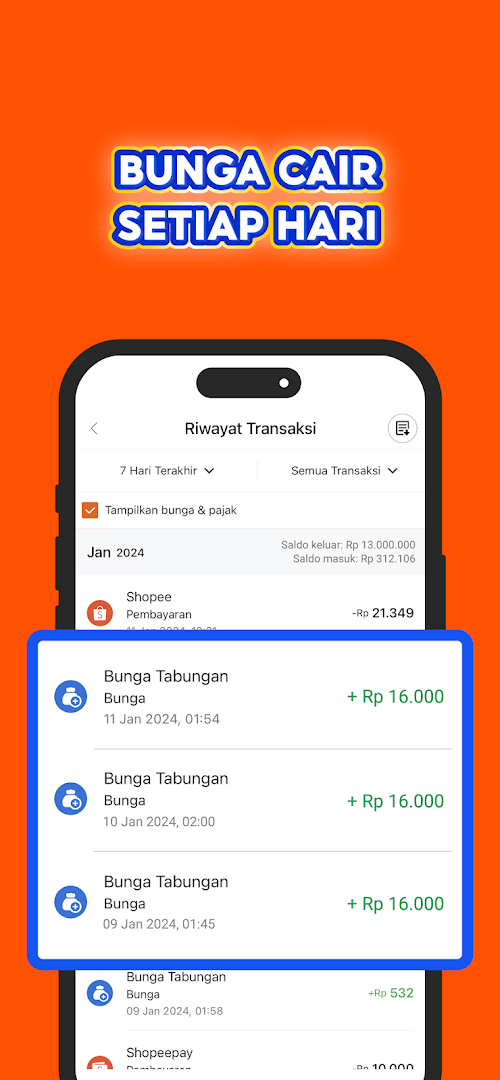
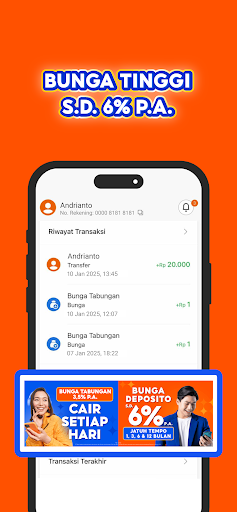
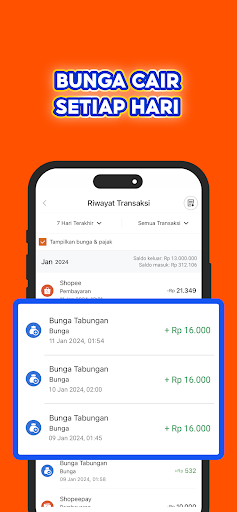
3. High Savings Interest up to 6% p.a.
Enjoy even more profits with SeaBank, enjoy deposit interest up to 6% p.a.
SeaBank is a digital banking application that helps you manage your financial activities, from saving to making transactions, via your mobile phone anytime, anywhere.
Enjoy other conveniences such as:
1. Top up your ShopeePay e-wallet free of charge without limits
2. Transfer using your bank account number Mobile phone transfers to other SeaBank accounts with high limits using BI-FAST
3. Pay for purchases on Shopee with a Virtual Account (no admin fees)
4. Use SeaBank Instant Pay for simpler checkout and free shipping
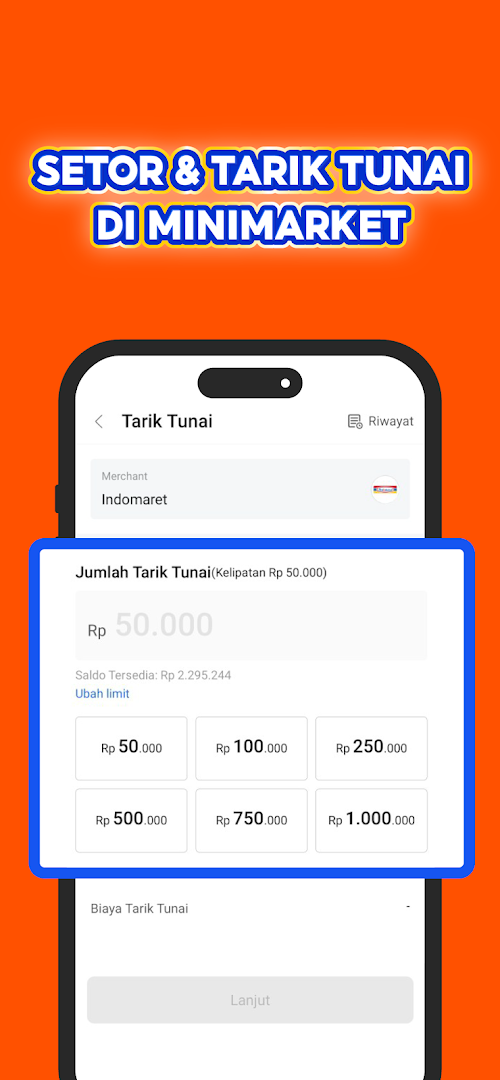
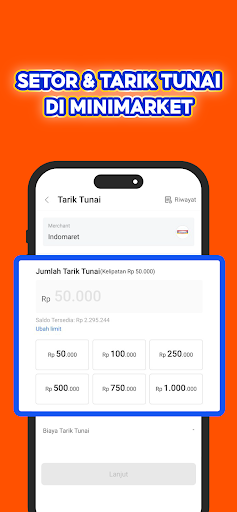
5. Easily deposit and withdraw cash at convenience stores using SeaBank
Now, instant funds are also available with SeaBank Pinjam*. Here are the benefits:
1. Loan limit up to IDR 30,000,000
2. No admin fees with a competitive interest rate of 2% per month
3. Payment terms of 3, 6, or 12 months
Loan simulation:
Loan amount: IDR 500,000
Payment term: 3 months
Installment interest: 2% per month
Admin fee: FREE
*This feature is still limited to selected customers only.
Please note the guaranteed interest rate set by the LPS (Lembaga LPS). Savings with interest exceeding the guaranteed interest rate are not guaranteed by the LPS.
PT Bank SeaBank Indonesia is licensed and supervised by the Financial Services Authority (OJK) and Bank Indonesia (BI) and is a participating bank under the Deposit Insurance Corporation (LPS) guarantee program.
PT. Bank Seabank Indonesia
Gama Tower, 35th floor
Jl. H.R. Rasuna Said Kav. 22, Karet Kuningan
South Jakarta, 12940
Contact the SeaBank Customer Service team (24/7):
1. Phone: 1500 130
2. Email: cs@seabank.co.id
Learn more about SeaBank on our social media:
www.seabank.co.id
Instagram: @SeaBank.ID
Facebook: SeaBank Indonesia
TikTok: @SeaBank.ID
Linkedin: SeaBank Indonesia
Twitter: @SeaBankID
Show more

1. Download MEmu installer and finish the setup

2. Start MEmu then open Google Play on the desktop

3. Search SeaBank in Google Play
Install
4. Download and Install SeaBank
5. On install completion click the icon to start

6. Enjoy using SeaBank on PC with MEmu
MEmu Play is the best Android emulator, and 100 million users already enjoy its superb Android app experience. Powered by advanced virtualization technology, it lets you enjoy thousands of Android apps smoothly on your PC—including the most graphics-intensive ones.
Bigger screen with better graphics; Long duration, without limitation of battery or mobile data.
Full Keymapping support for precise control of keyboard and mouse or gamepad.
Multiple game accounts or tasks on single PC at one time with Multi-Instance manager.
Use SeaBank on PC by following steps: