New Livin' by Mandiri
Updated
Current Version
3.7.0
Offered By

Stop worrying about high battery drain when using New Livin' by Mandiri on your phone. Free yourself from the tiny screen and enjoy the app on a much larger display. From now on, get a full-screen experience of your app with the convenience of a keyboard and mouse. MEmu offers you all the surprising features you’d expect: quick installation and easy setup, intuitive controls, and no more worries about battery life, mobile data, or unexpected calls. The all-new MEmu 9 is the choice for using New Livin' by Mandiri on your computer. With the MEmu multi-instance manager, you can run two or more accounts at the same time. Most importantly, our exclusive emulation engine unlocks your PC’s full potential, delivering smooth and enjoyable performance.
Show more
Enjoy superb experience of using New Livin' by Mandiri on PC with MEMU App Player. It's a powerful free Android emulator which provides you with thousands of android apps for their desktop version. Enjoy connecting with friends and polishing your work with higher efficiency! Imagine having a 24/7 financial sidekick, always there for you, wherever you go.

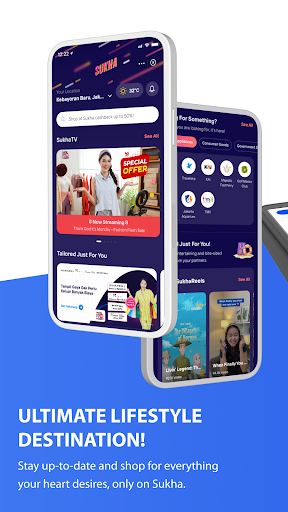
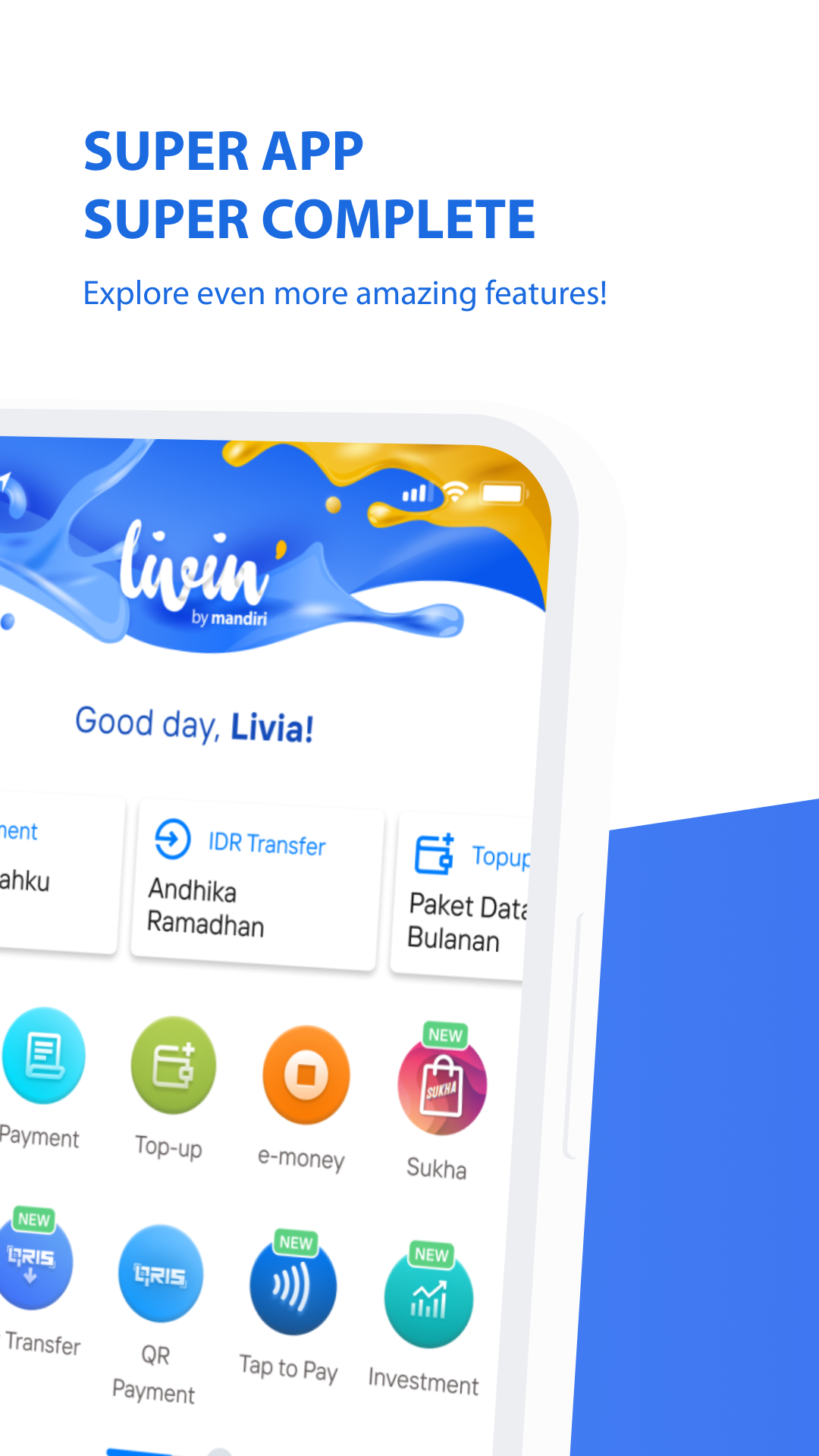
Imagine having a 24/7 financial sidekick, always there for you, wherever you go. Livin' has leveled up with exciting features to enrich your life to the fullest!
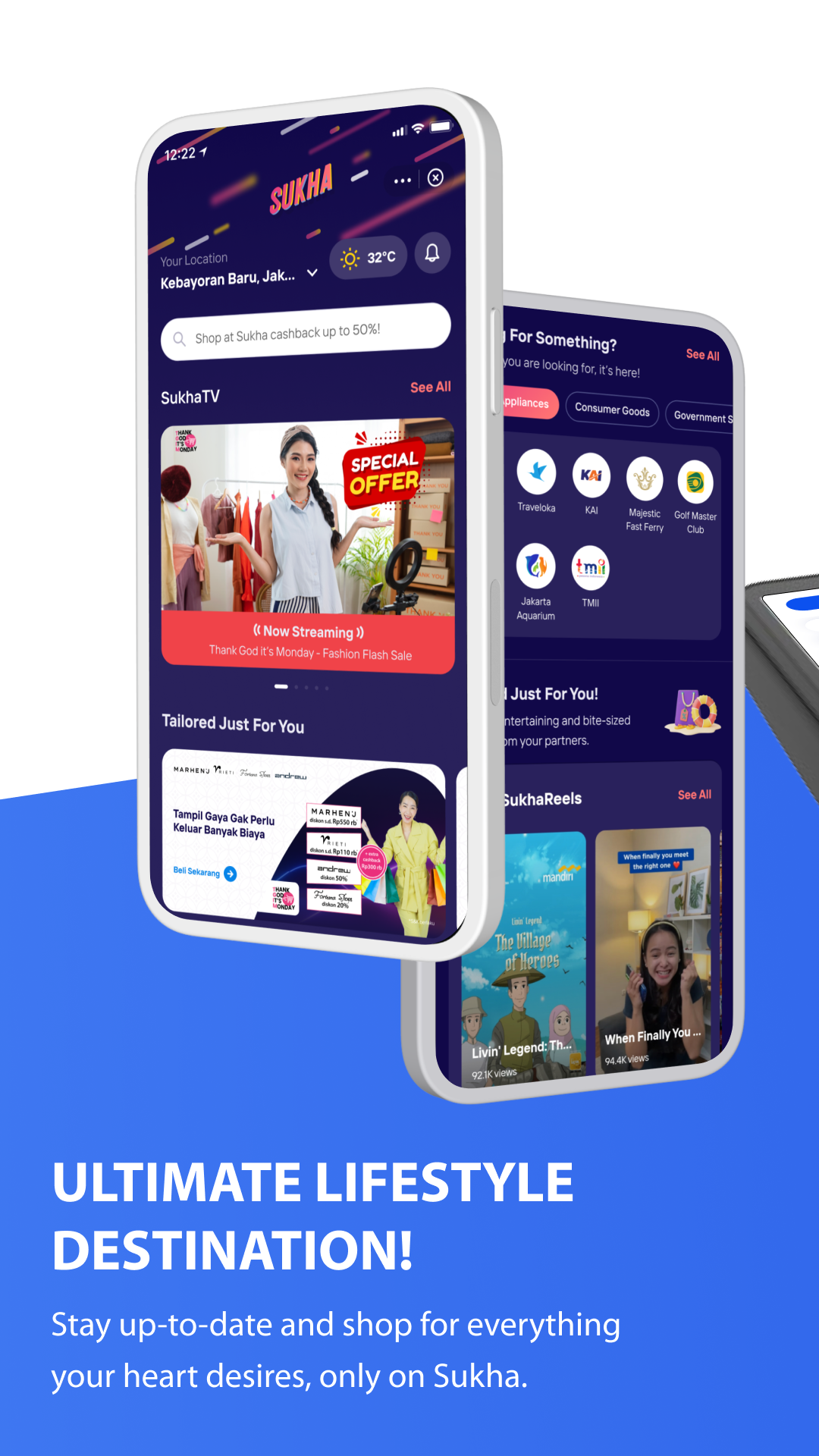
LIFESTYLE SAVER
Dive into various content and meet your lifestyle needs at Sukha! Pay effortlessly using your savings or credit card.
NEW WAY TO PAY WITH QRIS
Shop with QRIS is quick and easy with just a tap.
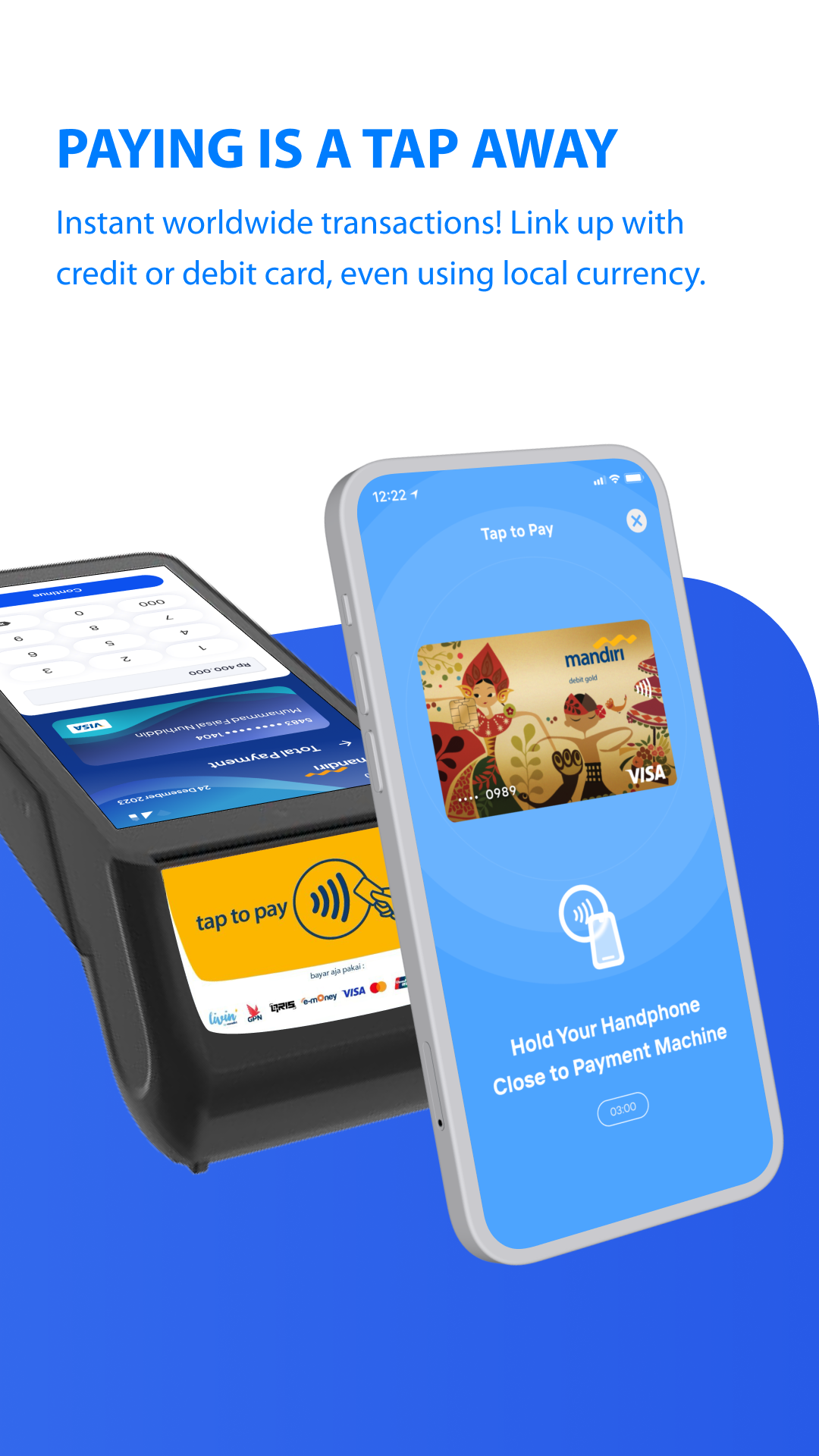
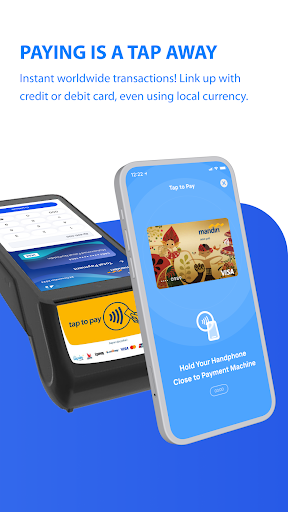
TAP-TO-PAY CONVENIENCE WITH YOUR CARD
No cards? No worries! Pay with a tap – quick and easy! Domestic and abroad transactions with your prefered source of funds – IDR or other currencies.
EARN LIVIN'POIN AND REDEEM EXCITING REWARDS
Make transactions more frequently, earn Livin'poin, and redeem for exciting rewards. Stay active, elevate your Membership Level, and enjoy greater perks along the way.
ALL KIND OF ACCOUNTS FOR YOUR NEEDS!
Now available in IDR, Forex, or Current account. Also, choose between physical or virtual debit card according to your needs.
CREDIT OPTIONS WITH VARIOUS OFFERS
Need additional funds? Apply for a loan secured by timed deposit collateral via Livin' KA-Deposito!
GROW YOUR INVESTMENT AND WEALTH IN ONE APP
Manage your investments effortlessly without switching between apps. From mutual funds, stocks, primary and secondary bonds, everything you need is seamlessly integrated into one app.
REGISTER LIVIN' FROM OVERSEAS
Sign up for Livin' using your local country number – we're going global, literally!
CROSS-CURRENCY TRANSFER
Send foreign currencies globally or between Mandiri accounts - it's cheap, fast, and easy. Full amount guaranteed! Now, transfer money abroad in Livin' supporting up to 18 currencies and 29 countries.
USE YOUR FOREX ACCOUNT AS YOUR SOURCE OF FUND NOW
Set your Forex Account as your funding source – get it done now. Then you can use Debit Card or Tap to Pay whenever you travel overseas! Without exchange fees!
QRIS LIVIN' IN MORE COUNTRIES
You only need Livin' to travel across Asia. Pay using QRIS in Thailand, Singapore, Malaysia, Japan, South Korea and China. Enjoy the flexibility to choose between savings or credit card as the source of fund.
ALL-IN-ONE WALLET
Connects all your wallets in one app – truly beyond banking!
EASY AND ALWAYS ON TIME WITH YOUR BILL PAYMENTS
Seamless payment experience with VA copy-paste and flexible source of funds (Savings or Credit Card). You can also activate auto bill payment to never miss a bill.
TOLL-FREE CALL 24/7
Livin’ Call by Mandiri ready to provide any banking information you need, toll-free, any time, any where. Talk to our customer service and get insight right away.
CARDLESS DEPOSIT AND WITHDRAWAL
Forget your wallet? No problem! Cash in and out at the ATM with Livin'.
EXPRESS FUNDS
Get loans and credit cards effortlessly, with swift approval! Loan limits up to IDR 1 billion.
YOUR KEY TO A DREAM HOME
Dreaming of your ideal home? Livin' by Mandiri opens the door to your aspirations with Livin' KPR. Delve into a collection of captivating properties from our renowned developers and Livin' Lelang catalogue!
Your financial sidekick is leveling up – more features, better than ever! Register now and let Livin' enhance your financial adventures!
PT Bank Mandiri (Persero) Tbk. is licensed and supervised by the Indonesia Financial Service Authority (OJK) and Bank Indonesia (BI), and is a member of Deposit Insurance Corporation (LPS).
Menara Mandiri 1
Jenderal Sudirman Street Kav 54-55
Jakarta 12190 Indonesia
Phone: 14000, +62-21-52997777
Email: mandiricare@bankmandiri.co.id
SWIFT Code: BMRIIDJA
Show more

1. Download MEmu installer and finish the setup

2. Start MEmu then open Google Play on the desktop

3. Search New Livin' by Mandiri in Google Play
Install
4. Download and Install New Livin' by Mandiri
5. On install completion click the icon to start

6. Enjoy using New Livin' by Mandiri on PC with MEmu
MEmu Play is the best Android emulator, and 100 million users already enjoy its superb Android app experience. Powered by advanced virtualization technology, it lets you enjoy thousands of Android apps smoothly on your PC—including the most graphics-intensive ones.
Bigger screen with better graphics; Long duration, without limitation of battery or mobile data.
Full Keymapping support for precise control of keyboard and mouse or gamepad.
Multiple game accounts or tasks on single PC at one time with Multi-Instance manager.
Use New Livin' by Mandiri on PC by following steps: