
فیلتر شکن قوی پرسرعت سناتور
Updated
Current Version
2.6
Offered By

Stop worrying about high battery drain when using فیلتر شکن قوی پرسرعت سناتور on your phone. Free yourself from the tiny screen and enjoy the app on a much larger display. From now on, get a full-screen experience of your app with the convenience of a keyboard and mouse. MEmu offers you all the surprising features you’d expect: quick installation and easy setup, intuitive controls, and no more worries about battery life, mobile data, or unexpected calls. The all-new MEmu 9 is the choice for using فیلتر شکن قوی پرسرعت سناتور on your computer. With the MEmu multi-instance manager, you can run two or more accounts at the same time. Most importantly, our exclusive emulation engine unlocks your PC’s full potential, delivering smooth and enjoyable performance.
Show more
Enjoy superb experience of using فیلتر شکن قوی پرسرعت سناتور on PC with MEMU App Player. It's a powerful free Android emulator which provides you with thousands of android apps for their desktop version. Enjoy connecting with friends and polishing your work with higher efficiency! سناتور یک فیلتر شکن سریع و ساده برای اندروید است که امکان اتصال به سرورهای متعدد را فراهم میکند.


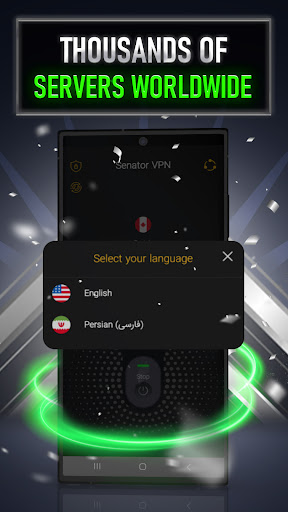

سناتور یک فیلتر شکن سریع و ساده برای اندروید است که امکان اتصال به سرورهای متعدد را فراهم میکند. رابط کاربری فارسی و طراحی ساده برنامه کمک میکند بدون تنظیمات پیچیده، تنها با چند لمس متصل شوید.
فیلتر شکن قوی پرسرعت Senator دارای یوزر های بسیاری بوده و شناخته شده ترین فیلتر شکن قوی است.با دانلود فیلتر شکن قوی پرسرعت سناتور دیگر نیازی به هیچ وی پی انی ندارید.دانلود VPN همیشه چالش برانگیز ترین مسئله در زمان فعلی است.VPN قوی و پرسرعت به معنای داشتن اینترنت آزاد است.دانلود VPN پرسرعت و قوی سناتور بهترین انتخاب است.
ویژگیهای سناتور:
• اتصال سریع و آسان
• سرورهای متعدد برای انتخاب بهتر
• رابط کاربری ساده و فارسی
• مناسب استفاده روزانه
• امکان تغییر سریع سرور
• بهروزرسانی منظم برنامه و سرورها
برای استفاده، برنامه را باز کنید، سرور موردنظر را انتخاب کرده و دکمه اتصال را بزنید. در صورت کاهش سرعت یا کیفیت اتصال، میتوانید سرور دیگری را امتحان کنید.
سرعت و کیفیت اتصال ممکن است با توجه به اپراتور، نوع اینترنت، موقعیت کاربر و شرایط شبکه متفاوت باشد.
سناتور برای کاربرانی طراحی شده است که به دنبال یک فیلتر شکن قوی، پرسرعت و ساده برای گوشی اندرویدی هستند.
استفاده از VpnService
این برنامه برای ارائه قابلیت اصلی VPN از Android VpnService استفاده میکند. هنگامی که کاربر اتصال VPN را فعال میکند، VpnService یک تونل امن در سطح دستگاه ایجاد و مدیریت میکند و ترافیک شبکه را از طریق اتصال VPN رمزگذاریشده عبور میدهد. استفاده از VpnService برای عملکرد اصلی برنامه ضروری است و برای تغییر، هدایت یا دستکاری ترافیک سایر برنامهها با هدف درآمدزایی یا تبلیغات استفاده نمیشود.
This app uses the Android VpnService API to establish and manage a VPN connection. VpnService is the core functionality of this app and is used solely to route the user's network traffic through an encrypted tunnel to our servers, in order to protect the user's privacy and secure their connection. The VPN connection is only established after the user grants explicit permission. This app does not use VpnService to redirect, intercept, or manipulate traffic from other apps for advertising or monetization purposes.
Show more

1. Download MEmu installer and finish the setup

2. Start MEmu then open Google Play on the desktop

3. Search فیلتر شکن قوی پرسرعت سناتور in Google Play
Install
4. Download and Install فیلتر شکن قوی پرسرعت سناتور
5. On install completion click the icon to start

6. Enjoy using فیلتر شکن قوی پرسرعت سناتور on PC with MEmu
MEmu Play is the best Android emulator, and 100 million users already enjoy its superb Android app experience. Powered by advanced virtualization technology, it lets you enjoy thousands of Android apps smoothly on your PC—including the most graphics-intensive ones.
Bigger screen with better graphics; Long duration, without limitation of battery or mobile data.
Full Keymapping support for precise control of keyboard and mouse or gamepad.
Multiple game accounts or tasks on single PC at one time with Multi-Instance manager.
Use فیلتر شکن قوی پرسرعت سناتور on PC by following steps: