ShopBack - The Smarter Way | Shopping & Cashback
Updated
Current Version
6.20.0
Offered By

Stop worrying about high battery drain when using ShopBack - The Smarter Way | Shopping & Cashback on your phone. Free yourself from the tiny screen and enjoy the app on a much larger display. From now on, get a full-screen experience of your app with the convenience of a keyboard and mouse. MEmu offers you all the surprising features you’d expect: quick installation and easy setup, intuitive controls, and no more worries about battery life, mobile data, or unexpected calls. The all-new MEmu 9 is the choice for using ShopBack - The Smarter Way | Shopping & Cashback on your computer. With the MEmu multi-instance manager, you can run two or more accounts at the same time. Most importantly, our exclusive emulation engine unlocks your PC’s full potential, delivering smooth and enjoyable performance.
Show more
Enjoy superb experience of using ShopBack - The Smarter Way | Shopping & Cashback on PC with MEMU App Player. It's a powerful free Android emulator which provides you with thousands of android apps for their desktop version. Enjoy connecting with friends and polishing your work with higher efficiency! Save more, shop more with ShopBack!
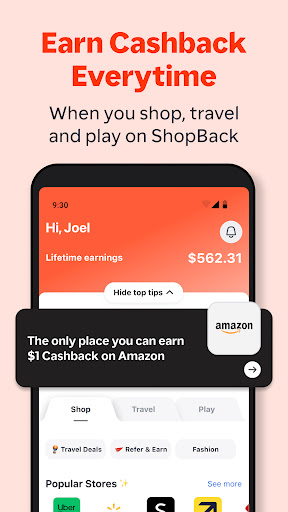
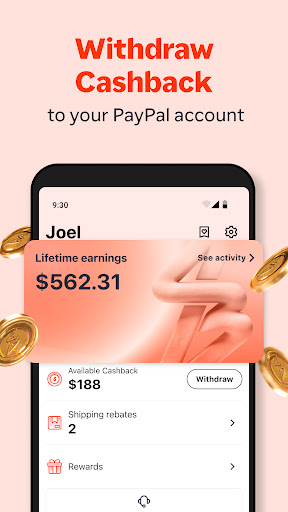
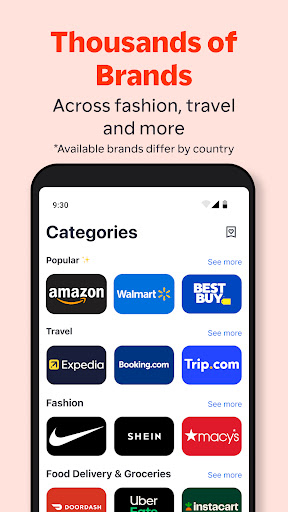
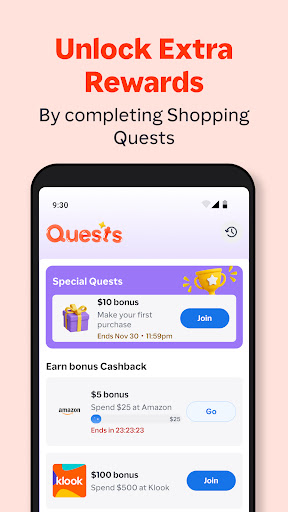
Save more, shop more with ShopBack! Join 6M Filipinos who have already earned real cash.
ShopBack is the smarter way to shop online! Get up to 40% cashback on your online shopping, access exclusive promo codes, flash sales, and offers at over 900 top stores.
Best part about ShopBack? You can withdraw your Cashback to your bank account as REAL cash! Download the app now to earn as you shop! The app is totally FREE!
Since our inception in 2014, we have rapidly grown to become the top cashback site in Southeast Asian countries, such as Singapore, Malaysia, Indonesia and Philippines. ShopBack has also been featured in numerous press releases by Tech in Asia, Yahoo, Channel News Asia, Philippine Daily Inquirer, Business World, and more.
Awards and Accolades:
- ‘Gold award for ‘Best Innovative Start-up (Growth Stage)’ at the SiTF Award Ceremony
- ‘Most Promising Startup To Look Out For in 2015’ by Vulcan Post
Supported Stores Include:
Lazada, Tiktok Shop, Agoda, Shopee, Temu, Foodpanda, Nike, and 900+ more including marketplaces, grocery delivery to food delivery services.
How to Get Cashback?
1. Sign up for your free ShopBack account.
2. Browse through our list of merchants and click on your desired one.
3. Choose among the many deals and discounts available.
4. You will then be redirected to the merchant site – shop and make payment like how you usually would.
5. After 48 hours, your cashback will automatically be reflected in your account.
6. You can request for a payout to your bank or GCash/Maya account after you have earned the minimum redeemable cashback amount!
Features:
- Gain access to online shopping coupon and voucher codes, vouchers and promos for over 500 merchants including Shopee, Lazada and Foodpanda
- Choose from a constantly updated list of coupon codes, free shipping deals and discounts.
- Be alerted of ShopBack’s trending deals and offers and promo codes.
- View the most popular merchants on ShopBack from marketplaces, food delivery to online travel agents.
- Find stores offering the highest rebates on your electronics, health & beauty purchases and more
- Pick a merchant and be redirected to the merchant site immediately.
- Easily track your cashback.
- Conveniently request for direct payouts to your bank or e-wallet account.
- Be notified when you earn cashback and receive your payout.
Stay tuned for the year-end shopping sale ShopFest
This year ShopBack will be kickstarting ShopFest, the inaugural Year-End Shopping Festival that covers the 6 major sales event, starting from September through to January. During this 4-month long shopping festival, ShopBack will help shoppers navigate seamlessly through the plethora of various ShopFest promotion by providing shoppers with the most lucrative shopping deals and promo codes of the year from marketplaces to online travel agencies including popular merchants such as Lazada, Foodpanda and Shopee. Ultimately, ShopBack aims to help you, the consumer, shop The Smarter Way and get the most out of these year-end sales with our own mega ShopFest sale.
Show more

1. Download MEmu installer and finish the setup

2. Start MEmu then open Google Play on the desktop

3. Search ShopBack - The Smarter Way | Shopping & Cashback in Google Play
Install
4. Download and Install ShopBack - The Smarter Way | Shopping & Cashback
5. On install completion click the icon to start

6. Enjoy using ShopBack - The Smarter Way | Shopping & Cashback on PC with MEmu
MEmu Play is the best Android emulator, and 100 million users already enjoy its superb Android app experience. Powered by advanced virtualization technology, it lets you enjoy thousands of Android apps smoothly on your PC—including the most graphics-intensive ones.
Bigger screen with better graphics; Long duration, without limitation of battery or mobile data.
Full Keymapping support for precise control of keyboard and mouse or gamepad.
Multiple game accounts or tasks on single PC at one time with Multi-Instance manager.
Use ShopBack - The Smarter Way | Shopping & Cashback on PC by following steps: