Смотреть ТВ
Updated
Current Version
504
Offered By

Stop worrying about high battery drain when using Смотреть ТВ on your phone. Free yourself from the tiny screen and enjoy the app on a much larger display. From now on, get a full-screen experience of your app with the convenience of a keyboard and mouse. MEmu offers you all the surprising features you’d expect: quick installation and easy setup, intuitive controls, and no more worries about battery life, mobile data, or unexpected calls. The all-new MEmu 9 is the choice for using Смотреть ТВ on your computer. With the MEmu multi-instance manager, you can run two or more accounts at the same time. Most importantly, our exclusive emulation engine unlocks your PC’s full potential, delivering smooth and enjoyable performance.
Show more
Enjoy superb experience of using Смотреть ТВ on PC with MEMU App Player. It's a powerful free Android emulator which provides you with thousands of android apps for their desktop version. Enjoy connecting with friends and polishing your work with higher efficiency! "Смотреть ТВ" — это не просто мобильное приложение, это ваш персональный медиацентр, который с легкостью превратит ваш смартфон или планшет в универсальный телевизор на ходу.
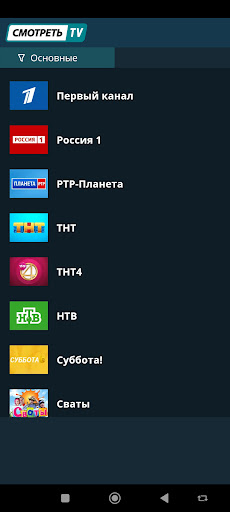
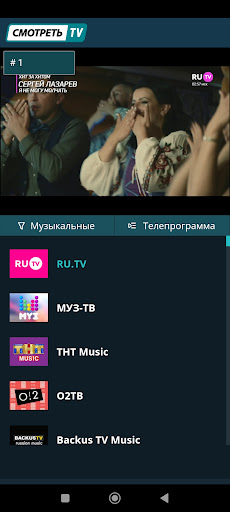
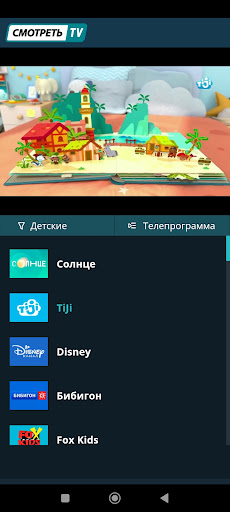
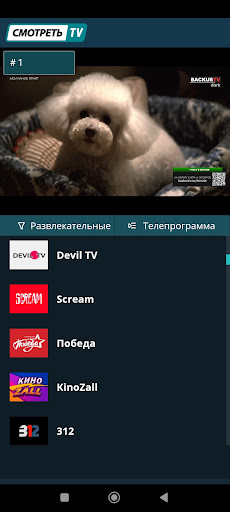
"Смотреть ТВ" — это не просто мобильное приложение, это ваш персональный медиацентр, который с легкостью превратит ваш смартфон или планшет в универсальный телевизор на ходу. Получите непрерывный доступ к широкому спектру российских телеканалов, включая известные Первый канал, Россия 1, СТС, НТВ, ТНТ, РЕН ТВ, Домашний, ТВ3, Звезда, ТВЦ и многие другие. Жаждете актуальных новостей или хотите насладиться последними сериалами и шоу-программами? Все это и многое другое доступно прямо на вашем мобильном устройстве.
Эта платформа уделяет особое внимание удобству пользователей, предлагая интуитивно понятный интерфейс и оптимизированное качество воспроизведения. Благодаря этому, "Смотреть ТВ" обеспечивает гладкую и высококачественную картинку без задержек и искажений, делая ваш опыт просмотра настолько приятным, насколько это возможно.
Откройте для себя новый, современный и удобный способ наслаждаться телевидением с "Смотреть ТВ", где ваш любимый контент всегда с вами — вне зависимости от местоположения и времени суток."
Show more

1. Download MEmu installer and finish the setup

2. Start MEmu then open Google Play on the desktop

3. Search Смотреть ТВ in Google Play
Install
4. Download and Install Смотреть ТВ
5. On install completion click the icon to start

6. Enjoy using Смотреть ТВ on PC with MEmu
MEmu Play is the best Android emulator, and 100 million users already enjoy its superb Android app experience. Powered by advanced virtualization technology, it lets you enjoy thousands of Android apps smoothly on your PC—including the most graphics-intensive ones.
Bigger screen with better graphics; Long duration, without limitation of battery or mobile data.
Full Keymapping support for precise control of keyboard and mouse or gamepad.
Multiple game accounts or tasks on single PC at one time with Multi-Instance manager.
Use Смотреть ТВ on PC by following steps: