
CheckMath
Updated
Current Version
2.1.0
Offered By

Stop worrying about high battery drain when using CheckMath on your phone. Free yourself from the tiny screen and enjoy the app on a much larger display. From now on, get a full-screen experience of your app with the convenience of a keyboard and mouse. MEmu offers you all the surprising features you’d expect: quick installation and easy setup, intuitive controls, and no more worries about battery life, mobile data, or unexpected calls. The all-new MEmu 9 is the choice for using CheckMath on your computer. With the MEmu multi-instance manager, you can run two or more accounts at the same time. Most importantly, our exclusive emulation engine unlocks your PC’s full potential, delivering smooth and enjoyable performance.
Show more
Enjoy superb experience of using CheckMath on PC with MEMU App Player. It's a powerful free Android emulator which provides you with thousands of android apps for their desktop version. Enjoy connecting with friends and polishing your work with higher efficiency! CheckMath, supported by cutting-edge AI technology and ChatGPT, is a useful helper in your learning journey.
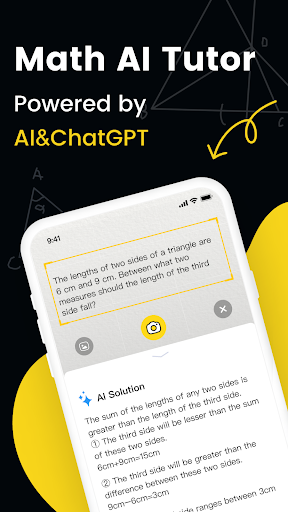
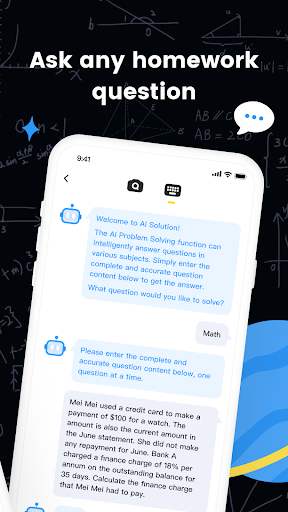
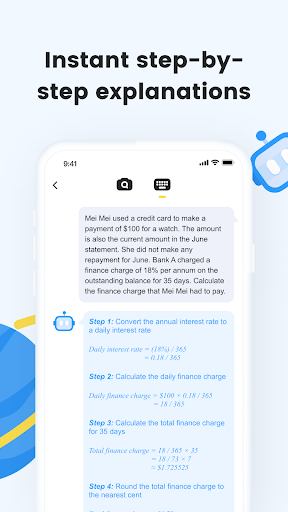
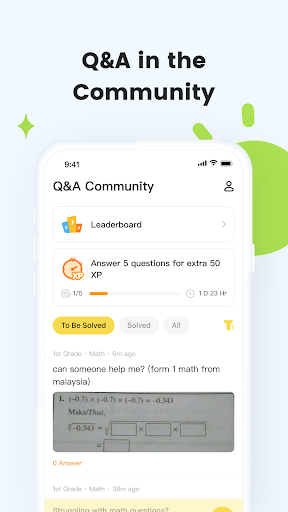
CheckMath, supported by cutting-edge AI technology and ChatGPT, is a useful helper in your learning journey.You can chat with AI or snap a photo to ask questions on any grade level or subject, all for free. Experience super-fast response times, helping you quickly find detailed explanations for the answers. Snap a photo to check your calculation problems, get accurate results of right and wrong, and easily see where you've made mistakes.
【Advanced Artificial Intelligence】
By integrating the latest AI developed by ourselves and ChatGPT, we provide exceptional answer quality and accuracy. This not only makes your learning more efficient but also brings unprecedented convenience to your learning process.
【24/7 AI Solutions】
Whether it's snapping a photo or typing a question, CheckMath's AI understands your problems instantly and provides step-by-step solutions. CheckMath is like your around-the-clock tutor, supporting all subjects in elementary, middle, and high schools, such as math, physics, and chemistry, ready to answer and clarify your doubts.
【Simple and Convenient Photo Searching】
Just scan your math problems, and our image recognition technology can instantly and accurately identify the questions, finding complete answer explanations for you within seconds. Whether it's a simple arithmetic operation or a complex function graph, we can handle it with ease.
【Homework Check】
After taking pictures, CheckMath will instantly check the answers to various question types, including addition, subtraction, multiplication, and division, as well as vertical calculation, pattern identification, equation, unit conversion, and math expressions with brackets.
Making learning easier and progress less hard, CheckMath will accompany you throughout your growth, helping you achieve your learning goals.
Applicable Scenarios:
◇ Encountering challenging math problems while doing homework ▶ Snap a photo with your phone and get an instant answer for efficient learning.
◇ Struggling to understand explanations without a teacher nearby ▶ AI is here to explain wherever you are having trouble.
◇ Too much trouble checking your kid's calculation questions? ▶ Save time using Homework Check to check the answers instantly.
◇ Troubled by fraction calculation, factorization of polynomials, and equations? ▶ Use Smart Calculator for detailed step-by-step explanations.
◇ Bored by tedious mental calculation exercises? ▶ Participate in fun online exercises and grow together with learners around the world.
Other More Features:
□ Wrongs (free for a limited time): Add questions you got wrong with one tap and categorize and sort them by tags in a move to review questions of the same type and enhance the understanding of relevant math knowledge.
□ Smart Calculator: More than just a traditional calculator, Smart Calculator allows you to calculate ordinary expressions, solve equations, enter the expressions with a special keyboard, and view detailed solving steps. Smart Calculator is a useful tool designed to help students learn how to solve equations and calculation questions in an effortless way.
□ Intelligent online handwriting exercise: CheckMath can intelligently generate horizontal and vertical calculation questions based on relevant knowledge points, such as addition, subtraction, multiplication, and division. Students can write answers with their fingers on the smartphone screen. It is not only full of fun but also helps improve calculation skills.
Download CheckMath for free right away!
CheckMath User Agreement: https://api.checkmath.net/cm/agreement/en
Show more

1. Download MEmu installer and finish the setup

2. Start MEmu then open Google Play on the desktop

3. Search CheckMath in Google Play
Install
4. Download and Install CheckMath
5. On install completion click the icon to start

6. Enjoy using CheckMath on PC with MEmu
MEmu Play is the best Android emulator, and 100 million users already enjoy its superb Android app experience. Powered by advanced virtualization technology, it lets you enjoy thousands of Android apps smoothly on your PC—including the most graphics-intensive ones.
Bigger screen with better graphics; Long duration, without limitation of battery or mobile data.
Full Keymapping support for precise control of keyboard and mouse or gamepad.
Multiple game accounts or tasks on single PC at one time with Multi-Instance manager.
Use CheckMath on PC by following steps: