Gradient Photo Editor
Updated
Current Version
2.13.4
Offered By

Stop worrying about high battery drain when using Gradient Photo Editor on your phone. Free yourself from the tiny screen and enjoy the app on a much larger display. From now on, get a full-screen experience of your app with the convenience of a keyboard and mouse. MEmu offers you all the surprising features you’d expect: quick installation and easy setup, intuitive controls, and no more worries about battery life, mobile data, or unexpected calls. The all-new MEmu 9 is the choice for using Gradient Photo Editor on your computer. With the MEmu multi-instance manager, you can run two or more accounts at the same time. Most importantly, our exclusive emulation engine unlocks your PC’s full potential, delivering smooth and enjoyable performance.
Show more
Enjoy superb experience of using Gradient Photo Editor on PC with MEMU App Player. It's a powerful free Android emulator which provides you with thousands of android apps for their desktop version. Enjoy connecting with friends and polishing your work with higher efficiency! Welcome to Gradient Photo Editor, the pinnacle of creativity and innovation in the world of digital imagery.
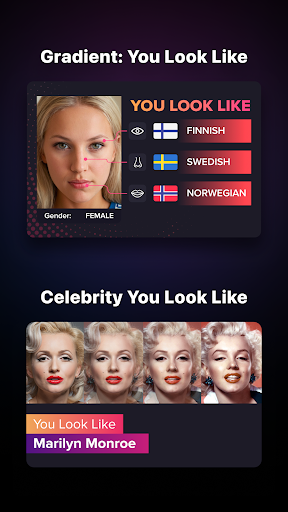
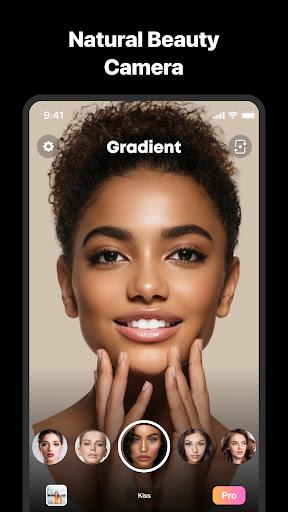
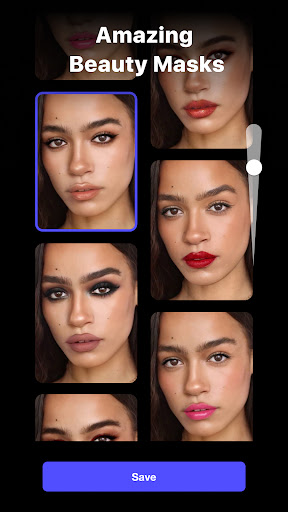
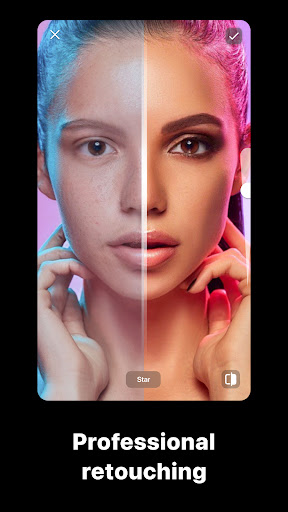
Welcome to Gradient Photo Editor, the pinnacle of creativity and innovation in the world of digital imagery. Leveraging state-of-the-art AI technology, our app offers an unparalleled experience for both photo and video editing. Dive into a world of endless possibilities and artistic mastery with the following features:
* AI QUIZZES *
Unleash your creativity with our AI-driven quizzes & fun features. Find your Celebrity Look-Alike, turn yourself into a Cartoon Character, check out AI tests and more! The AI algorithms ensure realistic and breathtaking results that will leave you and your friends amazed.
* BEAUTY FILTERS *
Enhance your natural beauty with our extensive range of beauty filters. From skin smoothing to eye brightening, our AI-powered filters will make your photos look professionally retouched. Find the perfect look for every occasion with just a tap.* ARTISTIC FILTERS *
Channel your inner artist with our collection of artistic filters. Whether you prefer realistic paintings or cartoon animation, our AI-driven artistic filters will turn your photos into masterpieces.
* MAKEUP FILTERS *
Get the perfect makeup look without lifting a brush. Our makeup filters offer a wide range of cosmetics, from subtle enhancements to bold transformations. Experiment with different looks and find the one that suits you best.
* BODY FILTERS *
Achieve the perfect body shape with our intuitive body filters. Whether you want to slim down, tone up, or add curves, our AI-powered body filters will help you look your best in every photo.
* HAIRSTYLES *
Experiment with different hairstyles without a trip to the salon. Our AI-powered hairstyle feature lets you try on various haircuts and colors, helping you find the perfect look.* OBJECT REMOVAL *
Remove unwanted objects from your photos with ease. Our AI-driven object removal tool makes it simple to clean up your images, leaving only what you want to see.
* FACE RELIGHT *
Illuminate your face with our face relight feature. Adjust the lighting to create dramatic effects or simply enhance your natural glow. Our AI algorithms ensure that the lighting looks natural and flattering.
* TEETH AND SMILE *
Brighten your smile with our teeth and smile editing tools. Whiten your teeth, adjust your smile, and create a look that radiates confidence and joy.
* CLASSIC EDITING TOOLS *
For those who prefer a hands-on approach, our classic editing tools offer everything you need. Crop, rotate, adjust brightness and contrast, and much more. The intuitive interface makes it easy for both beginners and professionals to create stunning visuals.
---Gradient Unlimited Subscription
UNLIMIT yourself with Gradient Unlimited subscription! Gradient Photo Editor Unlimited grants you instant access to ALL tools, filters and features.
Subscription Plans:
* Yearly subscription for $49.99
* Monthly subscription for $9.99
* One-Time Purchase for $119.99
Please, note that the prices are in US dollars and may vary in other countries and subject to change in the future. Payment will be charged to your Google Play account at confirmation of purchase. Subscriptions will automatically renew unless auto-renew is turned off at least 24 hours before the end of current period. Your account will be charged according to your plan for renewal within 24 hours prior to the end of the current period. You can manage or turn off auto-renew in your Google Play account settings at any time after purchase. No refunds will be provided for any unused portion of the term. Any unused portion of a free trial period will be forfeited when you purchase a subscription. Limit of one free trial per one Google Play account.
Please see the Terms of Use and our Privacy Policy:
https://gradient.photo/terms_of_use.pdf
https://gradient.photo/privacy_policy.pdf
———
Contact us
We develop our app together with our great community so feel free to share your thoughts and suggestions on contact@gradient.photo
Show more

1. Download MEmu installer and finish the setup

2. Start MEmu then open Google Play on the desktop

3. Search Gradient Photo Editor in Google Play
Install
4. Download and Install Gradient Photo Editor
5. On install completion click the icon to start

6. Enjoy using Gradient Photo Editor on PC with MEmu
MEmu Play is the best Android emulator, and 100 million users already enjoy its superb Android app experience. Powered by advanced virtualization technology, it lets you enjoy thousands of Android apps smoothly on your PC—including the most graphics-intensive ones.
Bigger screen with better graphics; Long duration, without limitation of battery or mobile data.
Full Keymapping support for precise control of keyboard and mouse or gamepad.
Multiple game accounts or tasks on single PC at one time with Multi-Instance manager.
Use Gradient Photo Editor on PC by following steps: