Verimi - Digital Identity
Updated
Current Version
2.3.5
Offered By

Stop worrying about high battery drain when using Verimi - Digital Identity on your phone. Free yourself from the tiny screen and enjoy the app on a much larger display. From now on, get a full-screen experience of your app with the convenience of a keyboard and mouse. MEmu offers you all the surprising features you’d expect: quick installation and easy setup, intuitive controls, and no more worries about battery life, mobile data, or unexpected calls. The all-new MEmu 9 is the choice for using Verimi - Digital Identity on your computer. With the MEmu multi-instance manager, you can run two or more accounts at the same time. Most importantly, our exclusive emulation engine unlocks your PC’s full potential, delivering smooth and enjoyable performance.
Show more
Enjoy superb experience of using Verimi - Digital Identity on PC with MEMU App Player. It's a powerful free Android emulator which provides you with thousands of android apps for their desktop version. Enjoy connecting with friends and polishing your work with higher efficiency! Verimi combines all functions around your digital identity.
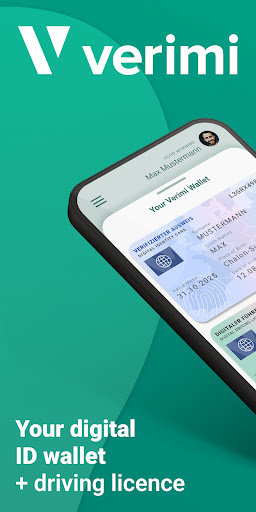
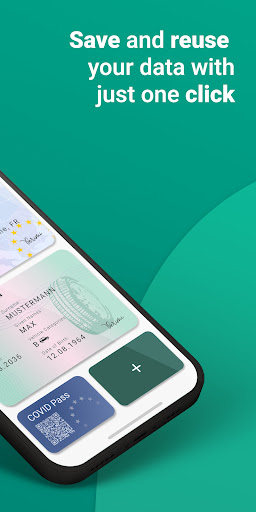
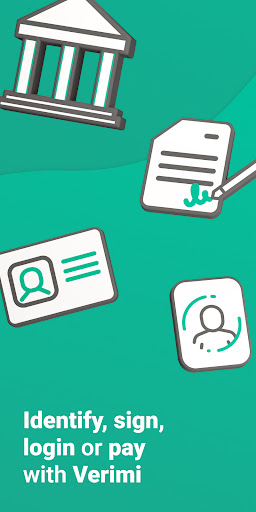
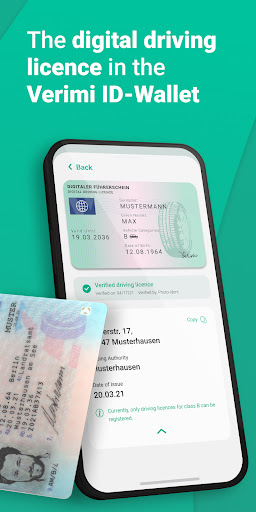
Verimi combines all functions around your digital identity. Securely store your data and ID documents in your Verimi ID Wallet and have them ready at any time. Identify yourself online, log in, sign and pay - with the ID Wallet, Verimi gives you access to digital services across all sectors with just one click.
By downloading the Verimi app, you can use all the functionalities for your digital identity generally free of charge. Personal documents such as ID cards and driving licenses can be easily read out and securely stored by Verimi. In addition, you can protect your account with a second security feature (2FA - two-factor authentication) to protect your data.
Log in, identify, sign, pay - Verimi makes processes in the Internet easy.
Registering made easy: Save yourself the hassle of creating new accounts and use your Verimi Account to register with Verimi partners with just a few clicks.
Login securely: Just remember your email address and password. Link your Verimi-Account to your user accounts with our partners with just a few clicks.
Identify yourself online: Verify your data with Verimi. Store your ID card or driving licence once to digitally identify yourself over and over at Verimi partners.
Show your COVID Pass: Scan your digital EU COVID certificate with Verimi and show the COVID Pass wherever it is needed. You can digitally connect your COVID Pass with your ID document upon request to make verification easier in everyday life.
Sign digitally: Once you have proven your identity with Verimi, you can apply for a digital certificate and generally legally sign documents digitally.
Comfortable Payment: Add your bank account details to your Verimi account and pay securely and directly when checking out in online shops.
About Verimi:
Verimi is a solution provider for digital identity verification and the secure authentication of customers. Customers perform an ID check and store their digitally verified data in their Verimi Wallet. The wallet enables customers to log into the Partner accounts, identify themselves digitally, sign contracts digitally or pay online at any time, simply and securely. Partner companies integrate Verimi in just a few steps to improve the digital customer experience with a particularly high process efficiency.
Verimi Shareholders are: Allianz, Axel Springer, Bundesdruckerei, Core, Daimler, Deutsche Bahn, Deutsche Bank, Deutsche Telekom, Giesecke+Devrient, GMB - an investment group of well-known insurance companies led by GDV DL, Here Technologies, Lufthansa, Samsung and Volkswagen Financial Services.
_________________
If you have any questions or suggestions, please contact our customer service:
E-mail: service@verimi.com
Show more

1. Download MEmu installer and finish the setup

2. Start MEmu then open Google Play on the desktop

3. Search Verimi - Digital Identity in Google Play
Install
4. Download and Install Verimi - Digital Identity
5. On install completion click the icon to start

6. Enjoy using Verimi - Digital Identity on PC with MEmu
MEmu Play is the best Android emulator, and 100 million users already enjoy its superb Android app experience. Powered by advanced virtualization technology, it lets you enjoy thousands of Android apps smoothly on your PC—including the most graphics-intensive ones.
Bigger screen with better graphics; Long duration, without limitation of battery or mobile data.
Full Keymapping support for precise control of keyboard and mouse or gamepad.
Multiple game accounts or tasks on single PC at one time with Multi-Instance manager.
Use Verimi - Digital Identity on PC by following steps: