
Clover-Period & Cycle Tracker
Updated
Current Version
6.4.2
Offered By

Stop worrying about high battery drain when using Clover-Period & Cycle Tracker on your phone. Free yourself from the tiny screen and enjoy the app on a much larger display. From now on, get a full-screen experience of your app with the convenience of a keyboard and mouse. MEmu offers you all the surprising features you’d expect: quick installation and easy setup, intuitive controls, and no more worries about battery life, mobile data, or unexpected calls. The all-new MEmu 9 is the choice for using Clover-Period & Cycle Tracker on your computer. With the MEmu multi-instance manager, you can run two or more accounts at the same time. Most importantly, our exclusive emulation engine unlocks your PC’s full potential, delivering smooth and enjoyable performance.
Show more
Enjoy superb experience of using Clover-Period & Cycle Tracker on PC with MEMU App Player. It's a powerful free Android emulator which provides you with thousands of android apps for their desktop version. Enjoy connecting with friends and polishing your work with higher efficiency! Clover is your comprehensive companion for period tracking, ovulation prediction, fertility monitoring, and PMS management.
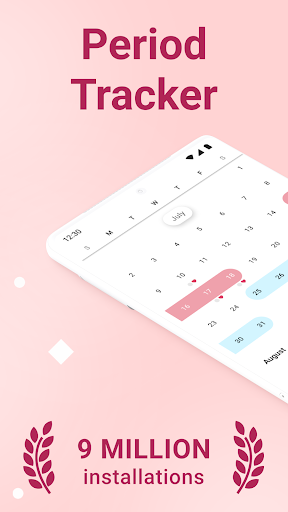
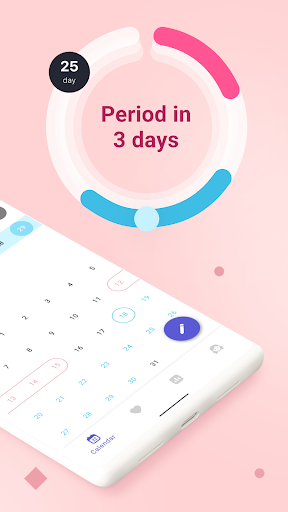
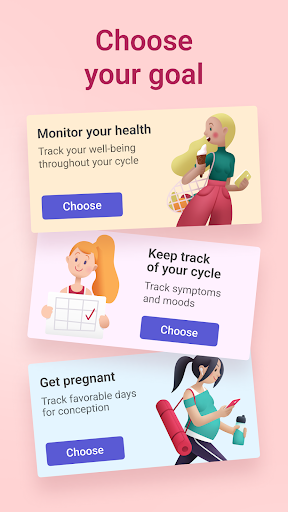
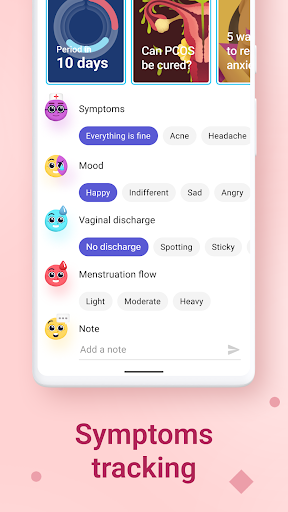
Clover is your comprehensive companion for period tracking, ovulation prediction, fertility monitoring, and PMS management.
No need for accounts or data sharing; your privacy is paramount. Empower yourself with our intuitive menstrual cycle calendar, ovulation calculator, and fertility tracker. Whether you're aiming for pregnancy or simply want to regulate your cycle, Clover has you covered. Stay informed about your next period, ovulation dates, and PMS symptoms effortlessly.
If you’re looking for a fertility tracker, period log, menstrual calendar, and more, then check out the features on this application, including:
✔️ Menstrual cycle and ovulation calendar, for teens or women trying to keep a regular cycle. A cycle tracker is also great for any woman trying to keep a fertility tracker, so they know the ideal time during a menstrual cycle to try for pregnancy. Keep track of fertility days and be ready with this app by your side. With Clover, you can also monitor your basal body temperature to enhance fertility tracking.
✔️ Great period book to use as an irregular period tracker, a great period tracker for teenagers. For teens just getting used to PMS, and a regular period cycle, you can use this period app to check period dates, amount of period blood, PMS cycle, and know what days and how heavy your period should be. It also serves as a valuable tool for family planning and managing conception efforts.
✔️ Keep a period log – Always know when your next period should start, how long this cycle will last, check if you’re late, etc. A period calculator app means you can throw away those paper calendars, stop guessing and stop worrying. This is perfect for women who need to track their menstrual cycles offline, ensuring they never miss a beat, even without internet access. Clover also acts as your personal assistant, providing reminders and helpful tips to manage your cycle more effectively.
✔️ Get reminders – When will your ovulation begin monthly. This feature serves as an essential ovulation predictor, helping you pinpoint your most fertile days and plan accordingly for conception or avoiding pregnancy.
✔️ Set up individual monthly calendars, and edit past data about ovulation. Clover’s diary and planner features allow you to keep detailed records, making it easier to understand your menstrual patterns over time.
Clover integrates the latest insights and technology to provide you with a user-friendly interface that adapts to your unique menstrual cycle. Our app caters to the needs of women of all ages, including teens and tweens, offering valuable insights into their reproductive health. With Clover, you can monitor your hormonal fluctuations, track ovulation trends, and better understand your fertility window. Whether you're trying to conceive, prevent pregnancy, or simply stay in tune with your body, Clover offers personalized support and guidance throughout your journey. Take advantage of our advanced features, such as customizable notifications and cycle predictions, to streamline your menstrual health management.
Stay informed and empowered with Clover – your trusted period, ovulation, and fertility companion. Download now and take control of your menstrual health
Show more

1. Download MEmu installer and finish the setup

2. Start MEmu then open Google Play on the desktop

3. Search Clover-Period & Cycle Tracker in Google Play
Install
4. Download and Install Clover-Period & Cycle Tracker
5. On install completion click the icon to start

6. Enjoy using Clover-Period & Cycle Tracker on PC with MEmu
MEmu Play is the best Android emulator, and 100 million users already enjoy its superb Android app experience. Powered by advanced virtualization technology, it lets you enjoy thousands of Android apps smoothly on your PC—including the most graphics-intensive ones.
Bigger screen with better graphics; Long duration, without limitation of battery or mobile data.
Full Keymapping support for precise control of keyboard and mouse or gamepad.
Multiple game accounts or tasks on single PC at one time with Multi-Instance manager.
Use Clover-Period & Cycle Tracker on PC by following steps: