
Windscribe VPN
Updated
Current Version
4.0.2218
Offered By

Stop worrying about high battery drain when using Windscribe VPN on your phone. Free yourself from the tiny screen and enjoy the app on a much larger display. From now on, get a full-screen experience of your app with the convenience of a keyboard and mouse. MEmu offers you all the surprising features you’d expect: quick installation and easy setup, intuitive controls, and no more worries about battery life, mobile data, or unexpected calls. The all-new MEmu 9 is the choice for using Windscribe VPN on your computer. With the MEmu multi-instance manager, you can run two or more accounts at the same time. Most importantly, our exclusive emulation engine unlocks your PC’s full potential, delivering smooth and enjoyable performance.
Show more
Enjoy superb experience of using Windscribe VPN on PC with MEMU App Player. It's a powerful free Android emulator which provides you with thousands of android apps for their desktop version. Enjoy connecting with friends and polishing your work with higher efficiency! Windscribe VPN is your all-in-one solution for privacy, security, and unrestricted internet connections.

Windscribe VPN is your all-in-one solution for privacy, security, and unrestricted internet connections.
Trusted by millions, recognized as a PCMag Editors’ Choice, and proven to protect your data, Windscribe is the best VPN to browse, stream, and connect across the internet without limits.
WHY WINDSCRIBE VPN
We’re independently owned, open-source and audited. Our no-logs policy is not just promised, it has been backed up in real legal cases. Whether you’re securing public Wi-Fi, bypassing geo-blocks to access global content, or streaming in 4K, Windscribe is built to keep you safe, secure, and connected.
WHAT WINDSCRIBE VPN CAN DO
Windscribe delivers a full privacy and secure browsing experience:
• High-speed 10 Gbps servers for fast downloads, smooth streaming, and low-latency gaming.
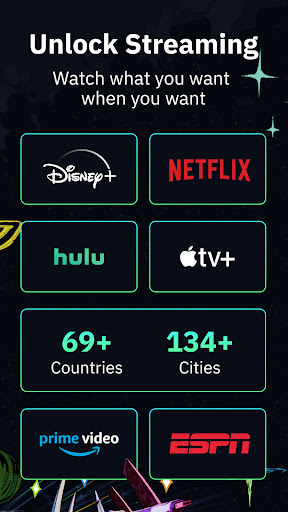
• Private streaming access via global servers to Netflix, Disney+, Amazon Prime Video, Hulu, HBO Max, Peacock, Paramount+, ESPN+, Sling TV, BBC iPlayer, DAZN, FuboTV, and more.
• P2P support for private and secure file sharing without throttling.
• AES-256 encryption with Perfect Forward Secrecy to secure every packet.
• 6 secure protocols: WireGuard®, OpenVPN (UDP/TCP), IKEv2, Stealth, and Wstunnel. You can adapt for speed, stability, or stealth.
• Split tunneling to route only the apps you choose through the VPN.
• DNS leak protection to keep your connection & browsing history private and secure.
• Firewall kill switch to block all traffic if your VPN connection drops.
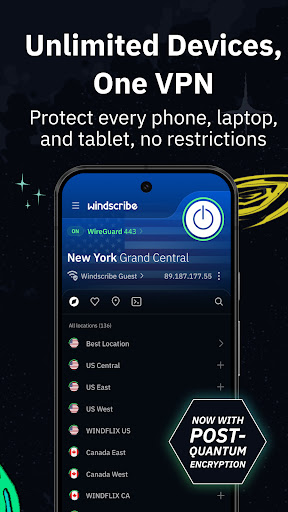
• Multi-platform support on Android, iOS, Windows, macOS, Linux, browsers, smart TVs, tablets and routers.
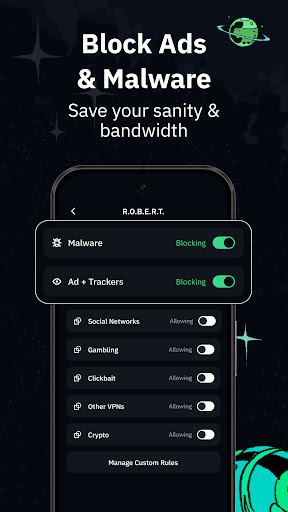
• Tracker & threat blocking to stop advertisers from profiling you across the internet and to filter out malicious or unwanted sites, making browsing faster, cleaner, and safer.
One-tap Quick Connect for instant, private and encrypted protection anywhere.
FREE PLAN — 10GB/month, no credit card needed
Every Windscribe user gets the full privacy and security stack above. Our free plan is perfect for securing private browsing with encrypted protection:
• 10 GB monthly data allowance
• Access to core global server locations
GO PRO — Unlimited data, global access
Upgrading to Pro unlocks the complete Windscribe experience:
• Unlimited data and bandwidth, so you can browse, stream, and download without caps.
• Access to global servers in 69+ countries & locations: Albania, Argentina, Australia, Austria, Belgium, Bosnia, Brazil, Bulgaria, Canada, Chile, Colombia, Croatia, Cyprus, Czech Republic, Denmark, Ecuador, El Salvador, Estonia, Finland, France, Georgia, Germany, Greece, Guatemala, Hong Kong, Hungary, Iceland, India, Indonesia, Ireland, Israel, Italy, Japan, Kenya, Latvia, Lithuania, Luxembourg, Malaysia, Mexico, Moldova, Netherlands, New Zealand, Nigeria, North Macedonia, Norway, Panama, Paraguay, Peru, Philippines, Poland, Portugal, Romania, Russia, Serbia, Singapore, Slovakia, Slovenia, South Africa, South Korea, Spain, Sweden, Switzerland, Taiwan, Thailand, Turkey, UK, Ukraine, United Arab Emirates, United States, Vietnam.
• Port forwarding for hosting game servers or accessing devices remotely.
Pro is ideal for heavy streamers, frequent travellers, and anyone who wants unlimited access to the fastest servers and global access.
WHY USERS TRUST WINDSCRIBE
• Recognized by PCMag Editors’ Choice for quality and performance.
• Court-proven privacy, not just marketing claims
• Open-source apps and third-party audits for total transparency.
• Works seamlessly whether you need a US IP abroad or want to access content across global locations from home.
• Built and maintained by a team focused on privacy.
Download Windscribe VPN today. Start free to secure your connection instantly, or go Pro for unlimited access, all server locations, and the fastest VPN speeds available. Your data, your internet, your rules.
Show more

1. Download MEmu installer and finish the setup

2. Start MEmu then open Google Play on the desktop

3. Search Windscribe VPN in Google Play
Install
4. Download and Install Windscribe VPN
5. On install completion click the icon to start

6. Enjoy using Windscribe VPN on PC with MEmu
MEmu Play is the best Android emulator, and 100 million users already enjoy its superb Android app experience. Powered by advanced virtualization technology, it lets you enjoy thousands of Android apps smoothly on your PC—including the most graphics-intensive ones.
Bigger screen with better graphics; Long duration, without limitation of battery or mobile data.
Full Keymapping support for precise control of keyboard and mouse or gamepad.
Multiple game accounts or tasks on single PC at one time with Multi-Instance manager.
Use Windscribe VPN on PC by following steps: