Mi Fit
Updated
Current Version
6.13.0
Offered By

Stop worrying about high battery drain when using Mi Fit on your phone. Free yourself from the tiny screen and enjoy the app on a much larger display. From now on, get a full-screen experience of your app with the convenience of a keyboard and mouse. MEmu offers you all the surprising features you’d expect: quick installation and easy setup, intuitive controls, and no more worries about battery life, mobile data, or unexpected calls. The all-new MEmu 9 is the choice for using Mi Fit on your computer. With the MEmu multi-instance manager, you can run two or more accounts at the same time. Most importantly, our exclusive emulation engine unlocks your PC’s full potential, delivering smooth and enjoyable performance.
Show more
Enjoy superb experience of using Mi Fit on PC with MEMU App Player. It's a powerful free Android emulator which provides you with thousands of android apps for their desktop version. Enjoy connecting with friends and polishing your work with higher efficiency! Zepp Life provides you with accurate exercise tracking, detailed sleep and exercise analysis.
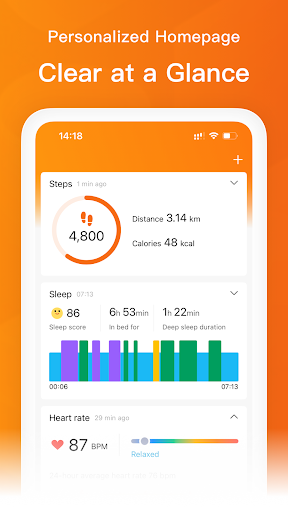
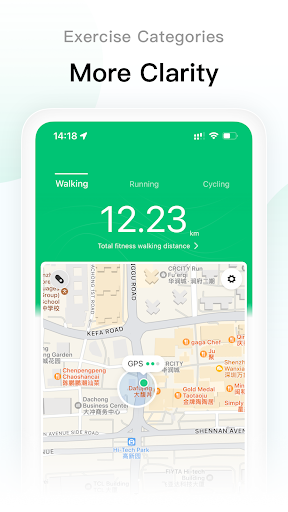
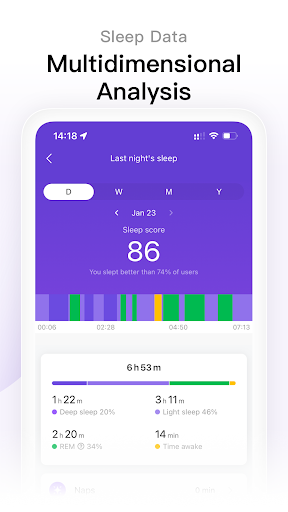
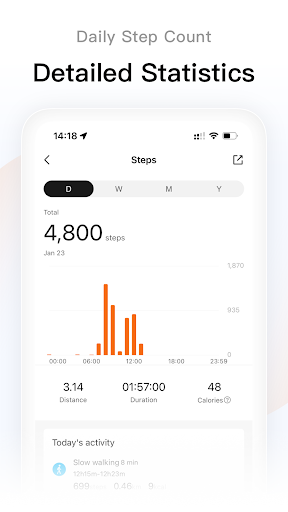
Zepp Life provides you with accurate exercise tracking, detailed sleep and exercise analysis. It motivates you to love exercise, enjoy an active and healthy lifestyle, and embrace a better version of yourself.
Zepp Life supports the following products:
- Xiaomi Mi Band series
- Xiaomi Weighing Scale series
- Xiaomi Body Composition Scale series
- Mi Watch Lite
- And many more smart products
The main features of Zepp Life include:
[Record Every Exercise]: Supports running, cycling, walking, and related training; each exercise session provides professional posture and heart rate analysis, making your workout more scientific and effective;
[Intimate Sleep Manager]: In-depth analysis of various factors affecting sleep quality and offering improvement suggestions;
[Comprehensive Evaluation of Body Status]: Through the Xiaomi Body Composition Scale, it measures various body composition data, scientifically maintaining a good figure while also identifying risks affecting health earlier;
[Rich Personal Reminders]:
Silent alarm vibration wakes you up without disturbing your partner;
Call, SMS, and various personal reminders, so you don't miss any important information;
Sedentary reminder to keep an eye on your health, avoiding the harm caused by prolonged sitting;
Using this app service requires the following permissions.
Required permissions:
- None
Optional permissions:
- Physical Activity: Used to count your steps.
- Location: Used to collect your location data for using the trackers (exercise and steps), display a route map for exercise, and show the weather.
- Storage (Files and Media): Used to import/export your exercise data, save exercise photos.
- Phone, Contacts, SMS, Call Log: Used for call reminders, call rejection, and displaying information on your device.
- Camera: Used to scan QR codes when adding friends and binding devices.
- Calendar: Used to sync and remind events on your device.
- Nearby Device: User discovery and binding of devices, as well as data synchronization between apps and devices.
Note:
- The app can be used even if you do not grant optional permissions.
- The app is not for medical purposes, only intended for general fitness/health purposes.
Note: Continued use of GPS running in the background can dramatically decrease battery life.
If you have any comments or suggestions on Zepp Life, please submit your feedback in the app. We read each feedback carefully and will communicate with you sincerely.
Show more

1. Download MEmu installer and finish the setup

2. Start MEmu then open Google Play on the desktop

3. Search Mi Fit in Google Play
Install
4. Download and Install Mi Fit
5. On install completion click the icon to start

6. Enjoy using Mi Fit on PC with MEmu
MEmu Play is the best Android emulator, and 100 million users already enjoy its superb Android app experience. Powered by advanced virtualization technology, it lets you enjoy thousands of Android apps smoothly on your PC—including the most graphics-intensive ones.
Bigger screen with better graphics; Long duration, without limitation of battery or mobile data.
Full Keymapping support for precise control of keyboard and mouse or gamepad.
Multiple game accounts or tasks on single PC at one time with Multi-Instance manager.
Use Mi Fit on PC by following steps: