myToys – Einfach alles für Ihr Kind
Updated
Current Version
8.0.0
Offered By

Stop worrying about high battery drain when using myToys – Einfach alles für Ihr Kind on your phone. Free yourself from the tiny screen and enjoy the app on a much larger display. From now on, get a full-screen experience of your app with the convenience of a keyboard and mouse. MEmu offers you all the surprising features you’d expect: quick installation and easy setup, intuitive controls, and no more worries about battery life, mobile data, or unexpected calls. The all-new MEmu 9 is the choice for using myToys – Einfach alles für Ihr Kind on your computer. With the MEmu multi-instance manager, you can run two or more accounts at the same time. Most importantly, our exclusive emulation engine unlocks your PC’s full potential, delivering smooth and enjoyable performance.
Show more
Enjoy superb experience of using myToys – Einfach alles für Ihr Kind on PC with MEMU App Player. It's a powerful free Android emulator which provides you with thousands of android apps for their desktop version. Enjoy connecting with friends and polishing your work with higher efficiency! myToys – Einfach alles für Ihr Kind.
myToys – Einfach alles für Ihr Kind
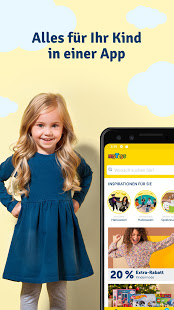
Mit der myToys-App kaufen Sie Ihre Kindersachen noch bequemer online und können dabei von exklusiven Deals profitieren. Egal, ob von unterwegs oder der Couch aus, die Shopping App ist Ihr unkomplizierter Begleiter für alles rund ums Kind – so bleibt mehr Zeit für Ihre Familie!
Die App-Vorteile von myToys:
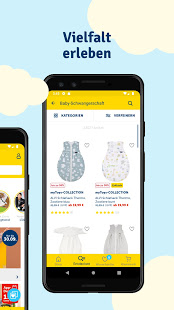
• Über 160.000 Produkte aus den Bereichen Spielzeug, Kindermode und Baby
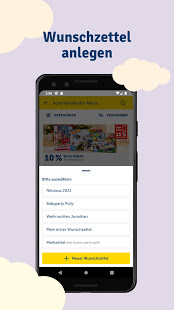
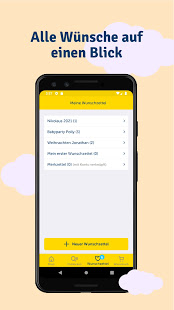
• Besser organisiert mit Merk- und Wunschzetteln mit Teilen-Funktion (per WhatsApp, E-Mail etc.)
• Viele attraktive Shopping Angebote und Aktionen
• PAYBACK-Punkte bei jedem Einkauf sammeln
• Bezahlung bequem per Rechnung, Kreditkarte, PayPal, Sofortüberweisung, paydirekt, Lastschrift oder Ratenzahlung
• Lieferung innerhalb von 2-4 Werktagen
+++ Übrigens: Unser einmaliges KombiShopping ist jetzt auch in der App verfügbar. Kaufen Sie alles für Ihr Kind bei myToys, Schuhe für die ganze Familie bei mirapodo sowie schöne Home-Artikel bei yomonda mit nur einem Warenkorb. So können Sie beim Online Shopping Versandkosten sparen! +++
Unser gesamtes Onlineshop Sortiment ist auch in der App verfügbar:
*Geschenke für Kinder*
Adventskalender, Weihnachtsgeschenke für Kinder und Geburtstagsgeschenke können Sie bei uns ganz bequem in der App shoppen. In unserem großen Sortiment finden Sie ganz bestimmt das passende Geschenk, um Ihrem Kind eine Freude zu machen. Mit Wunschzetteln können Sie sich einfach organisieren und mit der Teilen-Funktion können Sie auch Oma, Opa und Co. die passende Geschenkidee unkompliziert übermitteln.
*Spiele und Kinderspielzeug für In- und Outdoor*
Die erste Puppe, ferngesteuerte Autos, Puzzles für Tüftler, Trampoline u.v.m. finden Sie mit wenigen Klicks in unserer Online Shopping App. Entdecken Sie Ideen für Trendspielzeug und Spielzeugklassiker. Von der Spielküche bis hin zum Lernspielzeug lässt die Shopping App von myToys keine Wünsche offen. Wir bieten Spielzeug für jedes Alter an: für Babys, Kleinkinder sowie kleine und große Schulkinder.
+++ Angebotsticker: Auf Wunsch schicken wir Ihnen gerne Push-Nachrichten, damit Sie unsere Shopping Angebote oder unseren Sale nicht verpassen. +++
*Kindermode*
Bei myToys finden Sie praktische Kinderkleidung und Kinderschuhe für jedes Wetter und jede Saison. Festliche Kinderkleidung für besondere Anlässe wie Taufe oder Weihnachtsfest können Sie natürlich auch bequem in unserer App shoppen. Die Schuhauswahl reicht vom trendigen Sneaker für Kinder bis zu praktischen Sandalen. Unsere erfahrenen Mitarbeiter wissen, welche Stücke sich im Alltag mit Kindern am besten bewähren. Detaillierte Produktinformationen und zahlreiche Kundenbewertungen unterstützen Sie bei Ihrer Kaufentscheidung.
+++ Entdecken Sie in der myToys-App Top Brands wie:
LEGO, PLAYMOBIL, Ravensburger, Nintendo, superfit, Next, name it, REVIEW, S. Oliver, Esprit, Barbie, Philips Avent, Maxi Cosi, Pampers, Stokke, hauck, Hudora, Pelikan, Vtech +++
*Erstausstattung fürs Baby*
Sie erwarten ein Kind und brauchen eine geeignete Erstausstattung für Ihr Neugeborenes? Mit der myToys-App können Sie alles für Ihr Baby unkompliziert bestellen. Von bequemer Umstandsmode und Babykleidung über Kinderzimmermöbel, Kinderwagen und Babyphone bis hin zu Babyspielzeug, Kindersitz & Co. bieten wir alle Produkte für werdende Eltern und Babys zu einem guten Preis-Leistungsverhältnis.
Das ist nur ein Auszug aus unserem Sortiment – entdecken Sie Kinderbücher, Bastelsachen, Schulranzen und mehr auf Ihrem Smartphone oder Tablet und genießen Sie das entspannte Shoppingerlebnis!
Nichts mehr verpassen? Folgen Sie myToys auch auf:
https://www.instagram.com/mytoys_official/
https://www.youtube.com/c/myToysde
https://www.facebook.com/myToys/
https://de.pinterest.com/mytoys/
Wir arbeiten immer daran, die App zu verbessern und unsere Kunden glücklich zu machen. Bei Fragen, Wünschen oder Anregungen schreiben Sie uns bitte an: feedback-app@mytoys.de.
Ihnen gefällt die App? Dann freuen wir uns über eine positive Bewertung!
Show more

1. Download MEmu installer and finish the setup

2. Start MEmu then open Google Play on the desktop

3. Search myToys – Einfach alles für Ihr Kind in Google Play
Install
4. Download and Install myToys – Einfach alles für Ihr Kind
5. On install completion click the icon to start

6. Enjoy using myToys – Einfach alles für Ihr Kind on PC with MEmu
MEmu Play is the best Android emulator, and 100 million users already enjoy its superb Android app experience. Powered by advanced virtualization technology, it lets you enjoy thousands of Android apps smoothly on your PC—including the most graphics-intensive ones.
Bigger screen with better graphics; Long duration, without limitation of battery or mobile data.
Full Keymapping support for precise control of keyboard and mouse or gamepad.
Multiple game accounts or tasks on single PC at one time with Multi-Instance manager.
Use myToys – Einfach alles für Ihr Kind on PC by following steps: