
DefendEYEPro
Updated
Current Version
5.5.0
Offered By

Stop worrying about high battery drain when using DefendEYEPro on your phone. Free yourself from the tiny screen and enjoy the app on a much larger display. From now on, get a full-screen experience of your app with the convenience of a keyboard and mouse. MEmu offers you all the surprising features you’d expect: quick installation and easy setup, intuitive controls, and no more worries about battery life, mobile data, or unexpected calls. The all-new MEmu 9 is the choice for using DefendEYEPro on your computer. With the MEmu multi-instance manager, you can run two or more accounts at the same time. Most importantly, our exclusive emulation engine unlocks your PC’s full potential, delivering smooth and enjoyable performance.
Show more
Enjoy superb experience of using DefendEYEPro on PC with MEMU App Player. It's a powerful free Android emulator which provides you with thousands of android apps for their desktop version. Enjoy connecting with friends and polishing your work with higher efficiency! 4Gセキュリティ体験をディフェンダー301で体験。
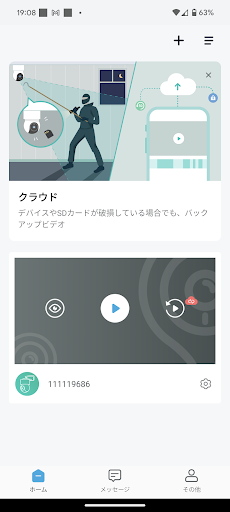
4Gセキュリティ体験をディフェンダー301で体験。電源を入れるだけで、すぐに防犯対策が始まります。最先端の技術で300万画素の鮮明な映像を捉え、Wi-Fiがなくてもつながり、世界中どこからでもあなたの大切な場所を見守ります。
カメラ設定も簡単。専用アプリをスマートフォンにダウンロードし、4Gカメラを起動。あとはアプリが自動的にカメラと接続します。セキュリティは万全で、スマホとカメラは一対一で繋がるため、余計な心配は不要。映像の共有もアプリで簡単に設定でき、同時接続は4台のデバイスと映像を共有できます。
操作は直感的で、万が一映像が表示されなくなった時も、アプリを再起動するだけで簡単に再接続できます。防犯する場所がさらに広がる4Gカメラで、新しい見守り体験を提供します。
ご利用にはアカウント登録(無料)が必要で、メールアドレスをご用意いただければ簡単に設定できます。アカウントは大切に管理し、万が一の時はサポートへお問い合わせください。この4Gカメラで、新しい防犯の形をご体験ください。
安全を、もっと身近に。
※4G通信費用として月額料金が別途発生します。
※不具合・お問い合わせ・ご要望等ございましたら、
アプリ起動>右下メニュー>「その他」>「ヘルプ&フィードバック」をご確認ください。
※本アプリは日本国内限定サービスとなるため、海外ではご利用いただけません。
Show more

1. Download MEmu installer and finish the setup

2. Start MEmu then open Google Play on the desktop

3. Search DefendEYEPro in Google Play
Install
4. Download and Install DefendEYEPro
5. On install completion click the icon to start

6. Enjoy using DefendEYEPro on PC with MEmu
MEmu Play is the best Android emulator, and 100 million users already enjoy its superb Android app experience. Powered by advanced virtualization technology, it lets you enjoy thousands of Android apps smoothly on your PC—including the most graphics-intensive ones.
Bigger screen with better graphics; Long duration, without limitation of battery or mobile data.
Full Keymapping support for precise control of keyboard and mouse or gamepad.
Multiple game accounts or tasks on single PC at one time with Multi-Instance manager.
Use DefendEYEPro on PC by following steps: