FCast Receiver
Updated
Current Version
40-playstore
Offered By

Stop worrying about high battery drain when using FCast Receiver on your phone. Free yourself from the tiny screen and enjoy the app on a much larger display. From now on, get a full-screen experience of your app with the convenience of a keyboard and mouse. MEmu offers you all the surprising features you’d expect: quick installation and easy setup, intuitive controls, and no more worries about battery life, mobile data, or unexpected calls. The all-new MEmu 9 is the choice for using FCast Receiver on your computer. With the MEmu multi-instance manager, you can run two or more accounts at the same time. Most importantly, our exclusive emulation engine unlocks your PC’s full potential, delivering smooth and enjoyable performance.
Show more
Enjoy superb experience of using FCast Receiver on PC with MEMU App Player. It's a powerful free Android emulator which provides you with thousands of android apps for their desktop version. Enjoy connecting with friends and polishing your work with higher efficiency! FCast Receiver: Your Ultimate Wireless Streaming Gateway.


FCast Receiver: Your Ultimate Wireless Streaming Gateway
Have you ever imagined transforming your living room into a personal cinema or seamlessly elevating your favorite content from the palm of your hand to the grandeur of your TV screen? The FCast Receiver is here to make that dream come true!
Why Choose the FCast Receiver?
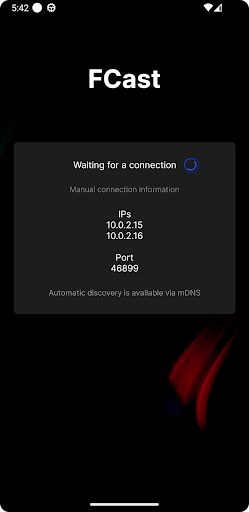
1. Intuitive Connectivity: Dive straight into a cinematic experience without the hassle. Simply connect using the IP address of your device, and you're set to stream!
2. Universal Compatibility: Whether you're a fan of DASH, smitten by HLS, or devoted to MP4, FCast is versatile enough to cater to all. You don't have to juggle between different apps or platforms. FCast has got you covered.
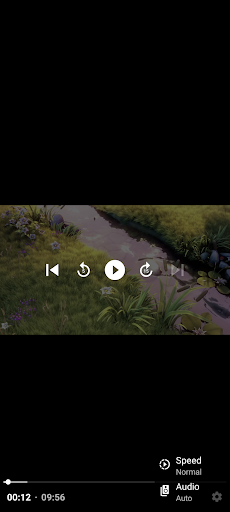
3. Interactivity at its Finest: Forget the days of using multiple remotes. With FCast, your TV's remote is all you need to navigate through your content. Whether you want to rewind that scene or skip to your favorite part, a single remote does the trick.
4. Boundless Customization for Developers: FCast isn't just another streaming protocol; it's a canvas for innovation. As an open-source protocol, it invites developers to not only use it but to enhance it. Want to design your custom receiver or integrate FCast into your app? The world is your oyster.
5. Champion of Open Ecosystems: Unlike other protocols that keep you confined, FCast believes in breaking barriers. With its open-ended design, developers can contribute to a constantly growing and evolving ecosystem. That means more innovations, more features, and more amazing experiences for you.
6. Freedom of Choice: Love watching movies from your phone? Or maybe binging shows on your tablet? FCast effortlessly syncs your devices with your big screen. The power of choice is truly in your hands.
Embrace the Future of Streaming!
Join the movement towards an open, innovative, and limitless streaming experience. Whether you're a casual viewer or a tech-savvy developer, the FCast Receiver is designed with you in mind. It's not just about watching content; it's about revolutionizing how you experience it.
Make the switch to FCast Receiver today and witness the magic of next-level streaming!
Show more

1. Download MEmu installer and finish the setup

2. Start MEmu then open Google Play on the desktop

3. Search FCast Receiver in Google Play
Install
4. Download and Install FCast Receiver
5. On install completion click the icon to start

6. Enjoy using FCast Receiver on PC with MEmu
MEmu Play is the best Android emulator, and 100 million users already enjoy its superb Android app experience. Powered by advanced virtualization technology, it lets you enjoy thousands of Android apps smoothly on your PC—including the most graphics-intensive ones.
Bigger screen with better graphics; Long duration, without limitation of battery or mobile data.
Full Keymapping support for precise control of keyboard and mouse or gamepad.
Multiple game accounts or tasks on single PC at one time with Multi-Instance manager.
Use FCast Receiver on PC by following steps: