
Flipkart Online Shopping App
Updated
Current Version
9.8
Offered By

Stop worrying about high battery drain when using Flipkart Online Shopping App on your phone. Free yourself from the tiny screen and enjoy the app on a much larger display. From now on, get a full-screen experience of your app with the convenience of a keyboard and mouse. MEmu offers you all the surprising features you’d expect: quick installation and easy setup, intuitive controls, and no more worries about battery life, mobile data, or unexpected calls. The all-new MEmu 9 is the choice for using Flipkart Online Shopping App on your computer. With the MEmu multi-instance manager, you can run two or more accounts at the same time. Most importantly, our exclusive emulation engine unlocks your PC’s full potential, delivering smooth and enjoyable performance.
Show more
Enjoy superb experience of using Flipkart Online Shopping App on PC with MEMU App Player. It's a powerful free Android emulator which provides you with thousands of android apps for their desktop version. Enjoy connecting with friends and polishing your work with higher efficiency! Flipkart brings you the thrill of discovery with a treasure trove of products—mobiles, fashion, electronics, home appliances, groceries, and more.

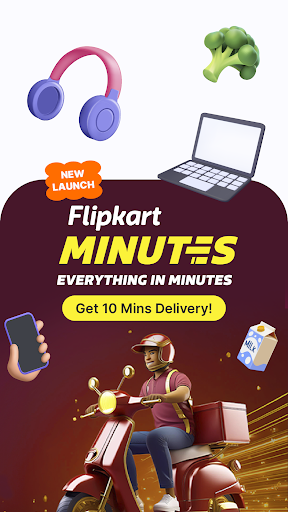


Flipkart brings you the thrill of discovery with a treasure trove of products—mobiles, fashion, electronics, home appliances, groceries, and more. It's your one-stop shop with amazing discounts, SuperCoins on every purchase, and fun rewards! A new addition is Flipkart Minutes, where you get everything you need delivered in just 10 minutes! All wrapped in one app built for your ultimate convenience. Explore it all in your language
Top reasons to download:
1⃣0⃣⌛ Flipkart Minutes: Forgot to grab the groceries? Need a last-minute gift? Prepping for a party? Or just realized you’re out of your favorite snacks? Flipkart Minutes delivers everything you need & want in just 10 minutes! From the freshest fruits & veggies to the latest gadgets daily essentials & more—we've got it all at UNBEATABLE prices.
Spoyl: The ultimate Gen-Z fashion hub. Expect fresh drops, LIT trends, and genderless styles that let you be unapologetically you. Spoyl yourself and be the trendsetter in your squad!
Grocery: Skip the queue, save on fuel, and get groceries delivered to your doorstep. Just remember, it’s better to order a day in advance—not when you’re mid-chutney and missing a chilli! Living life by the minute isn’t scalable.
Personal loans: Get flexible EMIs, affordable rates, and a seamless experience that makes loan approvals easier and faster than ever.
Vibes: Turn online shopping into an experience that feels as real as being in the store, all from the comfort of your couch.
Group Buy: Shop together, save together. Because sharing is caring!
Brand Mall: Love the mall but prefer your living room? Explore our premium brands collection without leaving your couch.
Tailor-made recommendations and trending stores, that get even better when you’re logged in. Give it a try and let us know how we did!
A regional language experience that feels like home, no matter where you are.
Faster than ever before—our engineers have outdone themselves this time.
Update the app and discover how we’ve crafted something with you at the heart of it all!
__________________________
*Note on Personal Loans*
Scapic Innovations Pvt Ltd (SuperMoney) is a Flipkart Group financial technology company. Scapic Innovations Pvt Ltd only provides a platform to facilitate money lending by Regulated Entities viz. registered Non-Banking Financial Companies (NBFCs) or Banks to users and is acting as an Loan Service Provider in partnership with Axis Bank & IDFC Bank.
Loan tenures offered by the lenders vary from 6 months up to 72 months. The rates start from 10.5% and may go up to 33%. Loan amount ranges from Rs 5000 up to Rs 10L. Interest rates and loan amounts are determined by the lenders basis customer profile and not Scapic or Flipkart.
Sample working is shown below
Representative Example:
Loan Amount
Rs 102008
Processing Fee (Including 18% GST)
Rs 2407
Stamp Duty
Rs 20
Net Disbursal Amount
Rs 99581
Interest Rate
20.50%
Monthly EMI
Rs 6631
Loan Period
18 months
First Emi date
10/12/2023*
Last Emi date
10/05/2025*
*Subject to change based on disbursal date
Maximum Annual Percentage Rate (APR) : 33%
Interest rates available on the platform are provided by the lending partner (NBFC or Bank) that is approving the loan. The rates vary depending on the customer profile based on credit score and other factors, as per lenders.
Privacy Policy
https://www.flipkart.com/pages/scapic-privacy-policy
Scapic T&C
https://www.flipkart.com/pages/scapic-tnc
Partner Links:
https://www.idfcfirstbank.com/personal-banking/adlp/digital-lending-partners/scapic-innovations
https://www.axisbank.com/retail/loans/personal-loan/personal-loan-lsp
___________________________
If you have more ideas on how we can solve for India or find a bug you’d like to bring to our attention, drop a note to app-feedback@flipkart.com.
Show more

1. Download MEmu installer and finish the setup

2. Start MEmu then open Google Play on the desktop

3. Search Flipkart Online Shopping App in Google Play
Install
4. Download and Install Flipkart Online Shopping App
5. On install completion click the icon to start

6. Enjoy using Flipkart Online Shopping App on PC with MEmu
MEmu Play is the best Android emulator, and 100 million users already enjoy its superb Android app experience. Powered by advanced virtualization technology, it lets you enjoy thousands of Android apps smoothly on your PC—including the most graphics-intensive ones.
Bigger screen with better graphics; Long duration, without limitation of battery or mobile data.
Full Keymapping support for precise control of keyboard and mouse or gamepad.
Multiple game accounts or tasks on single PC at one time with Multi-Instance manager.
Use Flipkart Online Shopping App on PC by following steps: