
FYPTT APK Adviser
Updated
Current Version
1.0
Offered By

Stop worrying about high battery drain when using FYPTT APK Adviser on your phone. Free yourself from the tiny screen and enjoy the app on a much larger display. From now on, get a full-screen experience of your app with the convenience of a keyboard and mouse. MEmu offers you all the surprising features you’d expect: quick installation and easy setup, intuitive controls, and no more worries about battery life, mobile data, or unexpected calls. The all-new MEmu 9 is the choice for using FYPTT APK Adviser on your computer. With the MEmu multi-instance manager, you can run two or more accounts at the same time. Most importantly, our exclusive emulation engine unlocks your PC’s full potential, delivering smooth and enjoyable performance.
Show more
Enjoy superb experience of using FYPTT APK Adviser on PC with MEMU App Player. It's a powerful free Android emulator which provides you with thousands of android apps for their desktop version. Enjoy connecting with friends and polishing your work with higher efficiency! FYPTT APK Adviser helps users who are new to FYPTT and want quick guidance while browsing.


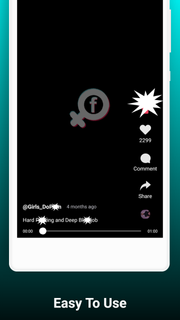

FYPTT APK Adviser helps users who are new to FYPTT and want quick guidance while browsing. It collects concise notes and examples to explain common screens and actions. The app opens directly to helpful sections and groups topics for easy scanning, so you can look up answers during short breaks or review basics at your own pace. To get started, download FYPTT APK Adviser and begin reading without distractions. Whether you need a fast reminder or a simple overview, it keeps things brief.FYPTT APK Adviser FeaturesMobile-friendly layoutThe interface is clean and sized for phones, so tips are easy to read on the move. Sections organize topics by task, letting you jump from basic navigation to feature overviews in a few taps. This layout supports quick check ins and longer sessions alike.Curated tips for basicsNext, guidance focuses on what new users ask first. Short notes cover finding menus, visiting profiles, searching, and adjusting visibility or comfort settings. Examples point to typical tap targets, which helps match written advice with what appears on your screen.No accounts or feesIn addition, access does not require accounts or fees, with no registration or subscription and free reading. You can open the app and start browsing sections immediately.Fair-use guidanceFinally, this guide uses fair-use explanations and is not the official FYPTT app. It does not host proprietary content and credits owners where relevant. Because updates can change paths, use the tips as orientation and confirm details in FYPTT when needed.Start using FYPTT APK AdviserThis guide offers straightforward help for learning FYPTT on a phone or tablet. Install the FYPTT APK Adviser latest version to access the current set of tips and browse them at your own pace. If something looks different, use the advice as a starting point and verify inside FYPTT. Contact the developer through the in-app option if clarification is needed.
Show more

1. Download MEmu installer and finish the setup

2. Start MEmu then open Google Play on the desktop

3. Search FYPTT APK Adviser in Google Play
Install
4. Download and Install FYPTT APK Adviser
5. On install completion click the icon to start

6. Enjoy using FYPTT APK Adviser on PC with MEmu
MEmu Play is the best Android emulator, and 100 million users already enjoy its superb Android app experience. Powered by advanced virtualization technology, it lets you enjoy thousands of Android apps smoothly on your PC—including the most graphics-intensive ones.
Bigger screen with better graphics; Long duration, without limitation of battery or mobile data.
Full Keymapping support for precise control of keyboard and mouse or gamepad.
Multiple game accounts or tasks on single PC at one time with Multi-Instance manager.
Use FYPTT APK Adviser on PC by following steps: