Gay guys chat & dating app PC

Download Gay guys chat & dating app on PC

Gay guys chat & dating app PC

Gay guys chat & dating app

  • Updated

  • Current Version

    1.79

  • Offered By

    Gay guys chat & dating app PC

Features of Gay guys chat & dating app on PC

Stop worrying about high battery drain when using Gay guys chat & dating app on your phone. Free yourself from the tiny screen and enjoy the app on a much larger display. From now on, get a full-screen experience of your app with the convenience of a keyboard and mouse. MEmu offers you all the surprising features you’d expect: quick installation and easy setup, intuitive controls, and no more worries about battery life, mobile data, or unexpected calls. The all-new MEmu 9 is the choice for using Gay guys chat & dating app on your computer. With the MEmu multi-instance manager, you can run two or more accounts at the same time. Most importantly, our exclusive emulation engine unlocks your PC’s full potential, delivering smooth and enjoyable performance.

Show more

Screenshots & Video of Gay guys chat & dating app PC

Enjoy superb experience of using Gay guys chat & dating app on PC with MEMU App Player. It's a powerful free Android emulator which provides you with thousands of android apps for their desktop version. Enjoy connecting with friends and polishing your work with higher efficiency! Gay dating and chat app GayFriendly.


APP Info

Gay dating and chat app GayFriendly.dating was developed with great love and attention to details. Our team has more than 10 years of experience in dating sites development and we tried to combine most important features without overloading. If you want to connect with gay men,
find other gay guys near you or trying to find love, relationship, life partner or gay soulmate - we can help you!

Features list for gay chat dating app GayFriendly.dating


✔ Instant registration and login with social networks (we do not publish anything there)
Profile verification in 4 steps: photo, email, social networks and phone number. Verified profiles are marked with special badge and get priority. We recommend you to verify your account right after you install the app
✔ Upload up to 30 photos in high resolution and change photos order
Search gay people near you (geo-location) with option to specify search distance
✔ Search in one click by such important criterias as: photo, higher-education, with/without children
✔ "Like or Not game" - fast matching by photo. Check out photo of our gay members, click like or not - both sides will be notified in case of mutual sympathy
✔ Filter search results to see only active gay users (those who logged in last week)
✔ Filter search results to see only online gay users (those who are online right now)
✔ "Like" other gay users to show them your sympathy
✔ Setup in one clickincoming messages filter, to cut off irrelevant messages
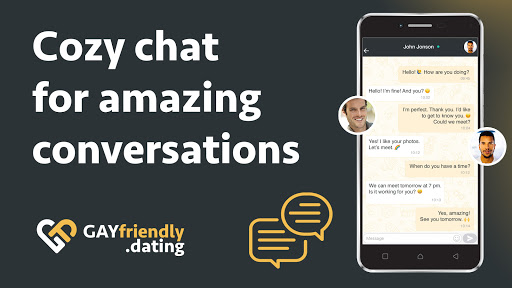
✔ Easy to use chat resembling popular messengers with smilies. Clearly visible statuses of messages (read/unread)
✔ Add gay users to favorite list, to find them easily later
✔ Send welcome messages ("pickup lines") from list of funny and original phrases
✔ Shiny virtual gifts you can send to attract attention and start conversation
✔ Very detailed profiles including habits, hobbies, diet type (for vegetarians), character, pets, etc. Matching things are marked with color, so you can see what you both have in common and chat about it.
✔ Bounce your profile to the top of search results, highlight it with animation and background color to attract more attention
✔ Participate in exciting polls related to love and relationship and find gay partners who share your values

Install GayFriendly.dating right now and start browsing profiles of our gay users in a minute. Who knows, it might change your destiny!

GayFriendly also helps to date in clubs and parties - search nearby online users, like each other in app and approach in real life

If you have and questions/ideas/complains regarding our gay dating app, please email them to info@datesupport.net and we will answer you shortly. You can also check FAQ page on our site https://GayFriendly.dating/support and contact us there via live chat or contact form here https://GayFriendly.dating/contact

Official website: https://GayFriendly.dating

Show more

How to Download Gay guys chat & dating app on PC

  • Gay guys chat & dating app PC

    1. Download MEmu installer and finish the setup

  • Gay guys chat & dating app PC

    2. Start MEmu then open Google Play on the desktop

  • Gay guys chat & dating app PC

    3. Search Gay guys chat & dating app in Google Play

  • Gay guys chat & dating app PC Install

    4. Download and Install Gay guys chat & dating app

  • Gay guys chat & dating app PC

    5. On install completion click the icon to start

  • Gay guys chat & dating app PC
    Gay guys chat & dating app PC Gay guys chat & dating app PC

    6. Enjoy using Gay guys chat & dating app on PC with MEmu

Why Use MEmu for Gay guys chat & dating app

MEmu Play is the best Android emulator, and 100 million users already enjoy its superb Android app experience. Powered by advanced virtualization technology, it lets you enjoy thousands of Android apps smoothly on your PC—including the most graphics-intensive ones.

  • Bigger screen with better graphics; Long duration, without limitation of battery or mobile data.

  • Full Keymapping support for precise control of keyboard and mouse or gamepad.

  • Multiple game accounts or tasks on single PC at one time with Multi-Instance manager.

Ready to Use?

Gay guys chat & dating app - FAQs

  • How to use Gay guys chat & dating app on PC?

    Use Gay guys chat & dating app on PC by following steps:

    • Download MEmu, then install and launch it
    • Login to Google Play Store, install the app
    • Enjoy using the app on PC with MEmu
  • What are the minimum system requirements to run Gay guys chat & dating app on PC?
    • Intel or AMD Processor
    • Microsoft Windows 7 and above
    • 2GB of memory
    • 5GB of free disk space
    • Hardware Virtualization Technology