Hotspot Shield Free VPN Proxy & Wi-Fi Security
Updated
Current Version
11.14.2
Offered By

Stop worrying about high battery drain when using Hotspot Shield Free VPN Proxy & Wi-Fi Security on your phone. Free yourself from the tiny screen and enjoy the app on a much larger display. From now on, get a full-screen experience of your app with the convenience of a keyboard and mouse. MEmu offers you all the surprising features you’d expect: quick installation and easy setup, intuitive controls, and no more worries about battery life, mobile data, or unexpected calls. The all-new MEmu 9 is the choice for using Hotspot Shield Free VPN Proxy & Wi-Fi Security on your computer. With the MEmu multi-instance manager, you can run two or more accounts at the same time. Most importantly, our exclusive emulation engine unlocks your PC’s full potential, delivering smooth and enjoyable performance.
Show more
Enjoy superb experience of using Hotspot Shield Free VPN Proxy & Wi-Fi Security on PC with MEMU App Player. It's a powerful free Android emulator which provides you with thousands of android apps for their desktop version. Enjoy connecting with friends and polishing your work with higher efficiency! Independently rated the fastest VPN, Hotspot Shield VPN provides lightning-fast, private internet security.
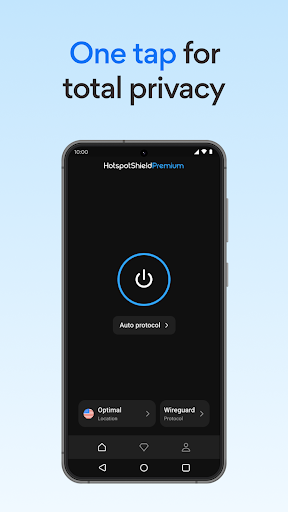
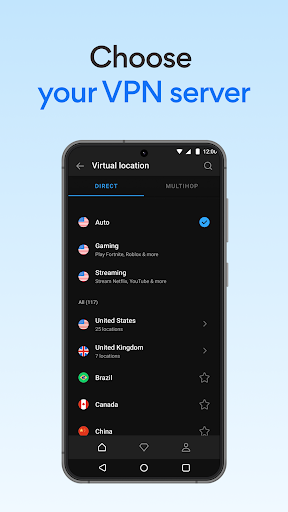
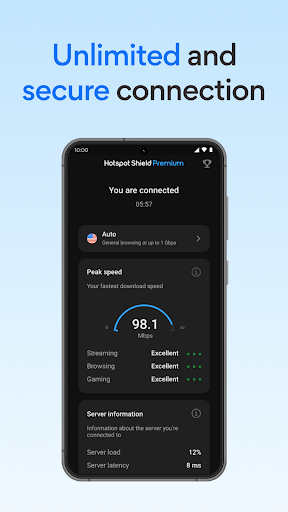
Independently rated the fastest VPN, Hotspot Shield VPN provides lightning-fast, private internet security. Hotspot Shield VPN provides a secure proxy connection through encrypted channels and prevents bad actors from getting hold of your private data during transmission. No need to install an incognito browser -- simply tap to connect and relax knowing your internet traffic is secure. Enable Hotspot Shield VPN to browse, watch, and game while staying private and secure online, even on public Wifi.
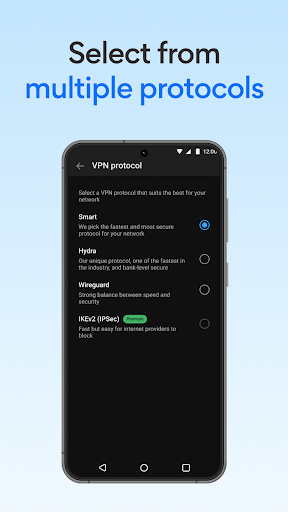
Use out-of-the-box basic features in an ad-supported free version or upgrade to a premium plan for the best experience—including unlimited VPN bandwidth, advanced protocols and distributed virtual VPN servers. Our proprietary protocol technology ensures fast VPN speeds that achieve stable, private connections while not compromising on speed.
Hotspot Shield's distributed network of VPN servers is designed to keep you covered with coverage in 80+ countries and locations, including the US, UK, Germany, Japan, India, Turkey, Brazil, Australia, Canada, China, and more!
No Logs Privacy
Hotspot Shield doesn’t track or keep any connection logs or IP addresses of its users and their private internet activities.
24/7 Customer Support
Our team is always available for any questions and to deliver timely support.
Trusted by Millions
Hotspot Shield VPN has been downloaded more than 800 million times with features on Forbes, CNET, CNN, and the New York Times. Download the VPN proxy app that’s trusted by millions of Google Play Android users.
Hotspot Shield VPN premium plans are available as auto-renewing subscriptions and support up to 10 devices including smartphones, tablets, laptops or desktops. Start a 7-day free trial of our premium plan to experience the benefits firsthand.
Support: https://support.hotspotshield.com/
Website: https://www.hotspotshield.com/
© 2026 Anchorfree, LLC. All Rights Reserved.
Show more

1. Download MEmu installer and finish the setup

2. Start MEmu then open Google Play on the desktop

3. Search Hotspot Shield Free VPN Proxy & Wi-Fi Security in Google Play
Install
4. Download and Install Hotspot Shield Free VPN Proxy & Wi-Fi Security
5. On install completion click the icon to start

6. Enjoy using Hotspot Shield Free VPN Proxy & Wi-Fi Security on PC with MEmu
MEmu Play is the best Android emulator, and 100 million users already enjoy its superb Android app experience. Powered by advanced virtualization technology, it lets you enjoy thousands of Android apps smoothly on your PC—including the most graphics-intensive ones.
Bigger screen with better graphics; Long duration, without limitation of battery or mobile data.
Full Keymapping support for precise control of keyboard and mouse or gamepad.
Multiple game accounts or tasks on single PC at one time with Multi-Instance manager.
Use Hotspot Shield Free VPN Proxy & Wi-Fi Security on PC by following steps: