Intro Video Maker - Animation
Updated
Current Version
1.0.8
Offered By

Stop worrying about high battery drain when using Intro Video Maker - Animation on your phone. Free yourself from the tiny screen and enjoy the app on a much larger display. From now on, get a full-screen experience of your app with the convenience of a keyboard and mouse. MEmu offers you all the surprising features you’d expect: quick installation and easy setup, intuitive controls, and no more worries about battery life, mobile data, or unexpected calls. The all-new MEmu 9 is the choice for using Intro Video Maker - Animation on your computer. With the MEmu multi-instance manager, you can run two or more accounts at the same time. Most importantly, our exclusive emulation engine unlocks your PC’s full potential, delivering smooth and enjoyable performance.
Show more
Enjoy superb experience of using Intro Video Maker - Animation on PC with MEMU App Player. It's a powerful free Android emulator which provides you with thousands of android apps for their desktop version. Enjoy connecting with friends and polishing your work with higher efficiency! Intro Video Maker - Animation.
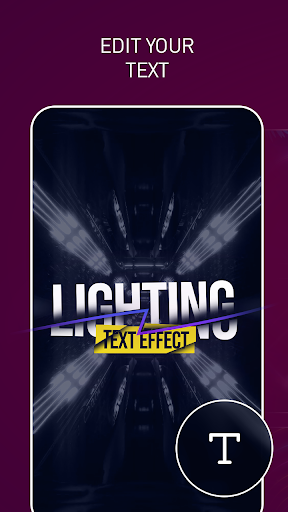
Intro Video Maker - Animation
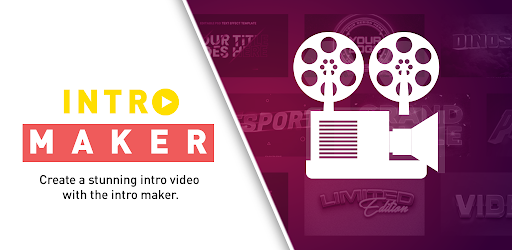
Introducing our powerful intro video maker, designed for both personal use and business branding across various social media platforms. With this intro video maker app, you can create stunning and professional intros that leave a lasting impact on your audience. Here's a detailed description highlighting its key features:
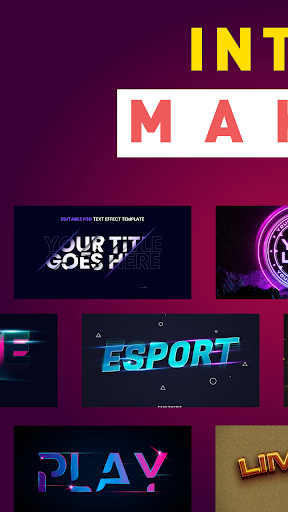
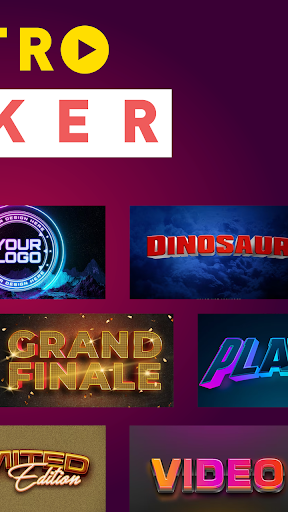
Extensive Template Library: Choose from a vast collection of professionally designed templates tailored for different purposes, including personal videos, business branding, and social media promotions. Our diverse range of templates ensures you'll find the perfect match for your content.
Customization Options: Personalize your intros to reflect your unique style and brand identity. Customize text, colors, fonts, and effects to create intros that align perfectly with your vision. With our intuitive editing tools, you have complete creative control over every aspect of your intro.
Dynamic Effects and Animations: Make your intros visually captivating with a wide selection of dynamic effects and animations. Engage your viewers from the start with eye-catching transitions, overlays, and motion graphics that enhance the overall impact of your videos.
Easy-to-Use Interface: Our user-friendly interface makes the intro creation process a breeze, regardless of your level of experience. Navigate seamlessly through the app, access all the features effortlessly, and enjoy a smooth editing experience from start to finish.
Social Media Compatibility: Optimize your intros for various social media platforms, including Facebook, YouTube, Instagram, and more. Our app ensures your intros meet the specific requirements and dimensions of each platform, enabling you to enhance your online presence and engage your audience effectively.
High-Quality Output: Produce intros in high-definition (HD) or even ultra-high-definition (4K) quality. Our app ensures your intros look polished and professional, with crisp visuals and clear audio, giving your content a premium feel.
Time-Saving Workflow: Streamline your intro creation process with our efficient workflow. Save time and effort by utilizing pre-set templates, easily duplicating and modifying projects, and quickly exporting your intros in various formats.
Elevate your personal videos, boost your business branding, and make a statement on social media with our feature-rich intro video maker. Unlock your creativity, captivate your audience, and leave a lasting impression. Download our intro Video maker app now and start creating intros that stand out from the crowd.
Show more

1. Download MEmu installer and finish the setup

2. Start MEmu then open Google Play on the desktop

3. Search Intro Video Maker - Animation in Google Play
Install
4. Download and Install Intro Video Maker - Animation
5. On install completion click the icon to start

6. Enjoy using Intro Video Maker - Animation on PC with MEmu
MEmu Play is the best Android emulator, and 100 million users already enjoy its superb Android app experience. Powered by advanced virtualization technology, it lets you enjoy thousands of Android apps smoothly on your PC—including the most graphics-intensive ones.
Bigger screen with better graphics; Long duration, without limitation of battery or mobile data.
Full Keymapping support for precise control of keyboard and mouse or gamepad.
Multiple game accounts or tasks on single PC at one time with Multi-Instance manager.
Use Intro Video Maker - Animation on PC by following steps: