Klook: Travel, Hotels, Leisure
Updated
Current Version
7.13.0
Offered By

Stop worrying about high battery drain when using Klook: Travel, Hotels, Leisure on your phone. Free yourself from the tiny screen and enjoy the app on a much larger display. From now on, get a full-screen experience of your app with the convenience of a keyboard and mouse. MEmu offers you all the surprising features you’d expect: quick installation and easy setup, intuitive controls, and no more worries about battery life, mobile data, or unexpected calls. The all-new MEmu 9 is the choice for using Klook: Travel, Hotels, Leisure on your computer. With the MEmu multi-instance manager, you can run two or more accounts at the same time. Most importantly, our exclusive emulation engine unlocks your PC’s full potential, delivering smooth and enjoyable performance.
Show more
Enjoy superb experience of using Klook: Travel, Hotels, Leisure on PC with MEMU App Player. It's a powerful free Android emulator which provides you with thousands of android apps for their desktop version. Enjoy connecting with friends and polishing your work with higher efficiency! Download Klook to find deals for the best things to do for anytime, anywhere.
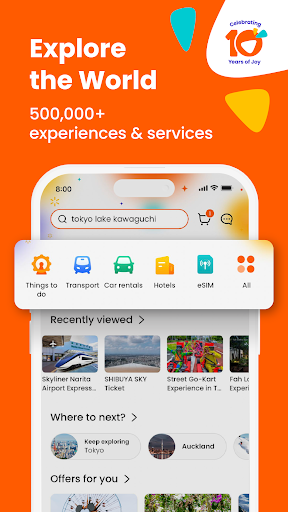
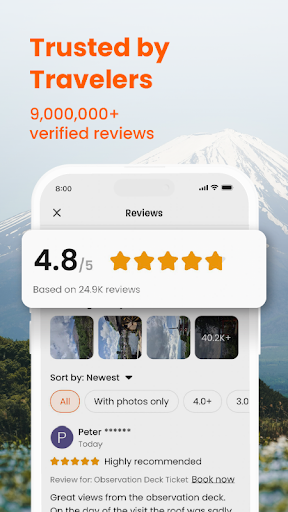
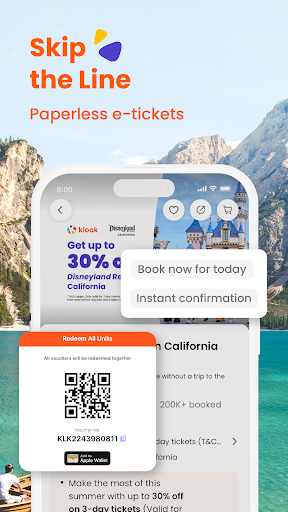
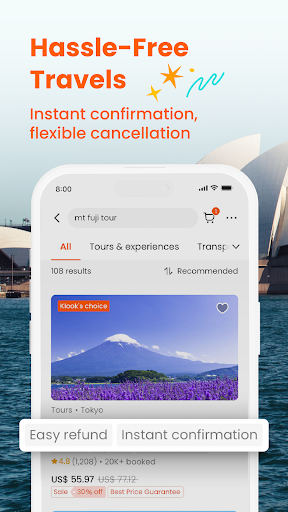
Download Klook to find deals for the best things to do for anytime, anywhere.
A World of Possibilities
There are nearly half a million travel activities across the world waiting for you on Klook. From sightseeing trips and hotel bookings to immersive cultural experiences, we're here to guide you to your world of joy.
Trusted & Top-rated Activities
Explore handpicked experiences and get local insights for hundreds of destinations. Museums in Singapore? Tour packages in South Korea? Or some family attractions nearby? When you're on Klook, you're seeing the best of every place in your hands.
Experiences Made Easy
We make e-booking fast with instant confirmation and skip-the-line tickets on selected attractions. Whether it’s chasing waves on a Phuket vacation package, tasting wine in Melbourne or finding out what’s fun for the weekend in your area, you're just a few taps away from booking whatever makes you happy.
Unlock Gold on Klook Rewards for Exclusive Perks
- Earn up to 3x more KlookCash
- Get up to US$95 in promo codes
- Skip the line for premium customer support
- Early access to top deals
- Special Gold-only prices
You can elevate your Klook experience to Gold when you spend US$380 or make 5 purchases of at least US$30 per year.
And a Whole Lot More
- Budgeting when travelling? Use Klook-exclusive promo codes to save on the best deals
- Redeem your tickets and e-vouchers or download them for easy offline access
- Save your bucket-list holiday ideas to your wishlist and book later
- Choose from trains, buses, cars and even ferries to get around
- Get movie and event ticket discounts and bundles
Find us and say hello!
- Official website: www.klook.com
- Facebook: @klookglobal
- Twitter: @klooktravel
- Instagram: @klooktravel
Got ideas for us? Let us know at appfeedback@klook.com. Thanks bestie.
Show more

1. Download MEmu installer and finish the setup

2. Start MEmu then open Google Play on the desktop

3. Search Klook: Travel, Hotels, Leisure in Google Play
Install
4. Download and Install Klook: Travel, Hotels, Leisure
5. On install completion click the icon to start

6. Enjoy using Klook: Travel, Hotels, Leisure on PC with MEmu
MEmu Play is the best Android emulator, and 100 million users already enjoy its superb Android app experience. Powered by advanced virtualization technology, it lets you enjoy thousands of Android apps smoothly on your PC—including the most graphics-intensive ones.
Bigger screen with better graphics; Long duration, without limitation of battery or mobile data.
Full Keymapping support for precise control of keyboard and mouse or gamepad.
Multiple game accounts or tasks on single PC at one time with Multi-Instance manager.
Use Klook: Travel, Hotels, Leisure on PC by following steps: