
Learna: Speak & Learn English
Updated
Current Version
3.2.9
Offered By

Stop worrying about high battery drain when using Learna: Speak & Learn English on your phone. Free yourself from the tiny screen and enjoy the app on a much larger display. From now on, get a full-screen experience of your app with the convenience of a keyboard and mouse. MEmu offers you all the surprising features you’d expect: quick installation and easy setup, intuitive controls, and no more worries about battery life, mobile data, or unexpected calls. The all-new MEmu 9 is the choice for using Learna: Speak & Learn English on your computer. With the MEmu multi-instance manager, you can run two or more accounts at the same time. Most importantly, our exclusive emulation engine unlocks your PC’s full potential, delivering smooth and enjoyable performance.
Show more
Enjoy superb experience of using Learna: Speak & Learn English on PC with MEMU App Player. It's a powerful free Android emulator which provides you with thousands of android apps for their desktop version. Enjoy connecting with friends and polishing your work with higher efficiency! Welcome to Learna – the AI-Powered Language Learning App to Learn English or Spanish!
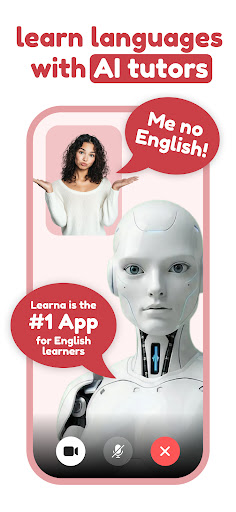
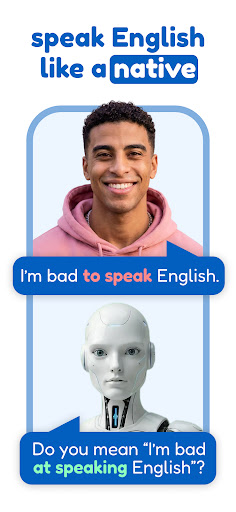
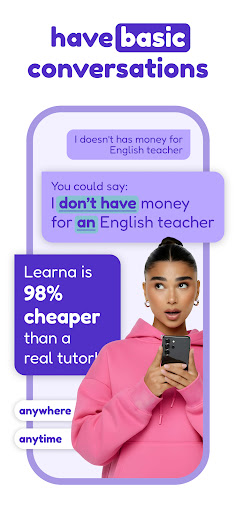
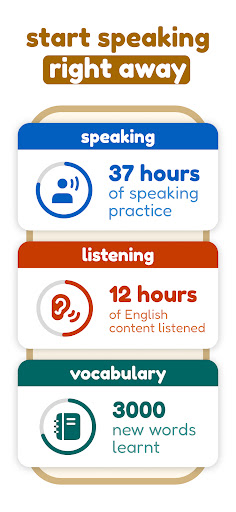
Welcome to Learna – the AI-Powered Language Learning App to Learn English or Spanish!
Looking to learn English or learn Spanish fast and effectively?
Learna is your all-in-one AI language tutor app, designed to help you speak confidently from day one. Practice English or Spanish with interactive grammar lessons, real conversation practice, vocabulary builders, pronunciation tools, and fun reading exercises. Whether you're a beginner or brushing up your skills, Learna helps you master every aspect of the language—at your own pace.
With Learna AI, you can speak English & Spanish confidently and effectively through interactive conversations. Our app takes your language learning journey beyond traditional methods. Whether you're a beginner or an advanced learner, Learna AI is here to help you learn, speak English and Spanish in a fun, engaging, and personalized way.
Language practices and pronunciation lessons are guided by our Learna AI Virtual Chat Character, offering tailored support as you learn more about speaking, pronunciation and accent training. You can speak with AI to improve both your speaking, pronunciation and listening skills. The app provides real-time feedback, helping you speak correctly and refine your vocabulary as you go. This makes learning English & Spanish more dynamic, interactive, and efficient, as you can practice speaking at your own pace.
Learna AI also focuses on improving your grammar skills . You’ll learn essential grammar rules and practice them through a variety of exercises that help reinforce your understanding. The grammar practices are designed to gradually improve your proficiency, allowing you to speak with accuracy and clarity. As you learn grammar, you will build a stronger foundation for your speaking and writing skills.
Vocabulary plays a critical role in learning and speaking languages fluently. With Learna AI, you can improve your vocabulary by learning new words and phrases that are practical and useful in daily conversations. Each lesson focuses on building your vocabulary, ensuring you have a broad range of words at your disposal. The app features vocabulary practice that adapts to your level, helping you speak more naturally and confidently.
Your pronunciation also gets a boost with Learna AI. As you speak, you’ll receive valuable feedback to improve your pronunciation. The app includes pronunciation exercises specifically designed to help you master English and Spanish pronunciation, and therefore speak clearly. Pronunciation practices allow you to correct mistakes and sound more authentic and fluent when speaking languages like English and Spanish.
Track your progress with detailed performance metrics and milestones. Set learning goals to monitor your achievements and celebrate your successes. With continuous practice, you’ll see your speaking skills improve, and your vocabulary will expand. By setting specific goals, you ensure that each practice session is focused and effective.
Learna AI Language Tutor Features
- Language Conversation Practice with Learna AI
- Get feedback from Learna AI for your mistakes
- Learn English or Spanish Grammar with tailored lessons
- Improve your English & Spanish Reading Skills
- Enrich your Vocabulary with daily vocabulary practices & Learn new words
- Spelling Check and vocabulary reinforcement
- Perfect your Pronunciation through interactive pronunciation exercises
- Enhance your Speaking Skills through practical speaking practice
- Track your progress and set goals to continually improve
Speak, practice, and learn languages today with Learna AI, your partner in mastering the English language, and Spanish language!
Instagram: https://www.instagram.com/learna.ai/
Show more

1. Download MEmu installer and finish the setup

2. Start MEmu then open Google Play on the desktop

3. Search Learna: Speak & Learn English in Google Play
Install
4. Download and Install Learna: Speak & Learn English
5. On install completion click the icon to start

6. Enjoy using Learna: Speak & Learn English on PC with MEmu
MEmu Play is the best Android emulator, and 100 million users already enjoy its superb Android app experience. Powered by advanced virtualization technology, it lets you enjoy thousands of Android apps smoothly on your PC—including the most graphics-intensive ones.
Bigger screen with better graphics; Long duration, without limitation of battery or mobile data.
Full Keymapping support for precise control of keyboard and mouse or gamepad.
Multiple game accounts or tasks on single PC at one time with Multi-Instance manager.
Use Learna: Speak & Learn English on PC by following steps: