M3u Player
Updated
Current Version
xtream 1.7
Offered By

Stop worrying about high battery drain when using M3u Player on your phone. Free yourself from the tiny screen and enjoy the app on a much larger display. From now on, get a full-screen experience of your app with the convenience of a keyboard and mouse. MEmu offers you all the surprising features you’d expect: quick installation and easy setup, intuitive controls, and no more worries about battery life, mobile data, or unexpected calls. The all-new MEmu 9 is the choice for using M3u Player on your computer. With the MEmu multi-instance manager, you can run two or more accounts at the same time. Most importantly, our exclusive emulation engine unlocks your PC’s full potential, delivering smooth and enjoyable performance.
Show more
Enjoy superb experience of using M3u Player on PC with MEMU App Player. It's a powerful free Android emulator which provides you with thousands of android apps for their desktop version. Enjoy connecting with friends and polishing your work with higher efficiency! M3U Player - The Ultimate Video Player for M3U and M3U8 Files and IPTV Links.
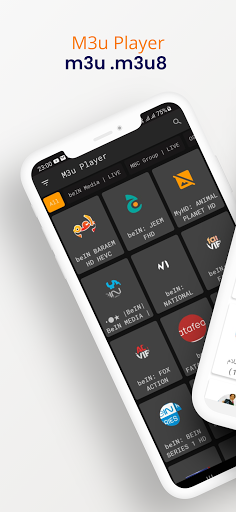
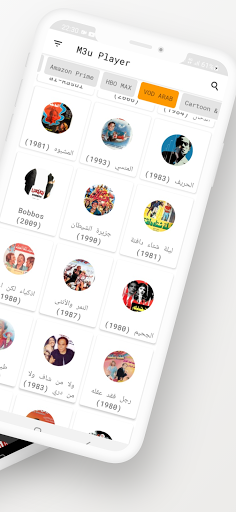
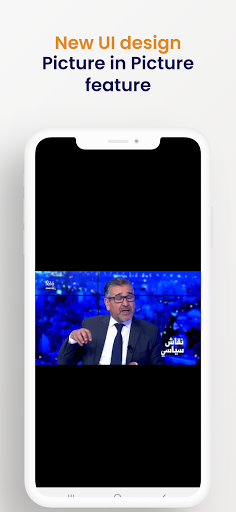
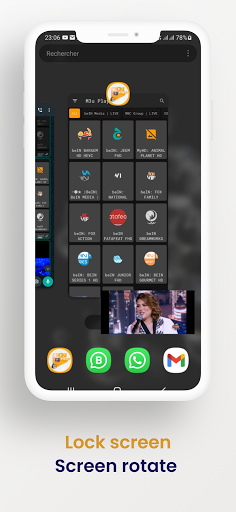
M3U Player - The Ultimate Video Player for M3U and M3U8 Files and IPTV Links
M3U Player is a powerful video player designed to handle M3U and M3U8 files, as well as stream IPTV links effortlessly. Whether you want to watch IPTV from your Internet service provider or enjoy free live TV channels from any other source on the web, M3U Player is your go-to app.
Key Features of M3U Player:
Free IPTV Player: Enjoy all features without any subscription or payment.
User-Friendly Interface: Designed to be easy to use for everyone.
Excellent Image Quality: Experience your favorite channels in high-definition.
Android Compatibility: Watch your favorite channels anywhere on your Android phone or tablet.
What is IPTV?
Internet Protocol Television (IPTV) is a system where television content is delivered over Internet Protocol (IP) networks. This is in contrast to traditional terrestrial, satellite, and cable television formats. Unlike downloaded media, IPTV offers the ability to stream the source media continuously, allowing a client media player to start playing the content (such as a TV channel) almost immediately. This is known as streaming media.
Although IPTV uses Internet protocol, it is not limited to television streamed from the Internet. IPTV is widely deployed in subscriber-based telecommunications networks with high-speed access channels into end-user premises via set-top boxes or other customer-premises equipment. IPTV is also utilized for media delivery around corporate and private networks. In the telecommunications arena, IPTV is notable for its ongoing standardization process, such as that by the European Telecommunications Standards Institute (ETSI).
Types of IPTV Services:
Live Television: Broadcasts live TV with or without interactivity.
Time-Shifted Media: Includes catch-up TV (replays of TV shows that were broadcast hours or days ago) and start-over TV (replays the current TV show from its beginning).
Video on Demand (VOD): Allows browsing and viewing items from a media catalog.
Why Choose M3U Player?
Versatility: Whether you're streaming live TV channels or watching recorded shows, M3U Player supports it all.
No Cost: Access a wide range of IPTV channels without any subscription fees.
Ease of Use: A straightforward and intuitive interface makes it accessible for all users, from beginners to advanced.
High-Quality Streaming: Enjoy seamless and high-quality streaming of your favorite content.
Portable Viewing: Compatible with Android devices, so you can watch your favorite channels anywhere and anytime.
How to Use M3U Player:
Download and Install: Get the app from Google Play Store and install it on your Android device.
Add M3U/M3U8 Files or Links: Simply add your M3U/M3U8 files or IPTV links.
Stream and Enjoy: Start streaming your favorite live TV channels or VOD content instantly.
With M3U Player, transforming your Android device into a portable TV has never been easier. Whether at home, at work, or on the go, you have access to a world of entertainment at your fingertips.
Download M3U Player now and explore the best way to stream IPTV and more on your Android device!
Show more

1. Download MEmu installer and finish the setup

2. Start MEmu then open Google Play on the desktop

3. Search M3u Player in Google Play
Install
4. Download and Install M3u Player
5. On install completion click the icon to start

6. Enjoy using M3u Player on PC with MEmu
MEmu Play is the best Android emulator, and 100 million users already enjoy its superb Android app experience. Powered by advanced virtualization technology, it lets you enjoy thousands of Android apps smoothly on your PC—including the most graphics-intensive ones.
Bigger screen with better graphics; Long duration, without limitation of battery or mobile data.
Full Keymapping support for precise control of keyboard and mouse or gamepad.
Multiple game accounts or tasks on single PC at one time with Multi-Instance manager.
Use M3u Player on PC by following steps:































