
Nexo: Crypto Wealth Platform
Updated
Current Version
5.5.1
Offered By

Stop worrying about high battery drain when using Nexo: Crypto Wealth Platform on your phone. Free yourself from the tiny screen and enjoy the app on a much larger display. From now on, get a full-screen experience of your app with the convenience of a keyboard and mouse. MEmu offers you all the surprising features you’d expect: quick installation and easy setup, intuitive controls, and no more worries about battery life, mobile data, or unexpected calls. The all-new MEmu 9 is the choice for using Nexo: Crypto Wealth Platform on your computer. With the MEmu multi-instance manager, you can run two or more accounts at the same time. Most importantly, our exclusive emulation engine unlocks your PC’s full potential, delivering smooth and enjoyable performance.
Show more
Enjoy superb experience of using Nexo: Crypto Wealth Platform on PC with MEMU App Player. It's a powerful free Android emulator which provides you with thousands of android apps for their desktop version. Enjoy connecting with friends and polishing your work with higher efficiency! Nexo is the premier wealth platform for digital assets trusted by over 7 million clients in over 200 jurisdictions.
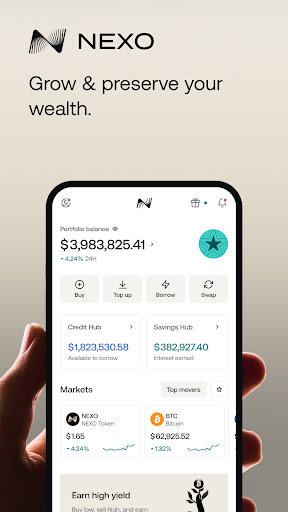
Nexo is the premier wealth platform for digital assets trusted by over 7 million clients in over 200 jurisdictions.
TOP UP YOUR WAY
Fund your account via credit or debit card, bank transfers, blockchain transfers, local payment methods, and free transfers between Nexo users.
BUY CRYPTO
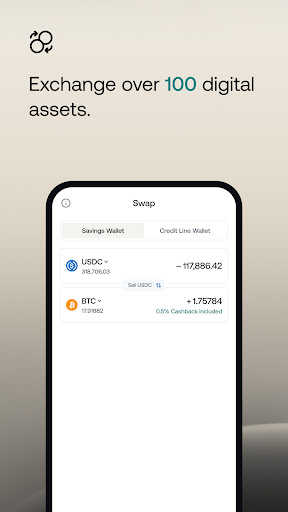
Purchase from a curated list of digital assets.
• Exchange over 100 digital assets, including Bitcoin (BTC), Ethereum (ETH), and Solana (SOL).
• Get up to 0.5% crypto cashback on any purchase.
BORROW FUNDS WITHOUT SELLING YOUR CRYPTO
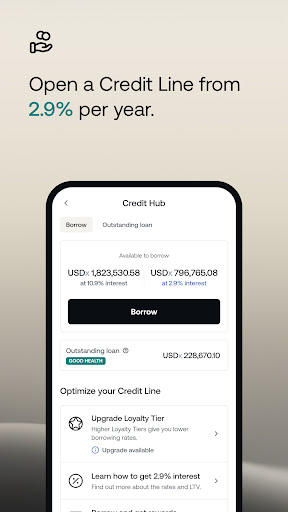
Unlock liquidity and repay on your terms with Nexo’s Credit Line.
• Get same-day approval with no credit checks.
• Borrow from as low as 2.9% annual interest.
• Repay at your own pace with no fee schedule.
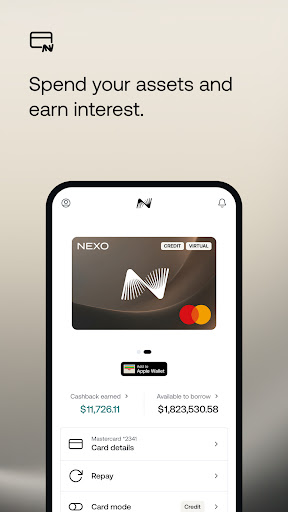
SPEND ANYWHERE WITH THE NEXO CARD
Switch seamlessly between Credit and Debit Mode.
• Get up to 2% crypto cashback on purchases in Credit Mode.
• Spend at over 100 million merchants.
GET MORE WITH THE LOYALTY PROGRAM
Earn more and borrow for less by climbing Loyalty Tiers.
• Up to 2x lower borrowing rates.
• Climb tiers automatically by holding NEXO tokens.
• 1 free monthly withdrawal on BTC and ETH networks.
CYBERSECURITY COMES FIRST
Nexo’s strong fundamentals support your digital assets.
• 256-bit encryption
• ISO 27001:2013 and SOC 2 Type 2 certification
• Address whitelisting and 2FA
• Withdrawal confirmations and log-in alerts
• 24/7 customer support
DISCLAIMER
All or part of the Nexo Services, some features thereof, or some Digital Assets, are not available in certain jurisdictions, including where restrictions or limitations may apply, as indicated on the Nexo Platform and in the relevant general terms and conditions.
Credit terms may vary depending on your Loyalty Tier. See nexo.com for more details.
While the nature of digital assets is unique, when referencing digital assets as potential investments, any similarities with the traditional concept of investments are entirely circumstantial, therefore any parallels between them should not be interpreted as deliberate or intended.
Show more

1. Download MEmu installer and finish the setup

2. Start MEmu then open Google Play on the desktop

3. Search Nexo: Crypto Wealth Platform in Google Play
Install
4. Download and Install Nexo: Crypto Wealth Platform
5. On install completion click the icon to start

6. Enjoy using Nexo: Crypto Wealth Platform on PC with MEmu
MEmu Play is the best Android emulator, and 100 million users already enjoy its superb Android app experience. Powered by advanced virtualization technology, it lets you enjoy thousands of Android apps smoothly on your PC—including the most graphics-intensive ones.
Bigger screen with better graphics; Long duration, without limitation of battery or mobile data.
Full Keymapping support for precise control of keyboard and mouse or gamepad.
Multiple game accounts or tasks on single PC at one time with Multi-Instance manager.
Use Nexo: Crypto Wealth Platform on PC by following steps:
































