NH pay(NH페이)
Updated
Current Version
D
Offered By

Stop worrying about high battery drain when using NH pay(NH페이) on your phone. Free yourself from the tiny screen and enjoy the app on a much larger display. From now on, get a full-screen experience of your app with the convenience of a keyboard and mouse. MEmu offers you all the surprising features you’d expect: quick installation and easy setup, intuitive controls, and no more worries about battery life, mobile data, or unexpected calls. The all-new MEmu 9 is the choice for using NH pay(NH페이) on your computer. With the MEmu multi-instance manager, you can run two or more accounts at the same time. Most importantly, our exclusive emulation engine unlocks your PC’s full potential, delivering smooth and enjoyable performance.
Show more
Enjoy superb experience of using NH pay(NH페이) on PC with MEMU App Player. It's a powerful free Android emulator which provides you with thousands of android apps for their desktop version. Enjoy connecting with friends and polishing your work with higher efficiency! ■ What is NH pay?
■ What is NH pay?
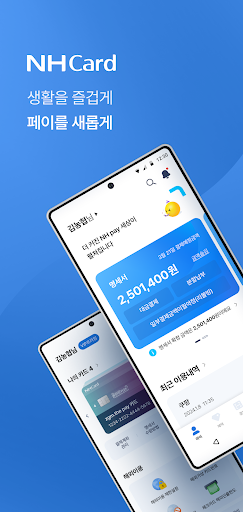
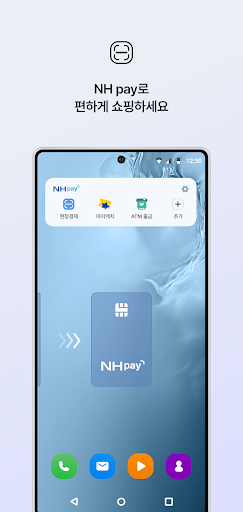
NH pay is a payment and living platform that allows you to easily and conveniently enjoy not only simple payments but also various daily convenience services and abundant benefits by registering your Nonghyup card and Nonghyup account.
■ At NH pay, pay with your account even if you don’t have a Nonghyup card!
Use the payment service by issuing a NH Pay account payment check card using your Nonghyup Bank or Nonghyup Bank account.
■ Broaden your payment range with NH pay!
Make payments easily by registering various payment methods, from NH Nonghyup Card (credit/check/gift card) to account payment.
■ Easy payment anytime, anywhere with NH pay!
Online payment (QR/barcode), on-site payment (NH Touch/QR/barcode) Use your preferred payment method quickly and easily anytime, anywhere.
■ Get customized benefits just for you with NH pay!
Check out various benefits and events at NH pay and enjoy the benefits that are right for you.
■ See your financial information at a glance with NH pay!
With NH Pay, you can check accounts at other financial institutions, check card billing amounts, and even use free money transfer services.
■ Smart consumption plan with NH pay!
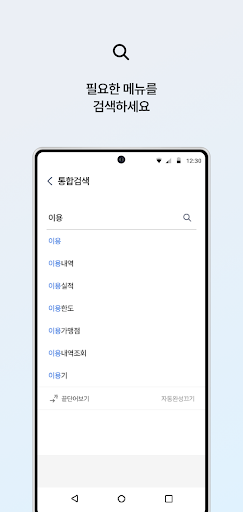
Start smart consumption management by analyzing consumption statistics by timeline, industry, and month.
■ Make your life more convenient with NH pay!
Experience a variety of life-friendly services such as Nonghyup Mall, NH Order, Add Benefits, Chaeum Sketch, and Gift Shop.
■ Be yourself by expressing your individuality with NH pay!
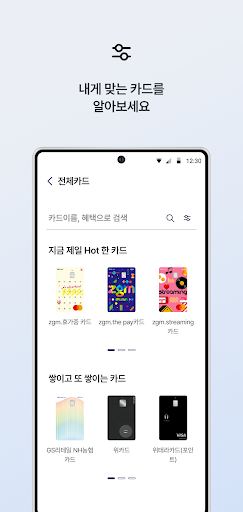
Express your individuality with ‘Set your home screen’ in your favorite color and ‘My card’ where you can decorate the card image the way you want.
[Other usage information]
▶ NH pay must be used with your own mobile phone. (1 device per person)
▶ When verifying your identity using card information, the mobile phone number you are signing up with must match the mobile phone number registered with the Nonghyup Card.
▶ To ensure safe service use, the app cannot be used on smartphones whose structure has been arbitrarily changed.
▶ To protect your personal information and ensure safe transactions, offline payments are only possible when connected to a mobile carrier network (3G/LTE/5G, etc.).
▶ Biometric authentication (fingerprint, Face ID, etc.) can be used on smartphone models that support biometric authentication.
▶ To prevent unauthorized use, some transactions may be restricted for cards with unregistered passwords.
▶ Cash withdrawal (ATM) service is available for only one card registered with NH Pay, and the one-time and daily withdrawal limit is 500,000 won.
▶ Gift cards do not support offline payment methods such as barcode/QR payment.
[App access permission information]
The following permissions are required to use the NH pay app.
▶Optional access rights
- Camera: QR code / barcode information recognition
Figure : Card image settings
Biometric authentication (fingerprint/Face ID): Recognition of biometric authentication information
Notification: Receive PUSH notification message
※ You can use services other than the corresponding function even if you do not agree to the optional access rights.
※ We plan to provide various and convenient services through continuous updates.
※ If you update your mobile phone OS and NH pay to the latest version, you can enjoy more benefits and services.
For inquiries regarding the use of NH Pay, please contact the NH Nonghyup Card Customer Happiness Center (1644-4000) and we will provide you with a detailed and friendly response.
We sincerely thank our customers who always use our NH Nonghyup Card.
Show more

1. Download MEmu installer and finish the setup

2. Start MEmu then open Google Play on the desktop

3. Search NH pay(NH페이) in Google Play
Install
4. Download and Install NH pay(NH페이)
5. On install completion click the icon to start

6. Enjoy using NH pay(NH페이) on PC with MEmu
MEmu Play is the best Android emulator, and 100 million users already enjoy its superb Android app experience. Powered by advanced virtualization technology, it lets you enjoy thousands of Android apps smoothly on your PC—including the most graphics-intensive ones.
Bigger screen with better graphics; Long duration, without limitation of battery or mobile data.
Full Keymapping support for precise control of keyboard and mouse or gamepad.
Multiple game accounts or tasks on single PC at one time with Multi-Instance manager.
Use NH pay(NH페이) on PC by following steps:
































