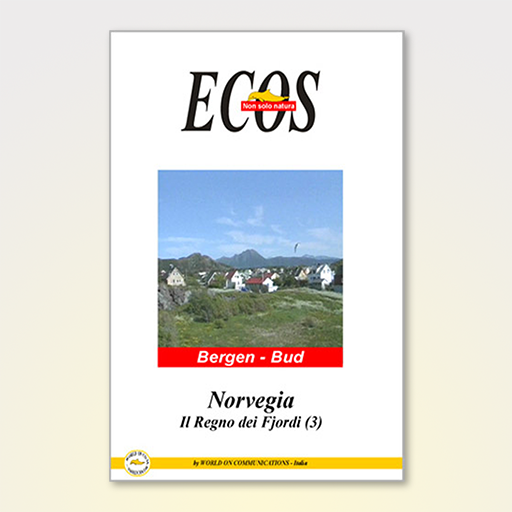
NORVEGIA-Regione dei Fiordi 6
Updated
Current Version
1.6
Offered By

Stop worrying about high battery drain when using NORVEGIA-Regione dei Fiordi 6 on your phone. Free yourself from the tiny screen and enjoy the app on a much larger display. From now on, get a full-screen experience of your app with the convenience of a keyboard and mouse. MEmu offers you all the surprising features you’d expect: quick installation and easy setup, intuitive controls, and no more worries about battery life, mobile data, or unexpected calls. The all-new MEmu 9 is the choice for using NORVEGIA-Regione dei Fiordi 6 on your computer. With the MEmu multi-instance manager, you can run two or more accounts at the same time. Most importantly, our exclusive emulation engine unlocks your PC’s full potential, delivering smooth and enjoyable performance.
Show more
Enjoy superb experience of using NORVEGIA-Regione dei Fiordi 6 on PC with MEMU App Player. It's a powerful free Android emulator which provides you with thousands of android apps for their desktop version. Enjoy connecting with friends and polishing your work with higher efficiency! Itinerario: Stryn - Hellesylt - Geiranger - Norddal - Åndalsnes - Bud.
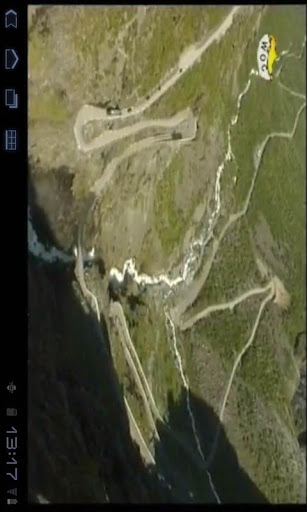
Itinerario: Stryn - Hellesylt - Geiranger - Norddal - Åndalsnes - Bud
Sesta tappa di un interessante viaggio nella Regione dei Fjordi (Fiordi).
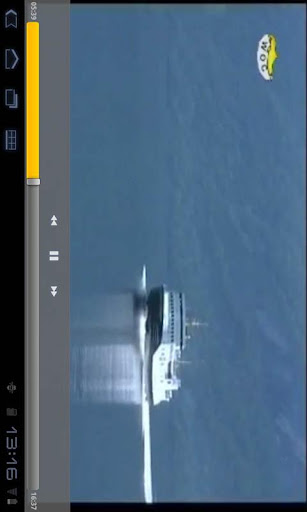
Il Geirangerfjord è una delle mete più ambite di un viaggiatore nella Regione de Fiordi perchè in uno scenario incantevole si possono ammirare una serie di cascate tra le più fotografate di tutta Europa. Inoltre diverse sono le meraviglie che si possono ammirare nel video di questa mia app.
ISTRUZIONI PER L’USO
Dopo lo splash screen si può usare il menù per scegliere la pagina desiderata oppure con un tocco passare direttamente alla scheda informativa.
IMPORTANTE: Ci tengo a precisare che questa app NON UTILIZZA sensori e NEANCHE programmi di geolocalizzazione che vi guidano alla destinazione. Questa app è strutturata solo con informazioni generiche e una clip video che descrive l'itinerario da me percorso.
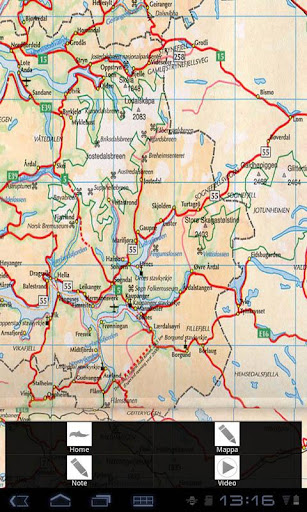
Inoltre, la Mappa che trovate nel menù è una foto di grandi dimensioni e l'ho inserita soltanto per darvi una idea generale della posizione dei luoghi descritti nel video.
Questa app è suddivisa in 3 parti:
- Mappa (foto statica zoomabile)
- Scheda Informazioni con notizie generiche utili per programmare il viaggio
- n.1 Video clip
Questa serie di applicazioni per dispositivi Android, le ho appositamente strutturate come un itinerario a tappe facilmente ripercorribile durante le proprie vacanze e si basano sui numerosi e suggestivi luoghi del mondo che ho visitato fin dal 1990.
Si tratta della mia esperienza di viaggio che ho trasformato in app per condividere con voi sogni, curiosità ed emozioni.
NOTA: Ogni app da me creata è indipendente, funziona in tutte le sue parti e non necessita di altre risorse o collegamenti esterni.
Questa app è realizzata da World On Communications. Regia e testi: Angelo Giammarresi
CONTATTI e SUPPORTO
web: www.wocmultimedia.com
email: android_info@wocmultimedia.com
Copyright 2012-2022 World On Communications - Angelo Giammarresi
Show more

1. Download MEmu installer and finish the setup

2. Start MEmu then open Google Play on the desktop

3. Search NORVEGIA-Regione dei Fiordi 6 in Google Play
Install
4. Download and Install NORVEGIA-Regione dei Fiordi 6
5. On install completion click the icon to start

6. Enjoy using NORVEGIA-Regione dei Fiordi 6 on PC with MEmu
MEmu Play is the best Android emulator, and 100 million users already enjoy its superb Android app experience. Powered by advanced virtualization technology, it lets you enjoy thousands of Android apps smoothly on your PC—including the most graphics-intensive ones.
Bigger screen with better graphics; Long duration, without limitation of battery or mobile data.
Full Keymapping support for precise control of keyboard and mouse or gamepad.
Multiple game accounts or tasks on single PC at one time with Multi-Instance manager.
Use NORVEGIA-Regione dei Fiordi 6 on PC by following steps: