PDF Reader&Editor
Updated
Current Version
3.0.9
Offered By

Stop worrying about high battery drain when using PDF Reader&Editor on your phone. Free yourself from the tiny screen and enjoy the app on a much larger display. From now on, get a full-screen experience of your app with the convenience of a keyboard and mouse. MEmu offers you all the surprising features you’d expect: quick installation and easy setup, intuitive controls, and no more worries about battery life, mobile data, or unexpected calls. The all-new MEmu 9 is the choice for using PDF Reader&Editor on your computer. With the MEmu multi-instance manager, you can run two or more accounts at the same time. Most importantly, our exclusive emulation engine unlocks your PC’s full potential, delivering smooth and enjoyable performance.
Show more
Enjoy superb experience of using PDF Reader&Editor on PC with MEMU App Player. It's a powerful free Android emulator which provides you with thousands of android apps for their desktop version. Enjoy connecting with friends and polishing your work with higher efficiency! Need a professional tool to handle your business documents on the go?
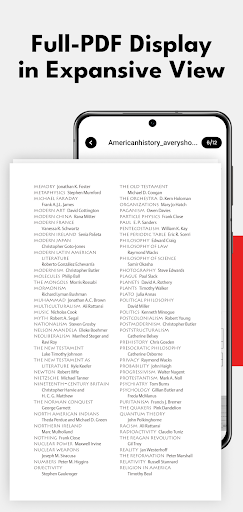
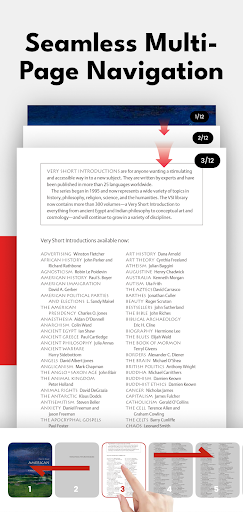
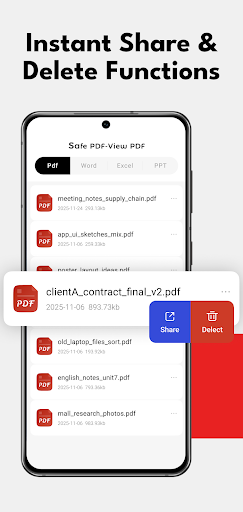
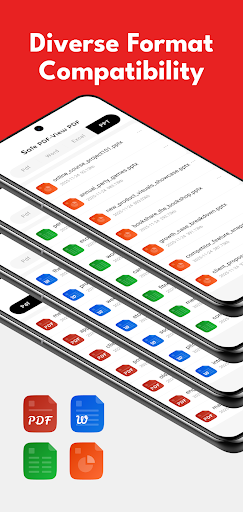
Need a professional tool to handle your business documents on the go? Our app is more than just a viewer—it’s a comprehensive Office Productivity Suite designed for professionals, students, and business owners, seamlessly fitting into every step of your document workflow.
Key Productivity Features:
Advanced PDF Editor & Annotator
Optimized for a seamless editing workflow. Professional review & analysis documents and delete unnecessary content before or after you use professional tools to edit, highlight, or annotate business reports.
E-Sign & Form Filler Hub
Streamline your signing workflow. Securely browse, verify, and manage critical contracts and digital forms before signing and filling. Optimized for professional document organization and secure disposal of sensitive business files.
Powerful PDF Converter
The central hub for format conversion. The best front-end viewer and back-end management tool when you need to seamlessly convert PDF to Word, Excel, and PPT. Supports all major formats including Docx.
Business Document Management
Organize your invoices, receipts, and contracts with our smart management system. Securely view and share documents with your team or clients.
Mobile Scanner Companion
The smart companion to your portable scanner. Instantly view PDFs generated from paper documents and delete blurry or redundant pages, ensuring only high-quality files enter your professional workflow.
Why Choose Our Professional Suite?
Boost Work Efficiency
Designed for high-frequency document oversight, organization, deletion, and document organization tasks that keep your workflow moving.
Full Office Compatibility
Works perfectly with all your Word, Excel, and PowerPoint files for a high-fidelity display for complex business documents.
Secure & Reliable
Your business privacy is our priority. View and manage sensitive contracts with complete peace of mind.
Whether you are reviewing an invoice, preparing to sign a legal contract, or organizing a presentation, our app provides the professional-grade tools you need to stay productive anywhere.
Show more

1. Download MEmu installer and finish the setup

2. Start MEmu then open Google Play on the desktop

3. Search PDF Reader&Editor in Google Play
Install
4. Download and Install PDF Reader&Editor
5. On install completion click the icon to start

6. Enjoy using PDF Reader&Editor on PC with MEmu
MEmu Play is the best Android emulator, and 100 million users already enjoy its superb Android app experience. Powered by advanced virtualization technology, it lets you enjoy thousands of Android apps smoothly on your PC—including the most graphics-intensive ones.
Bigger screen with better graphics; Long duration, without limitation of battery or mobile data.
Full Keymapping support for precise control of keyboard and mouse or gamepad.
Multiple game accounts or tasks on single PC at one time with Multi-Instance manager.
Use PDF Reader&Editor on PC by following steps: