PDF Reader&Editor
更新日
現在のバージョン
3.0.9
提供元

スマートフォンは不要!パソコンと同じようにキーボードとマウスで操作できます。MEmu Playは、あなたが待ち望んでいたすべての楽しみをお届けします。バッテリー残量や小さな画面を気にすることなく、PDF Reader&Editorをご利用ください。最新のMEmu 9は、PDF Reader&EditorをPCで体験するのに最適です!完璧なキーマッピングシステムにより、PCのようなスムーズな操作性を実現します。マルチインスタンス機能により、複数のアプリケーションを同時に実行できます。独自の仮想化エンジンがPCのパフォーマンスを最大限に引き出します。アプリを使用するだけでなく、高品質な体験を得ることができます。
もっと見る
MEmu Playを使えば、PCでPDF Reader&Editorを快適に楽しめます。何千ものAndroidアプリをデスクトップ版で利用できる、パワフルな無料Androidエミュレーターです。友達とつながり、より効率的に作品を磨き上げましょう! Need a professional tool to handle your business documents on the go?
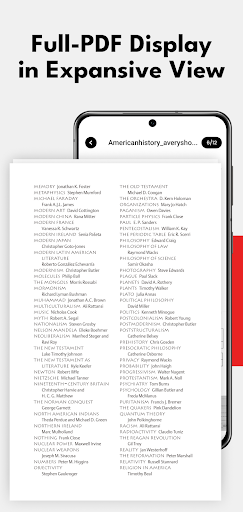
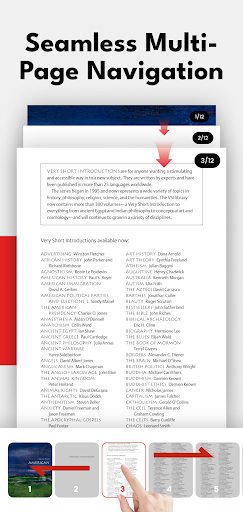
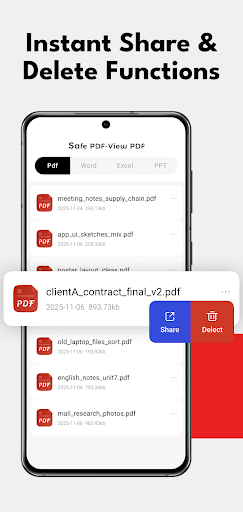
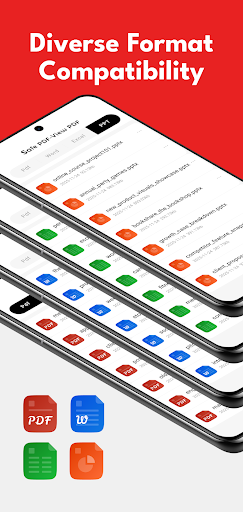
Need a professional tool to handle your business documents on the go? Our app is more than just a viewer—it’s a comprehensive Office Productivity Suite designed for professionals, students, and business owners, seamlessly fitting into every step of your document workflow.
Key Productivity Features:
Advanced PDF Editor & Annotator
Optimized for a seamless editing workflow. Professional review & analysis documents and delete unnecessary content before or after you use professional tools to edit, highlight, or annotate business reports.
E-Sign & Form Filler Hub
Streamline your signing workflow. Securely browse, verify, and manage critical contracts and digital forms before signing and filling. Optimized for professional document organization and secure disposal of sensitive business files.
Powerful PDF Converter
The central hub for format conversion. The best front-end viewer and back-end management tool when you need to seamlessly convert PDF to Word, Excel, and PPT. Supports all major formats including Docx.
Business Document Management
Organize your invoices, receipts, and contracts with our smart management system. Securely view and share documents with your team or clients.
Mobile Scanner Companion
The smart companion to your portable scanner. Instantly view PDFs generated from paper documents and delete blurry or redundant pages, ensuring only high-quality files enter your professional workflow.
Why Choose Our Professional Suite?
Boost Work Efficiency
Designed for high-frequency document oversight, organization, deletion, and document organization tasks that keep your workflow moving.
Full Office Compatibility
Works perfectly with all your Word, Excel, and PowerPoint files for a high-fidelity display for complex business documents.
Secure & Reliable
Your business privacy is our priority. View and manage sensitive contracts with complete peace of mind.
Whether you are reviewing an invoice, preparing to sign a legal contract, or organizing a presentation, our app provides the professional-grade tools you need to stay productive anywhere.
もっと見る

1. MEmuインストーラーをダウンロードしてセットアップを完了する

2. MEmuを起動し、デスクトップでのPlayストアを開く

3. PlayストアでPDF Reader&Editorを検索する
Install
4. PDF Reader&Editorをダウンロードしてインストールする
5. インストールが完了したら、アイコンをクリックしてスタート

6. MEmuを使ってパソコンでPDF Reader&Editorを体験する
MEmu Playは現在、最高の無料Androidエミュレーターであり、5,000万人のユーザーが優れたAndroidアプリ体験を楽しんでいます。MEmuの仮想化テクノロジーにより、数千ものAndroidアプリをコンピューターでスムーズに実行できます。
大画面でより精細;無限の待機、電池とドラフィックの極限を超え
キーボード・マウス・コントローラーを全力でサポート、より快適
マルチインスタンスで複数のゲームを同時に実行
Use PDF Reader&Editor on PC by following steps: