PDF Reader Pro - Editor
Updated
Current Version
1.0.6
Offered By

Stop worrying about high battery drain when using PDF Reader Pro - Editor on your phone. Free yourself from the tiny screen and enjoy the app on a much larger display. From now on, get a full-screen experience of your app with the convenience of a keyboard and mouse. MEmu offers you all the surprising features you’d expect: quick installation and easy setup, intuitive controls, and no more worries about battery life, mobile data, or unexpected calls. The all-new MEmu 9 is the choice for using PDF Reader Pro - Editor on your computer. With the MEmu multi-instance manager, you can run two or more accounts at the same time. Most importantly, our exclusive emulation engine unlocks your PC’s full potential, delivering smooth and enjoyable performance.
Show more
Enjoy superb experience of using PDF Reader Pro - Editor on PC with MEMU App Player. It's a powerful free Android emulator which provides you with thousands of android apps for their desktop version. Enjoy connecting with friends and polishing your work with higher efficiency! Document Reader – PDF Viewer & PDF Tools.
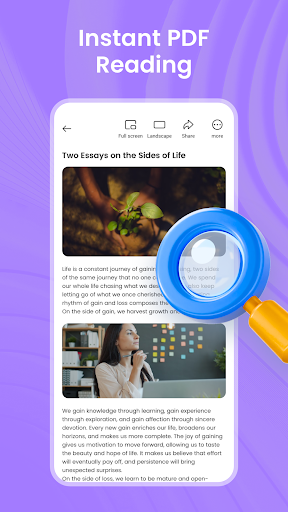
Document Reader – PDF Viewer & PDF Tools
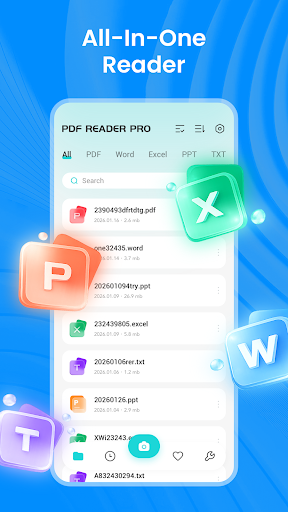
This Android mobile application adopts user-friendly navigation layouts. Users are able to open, preview, convert and categorize PDFs as well as diverse office documents on handheld devices. It is packed with a full set of practical PDF capabilities to simplify daily document operations, fitting learning needs, daily office workflows and commercial usage scenarios.
Document Viewing & Reading (Multi-format Supported)
The app loads rapidly and provides consistent, seamless browsing experiences. You can access and read PDFs and other mainstream file formats effortlessly. It delivers full compatibility with PDF, Word, Excel and PPT formats, covering the majority of widely used office file types. This multi-functional document utility satisfies daily requirements for opening and reviewing document contents.
File Conversion – PDF Conversion & Creation
This comprehensive PDF toolset supports rapid format transformation for documents and image materials. You can conveniently convert photos, JPG and PNG image files into standard PDF documents. A built-in camera scanning module is also integrated, allowing you to capture snapshots of physical paper files and export them straight into PDF format.
PDF File Management
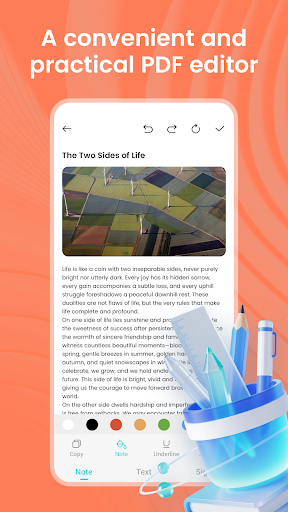
Utilize the app’s native built-in tools to classify and organize your PDF archives orderly. You can merge multiple separate PDF files into a single integrated document, or divide one PDF into multiple independent files. Locate target files instantly through recent file records and bookmarked favorite folders. The app stably processes routine PDF edits and regular document handling tasks.
Streamlined File Management for Higher Efficiency
The app automatically identifies all locally stored PDF files on your device and compiles them into a unified list. You can oversee all PDFs and office documents completely within this standalone app. It adapts to academic study, fixed desktop office work and outdoor mobile work scenarios, lifting productivity for learning and daily professional assignments.
Why Choose This App
It features a clean, uncluttered interface and straightforward operation steps, well-suited for students, office staff and every user who regularly deals with PDF documents. Download this all-in-one utility that unifies PDF viewing, PDF creation and multi-type document reading functions in one place.
Show more

1. Download MEmu installer and finish the setup

2. Start MEmu then open Google Play on the desktop

3. Search PDF Reader Pro - Editor in Google Play
Install
4. Download and Install PDF Reader Pro - Editor
5. On install completion click the icon to start

6. Enjoy using PDF Reader Pro - Editor on PC with MEmu
MEmu Play is the best Android emulator, and 100 million users already enjoy its superb Android app experience. Powered by advanced virtualization technology, it lets you enjoy thousands of Android apps smoothly on your PC—including the most graphics-intensive ones.
Bigger screen with better graphics; Long duration, without limitation of battery or mobile data.
Full Keymapping support for precise control of keyboard and mouse or gamepad.
Multiple game accounts or tasks on single PC at one time with Multi-Instance manager.
Use PDF Reader Pro - Editor on PC by following steps: