
PondoPeso
Updated
Current Version
1.1.0.4
Offered By

Stop worrying about high battery drain when using PondoPeso on your phone. Free yourself from the tiny screen and enjoy the app on a much larger display. From now on, get a full-screen experience of your app with the convenience of a keyboard and mouse. MEmu offers you all the surprising features you’d expect: quick installation and easy setup, intuitive controls, and no more worries about battery life, mobile data, or unexpected calls. The all-new MEmu 9 is the choice for using PondoPeso on your computer. With the MEmu multi-instance manager, you can run two or more accounts at the same time. Most importantly, our exclusive emulation engine unlocks your PC’s full potential, delivering smooth and enjoyable performance.
Show more
Enjoy superb experience of using PondoPeso on PC with MEMU App Player. It's a powerful free Android emulator which provides you with thousands of android apps for their desktop version. Enjoy connecting with friends and polishing your work with higher efficiency! What is PondoPeso.


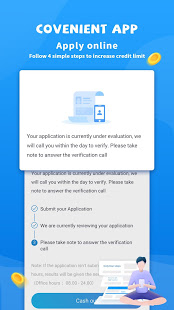

What is PondoPeso
PondoPeso is one of the unique Fintech platforms in the Philippine to provide you with financial mobility whenever and whatever. Our services is based on mobile internet security technology and big-data analysis innovation.
User Requirements
-18 +
How does it work?
-Find PondoPeso on Googleplay Store
-Download and register with your phone number
-provide your identity information
-expect your loan decision within 30 minutes
-choose different ways for disbursement
-build your credit with PondoPeso for higher limit by paying back on time!
★Special Quality of PondoPeso
✔ Paperless Online experience : no need an unconventional form, no need to go out to sign a contract, all process will be done by online in the phone. Only takes around 5 minutes to apply.
✔Increasing limits: We provide higher limit and lower interest rate to loyal customers
✔ Safe and Confidential : PondoPeso protects all users’ data and won’t be informed to any parties without agreement with our customers.
✔ Service with Quality : If you have any questions, please contact us via our online service provided by the app or call our customer service number. We are willing to serve you at anytime.
Loan term: 91-365 days
Anual Interest rate: Up to 10.05%
Service fee: 0.1% to 0.35%
Limit: maximum limit up to ₱150,000
Example:
Loan Amount: ₱10,000
Service Fee: 15% (₱1,500.00)
Loan term: 3 months (91 days)
Monthly payment: ₱3,833.4
Total payment: ₱11,500.00
★Return a Loan
We will notify you of the deadline by SMS, reminding you when to repay the loan. You can repay the loan by ATM Transfer. Upon successful transfer, PondoPeso will automatically receive proof of payment and treat your loan as paid. PondoPeso also allows early repayment of loan. Once you paid back your loan, you will eligible for borrowing with us again with a higher limit.
➠Contact Us
cs@pondopeso.com
➠About Us
We are a rapid and reliable online finance company and have extensive experience in Internet financial technology. PondoPeso will bring you safe and convenient services.
Armorak Lending Inc.
SEC Registration Number of Armorak : CS201908271
Certificate of Authority No. 2988
Show more

1. Download MEmu installer and finish the setup

2. Start MEmu then open Google Play on the desktop

3. Search PondoPeso in Google Play
Install
4. Download and Install PondoPeso
5. On install completion click the icon to start

6. Enjoy using PondoPeso on PC with MEmu
MEmu Play is the best Android emulator, and 100 million users already enjoy its superb Android app experience. Powered by advanced virtualization technology, it lets you enjoy thousands of Android apps smoothly on your PC—including the most graphics-intensive ones.
Bigger screen with better graphics; Long duration, without limitation of battery or mobile data.
Full Keymapping support for precise control of keyboard and mouse or gamepad.
Multiple game accounts or tasks on single PC at one time with Multi-Instance manager.
Use PondoPeso on PC by following steps:
































