
ProEdit - Video Editor & Maker
Updated
Current Version
1.1.3
Offered By

Stop worrying about high battery drain when using ProEdit - Video Editor & Maker on your phone. Free yourself from the tiny screen and enjoy the app on a much larger display. From now on, get a full-screen experience of your app with the convenience of a keyboard and mouse. MEmu offers you all the surprising features you’d expect: quick installation and easy setup, intuitive controls, and no more worries about battery life, mobile data, or unexpected calls. The all-new MEmu 9 is the choice for using ProEdit - Video Editor & Maker on your computer. With the MEmu multi-instance manager, you can run two or more accounts at the same time. Most importantly, our exclusive emulation engine unlocks your PC’s full potential, delivering smooth and enjoyable performance.
Show more
Enjoy superb experience of using ProEdit - Video Editor & Maker on PC with MEMU App Player. It's a powerful free Android emulator which provides you with thousands of android apps for their desktop version. Enjoy connecting with friends and polishing your work with higher efficiency! Unleash your imagination and dive into the world of possibilities.
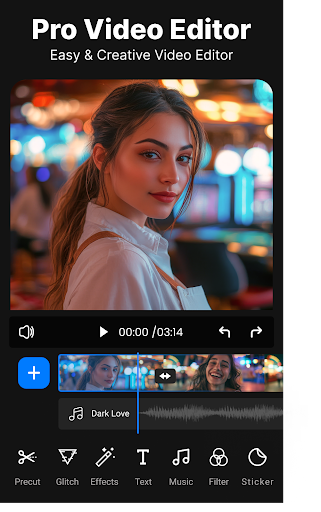
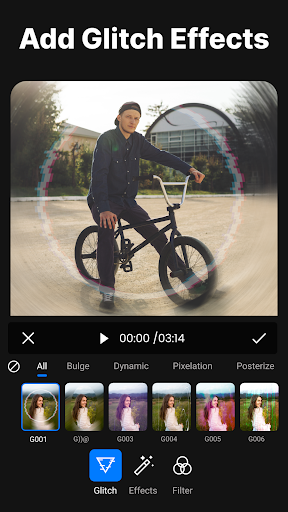
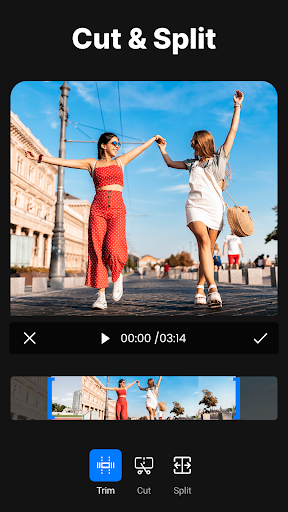
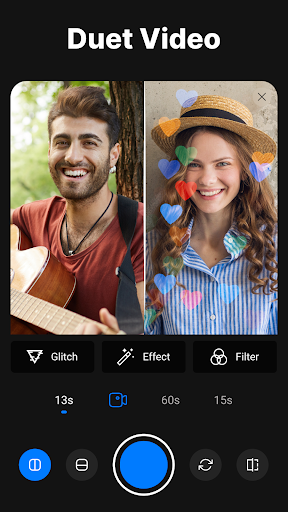
Unleash your imagination and dive into the world of possibilities. In the video maker & editor app seamlessly merge clips, apply stunning visual effects, add immersive soundtracks, and craft narratives that resonate with your audience. This free video editing app is designed to cater to your unique needs, whether editing personal vlogs, professional presentations, educational content, or even capturing memorable moments in slow-motion video makers.
In this free video editor app, the “Duet Video” option is built. A "Duet Video" in a video editor app typically refers to a video composition that combines two separate video clips into a split-screen or side-by-side presentation. Movie makers or video creators & editors allow viewers to see both videos simultaneously, often creating a collaborative or comparative effect.
Pro edit video editor & video maker app has a wide range of features to help users create, edit, and enhance videos. Effortlessly enhance your videos by incorporating (PIP) picture-in-picture videos, photos, stickers, and texts, and customize them with the frames animation feature for a personalized touch. Here are some common features of the video editor app:
Video Trimming and Splitting
Basic functionality in the video maker app allows users to trim the beginning or end of a video clip and split longer clips into smaller segments.
Cutting and Joining Clips
In this video editor & video cutter users can cut out specific sections of video clips and combine different clips to create a seamless video.
Color Correction and Grading
Control to adjust brightness, contrast, saturation, and other color attributes. Colors grading tool to achieve specific visual tones and styles.
Text and Titles
Make your message clear with customizable text and titles. Choose from various fonts, sizes, and animations to create engaging intros, subtitles, and end credits.
Filters and Effects
In this video editing app & video maker app various filters, color corrections, and visual effects can be applied to enhance the visual quality and mood of the video.
Audio Editing
Users can adjust audio levels, add background music, insert voiceovers, and synchronize audio with video, in this pro edit video editor & maker app.
Speed Control
In the video speed editor & free video editing app experiment with time manipulation using the speed control feature. Create dramatic slow-motion sequences or energizing time-lapse effects effortlessly.
Stickers and Emoji’s
In the ProEdit video maker app, users can add stickers, emojis, and other graphical elements to their videos for a fun and personalized touch.
Aspect Ratio and Resizing
Users can change the video aspect ratio for different platforms and resize clips as needed in the video editor & crop video app.
Export and Sharing Options
Once your video editing is complete, Video editor proedit allows users to export videos in various formats and resolutions suitable for sharing on different platforms like social media, friends & family, etc.
User-Friendly Interface
A well-designed and intuitive interface of the video maker & editor makes it easy for users to navigate and use the app's features effectively.
Videos editor & maker app; It's your creative partner. Empowering you with an extensive array of features and tools allows you to transform raw footage into compelling stories. Video editor & video merger is the powerful video editing app you'll ever need to craft videos that leave a lasting impression. Use now and take you’re editing skills to the next level.
If you have any problem with ProEdit: Video Editor & Video Maker don’t hesitate and contact us.
Show more

1. Download MEmu installer and finish the setup

2. Start MEmu then open Google Play on the desktop

3. Search ProEdit - Video Editor & Maker in Google Play
Install
4. Download and Install ProEdit - Video Editor & Maker
5. On install completion click the icon to start

6. Enjoy using ProEdit - Video Editor & Maker on PC with MEmu
MEmu Play is the best Android emulator, and 100 million users already enjoy its superb Android app experience. Powered by advanced virtualization technology, it lets you enjoy thousands of Android apps smoothly on your PC—including the most graphics-intensive ones.
Bigger screen with better graphics; Long duration, without limitation of battery or mobile data.
Full Keymapping support for precise control of keyboard and mouse or gamepad.
Multiple game accounts or tasks on single PC at one time with Multi-Instance manager.
Use ProEdit - Video Editor & Maker on PC by following steps:































