Raspberry Pi Remote Monitor PC

Download Raspberry Pi Remote Monitor on PC

Raspberry Pi Remote Monitor PC

Raspberry Pi Remote Monitor

  • Updated

  • Current Version

    2.3

  • Offered By

    Raspberry Pi Remote Monitor PC

Features of Raspberry Pi Remote Monitor on PC

Stop worrying about high battery drain when using Raspberry Pi Remote Monitor on your phone. Free yourself from the tiny screen and enjoy the app on a much larger display. From now on, get a full-screen experience of your app with the convenience of a keyboard and mouse. MEmu offers you all the surprising features you’d expect: quick installation and easy setup, intuitive controls, and no more worries about battery life, mobile data, or unexpected calls. The all-new MEmu 9 is the choice for using Raspberry Pi Remote Monitor on your computer. With the MEmu multi-instance manager, you can run two or more accounts at the same time. Most importantly, our exclusive emulation engine unlocks your PC’s full potential, delivering smooth and enjoyable performance.

Show more

Screenshots & Video of Raspberry Pi Remote Monitor PC

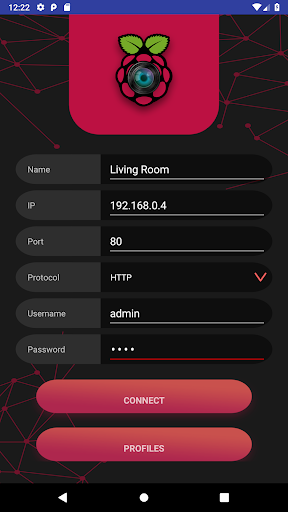
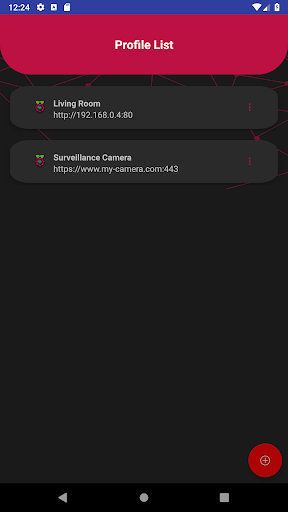
Enjoy superb experience of using Raspberry Pi Remote Monitor on PC with MEMU App Player. It's a powerful free Android emulator which provides you with thousands of android apps for their desktop version. Enjoy connecting with friends and polishing your work with higher efficiency! Raspberry Pi Remote Monitor will be able to connect to your Raspberry Pi Camera in a secure environemnt.
APP Info

Raspberry Pi Remote Monitor will be able to connect to your Raspberry Pi Camera in a secure environemnt.

This application will connect to Motion only using Basic Authentication for more information about configuration or questions please referer to https://github.com/danidomi/motion or daniel.alexandre.domingues@gmail.com

Configuration


Motion Configuration in Raspberry Pi


Download only for WINDOWS - https://sourceforge.net/projects/win32diskimager

Download raspbian link - https://downloads.raspberrypi.org/raspbian_lite_latest

After writting the image to SD Card, from the command line login using pi as username and raspberry as password

>wget https://github.com/danidomi/motion/releases/download/release/motion.zip
>unzip motion.zip
>cd mmal
>sudo apt-get install -y libjpeg-dev libavformat56 libavformat-dev libavcodec56 libavcodec-dev libavutil54 libavutil-dev libc6-dev zlib1g-dev libmysqlclient18 libmysqlclient-dev libpq5 libpq-dev
>sudo apt-get install nginx
>sudo apt-get install apache2-utils
>sudo htpasswd -c /home/pi/.htpasswd admin
Add a cronjob to check if the motion camera is online add this to the bottom of the file

>sudo crontab -e

*/1 * * * * pgrep motion || /home/pi/mmal/startmotion
You wont even need to start it

Nginx Configuration in Raspberry Pi


>sudo apt-get install nginx sudo apt-get install apache2-utils
>sudo htpasswd -c /home/pi/.htpasswd admin
>vi /etc/nginx/sites-available/default
Add the following code below to it

location / {
# First attempt to serve request as file, then
# as directory, then fall back to displaying a 404.
try_files $uri $uri/ =404;
auth_basic “Restricted”;
auth_basic_user_file /home/pi/.htpasswd;
proxy_pass http://127.0.0.1:8081/img/video.mjpeg;
}
And start the service

>sudo service nginx start

FreeDNS Configuration in Raspberry Pi


Create an account if you don't have it

>vi ~/updatedns.sh
Copy the below content to it.

#!/bin/sh
wget --no-check-certificate -O - https://freedns.afraid.org/dynamic/update.php?XXXXXXXXXXXXX >> /tmp/XXXXXXXXXXXXX.log

>crontab -e
*/1 * * * * ~/updatedns.sh

Show more

How to Download Raspberry Pi Remote Monitor on PC

  • Raspberry Pi Remote Monitor PC

    1. Download MEmu installer and finish the setup

  • Raspberry Pi Remote Monitor PC

    2. Start MEmu then open Google Play on the desktop

  • Raspberry Pi Remote Monitor PC

    3. Search Raspberry Pi Remote Monitor in Google Play

  • Raspberry Pi Remote Monitor PC Install

    4. Download and Install Raspberry Pi Remote Monitor

  • Raspberry Pi Remote Monitor PC

    5. On install completion click the icon to start

  • Raspberry Pi Remote Monitor PC
    Raspberry Pi Remote Monitor PC Raspberry Pi Remote Monitor PC

    6. Enjoy using Raspberry Pi Remote Monitor on PC with MEmu

Why Use MEmu for Raspberry Pi Remote Monitor

MEmu Play is the best Android emulator, and 100 million users already enjoy its superb Android app experience. Powered by advanced virtualization technology, it lets you enjoy thousands of Android apps smoothly on your PC—including the most graphics-intensive ones.

  • Bigger screen with better graphics; Long duration, without limitation of battery or mobile data.

  • Full Keymapping support for precise control of keyboard and mouse or gamepad.

  • Multiple game accounts or tasks on single PC at one time with Multi-Instance manager.

Ready to Use?

Raspberry Pi Remote Monitor - FAQs

  • How to use Raspberry Pi Remote Monitor on PC?

    Use Raspberry Pi Remote Monitor on PC by following steps:

    • Download MEmu, then install and launch it
    • Login to Google Play Store, install the app
    • Enjoy using the app on PC with MEmu
  • What are the minimum system requirements to run Raspberry Pi Remote Monitor on PC?
    • Intel or AMD Processor
    • Microsoft Windows 7 and above
    • 2GB of memory
    • 5GB of free disk space
    • Hardware Virtualization Technology