
Redcare: Online Pharmacy
Updated
Current Version
4.29.0
Offered By

Stop worrying about high battery drain when using Redcare: Online Pharmacy on your phone. Free yourself from the tiny screen and enjoy the app on a much larger display. From now on, get a full-screen experience of your app with the convenience of a keyboard and mouse. MEmu offers you all the surprising features you’d expect: quick installation and easy setup, intuitive controls, and no more worries about battery life, mobile data, or unexpected calls. The all-new MEmu 9 is the choice for using Redcare: Online Pharmacy on your computer. With the MEmu multi-instance manager, you can run two or more accounts at the same time. Most importantly, our exclusive emulation engine unlocks your PC’s full potential, delivering smooth and enjoyable performance.
Show more
Enjoy superb experience of using Redcare: Online Pharmacy on PC with MEMU App Player. It's a powerful free Android emulator which provides you with thousands of android apps for their desktop version. Enjoy connecting with friends and polishing your work with higher efficiency! With Shop Apotheke / Redcare you always have your pharmacy and drugstore at hand.
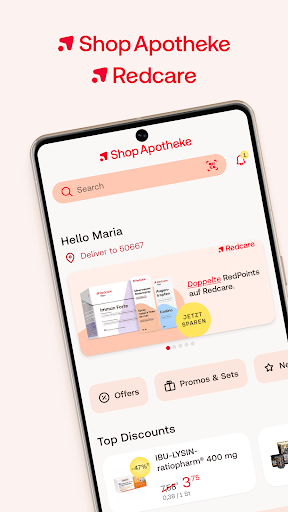
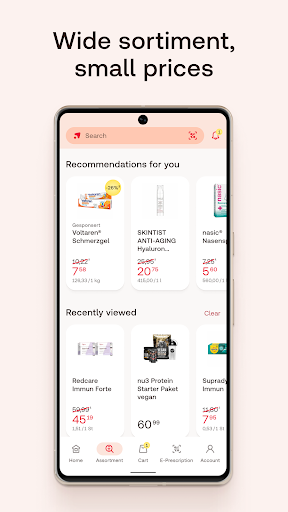
With Shop Apotheke / Redcare you always have your pharmacy and drugstore at hand. Order medicine, beauty and care products and many other products conveniently at low prices and fill your prescription or e-prescription.
We offer everything you need. Discover a huge selection with over 100,000 products and have your order delivered quickly to your home. With our app, we can deliver your orders to the following countries: Germany, Austria, Italy, Switzerland, Belgium and France.
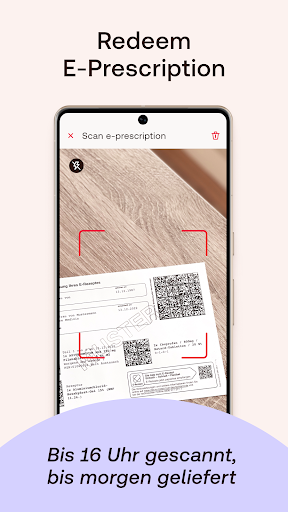
E-prescription on your health insurance card: Redeem your e-prescription digitally now
All you need is your German health insurance card and the Shop Apotheke app!
How do you redeem an e-prescription with your electronic health card?
1⃣Open the Shop Apotheke app.
2⃣ Hold your health insurance card next to it.
3⃣ And everything will be delivered to your home quickly.
The e-prescription (eRx) has been officially launched in Germany.
Now you can easily and quickly redeem your e-prescription in the Shop Apotheke App. And the delivery is also quickly.
What are the advantages of the Shop Apotheke app?
Choose from a huge selection of medicine, beauty and care products & much more
Collect your e-prescription safely and conveniently
Get your delivery very fast with Shop Apotheke Now!
Enjoy regular discounts and voucher promotions
Compare prices on the go using our barcode scanner
Log in safely and securely
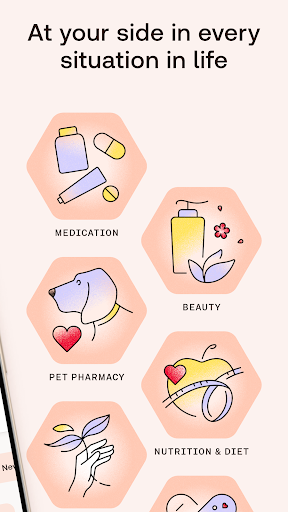
We offer a wide range of products in the categories:
● Medications & prescription medicines
● Baby & family
● Beauty & care
● Nutrition, sports & weight loss
● Homeopathy & natural products
● Care & Medical supply store
● Pet pharmacy & pet supplies
● Books & much more!
Discover a huge selection, from medicines to beauty and care products, from well-known brands such as Hexal, Aspirin, or Vichy. With our own brands, we also offer a wide range of high-quality products in the categories of medicine, cosmetics, beauty, fitness, and nutrition.
Our Shop Apotheke Now! delivery service enables fast delivery for thousands of products across our range. Simply place your order with Now! we will deliver it on the same or the following day*. To ensure fast delivery, we ship orders three times a day.
Highest quality and safety are essential for us. Our pharmacy has been certified by TÜV Nord and has been chosen as Webshop of the Year 2020/2021. We have been awarded the Trusted e-Shops label “very good” and have already impressed over 9 million satisfied customers.
Pay securely and easily with Visa, Mastercard, PayPal, Klarna, direct debit, prepayment or purchase on account.
Take advantage of our customer loyalty program. Collect RedPoints** with every purchase to receive discounts and exclusive benefits.
You are safe with us! The data transmission takes place via a secured end-to-end encryption so that the data protection is optimally ensured.
Download the Shop Apotheke app today and get a reliable companion in matters of health and beauty care.
*excludes prescription orders
**Our loyalty program is available in Switzerland as RedCoins.
^28 Further voucher conditions available at www.shop-apotheke.com/gutscheine
Contact
Send feedback to: mobile@shop-apotheke.com
Show more

1. Download MEmu installer and finish the setup

2. Start MEmu then open Google Play on the desktop

3. Search Redcare: Online Pharmacy in Google Play
Install
4. Download and Install Redcare: Online Pharmacy
5. On install completion click the icon to start

6. Enjoy using Redcare: Online Pharmacy on PC with MEmu
MEmu Play is the best Android emulator, and 100 million users already enjoy its superb Android app experience. Powered by advanced virtualization technology, it lets you enjoy thousands of Android apps smoothly on your PC—including the most graphics-intensive ones.
Bigger screen with better graphics; Long duration, without limitation of battery or mobile data.
Full Keymapping support for precise control of keyboard and mouse or gamepad.
Multiple game accounts or tasks on single PC at one time with Multi-Instance manager.
Use Redcare: Online Pharmacy on PC by following steps: