Remote for Android TV
Updated
Current Version
1791443535
Offered By

Stop worrying about high battery drain when using Remote for Android TV on your phone. Free yourself from the tiny screen and enjoy the app on a much larger display. From now on, get a full-screen experience of your app with the convenience of a keyboard and mouse. MEmu offers you all the surprising features you’d expect: quick installation and easy setup, intuitive controls, and no more worries about battery life, mobile data, or unexpected calls. The all-new MEmu 9 is the choice for using Remote for Android TV on your computer. With the MEmu multi-instance manager, you can run two or more accounts at the same time. Most importantly, our exclusive emulation engine unlocks your PC’s full potential, delivering smooth and enjoyable performance.
Show more
Enjoy superb experience of using Remote for Android TV on PC with MEMU App Player. It's a powerful free Android emulator which provides you with thousands of android apps for their desktop version. Enjoy connecting with friends and polishing your work with higher efficiency! Remote for Android TV application allows you to control your Android Smart TV instead of using a physical remote.
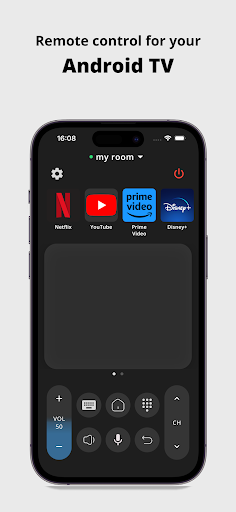
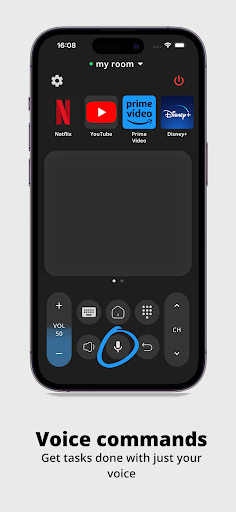
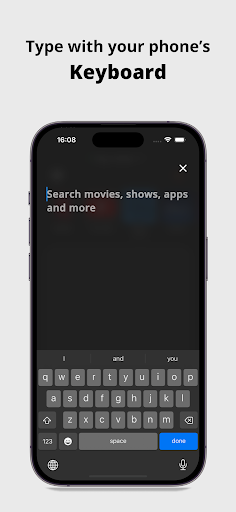
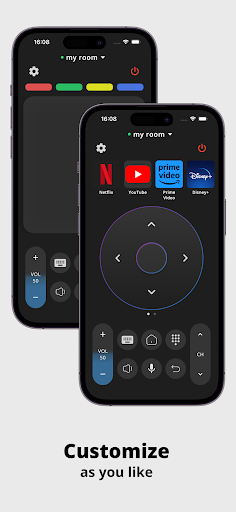
Remote for Android TV application allows you to control your Android Smart TV instead of using a physical remote.
◆ VOICE and KEYBOARD SUPPORTED ◆
Supported Brands are :-
Xiaomi, TCL, Changhong, Sony, Skyworth, Google-Chromecast, Haier, SWTV, Any brands TV running on Android or Google TV OS.
Features:
◆ Voice commands
◆ Built-in keyboard for search
◆ Touchpad
◆ Quick launch applications
◆ Volume information directly visible on the application
◆ Control your TV as you normally would with a physical remote
◆ Your last remote is saved for quick and easy access
◆ More exiting features coming soon..
Connect your phone/tablet to the same WiFi network as your TV device for the application to work.
Have questions or feedback?
Drop us an email to support@simha.tech
DISCLAIMER - This is not an official app by Google.
Show more

1. Download MEmu installer and finish the setup

2. Start MEmu then open Google Play on the desktop

3. Search Remote for Android TV in Google Play
Install
4. Download and Install Remote for Android TV
5. On install completion click the icon to start

6. Enjoy using Remote for Android TV on PC with MEmu
MEmu Play is the best Android emulator, and 100 million users already enjoy its superb Android app experience. Powered by advanced virtualization technology, it lets you enjoy thousands of Android apps smoothly on your PC—including the most graphics-intensive ones.
Bigger screen with better graphics; Long duration, without limitation of battery or mobile data.
Full Keymapping support for precise control of keyboard and mouse or gamepad.
Multiple game accounts or tasks on single PC at one time with Multi-Instance manager.
Use Remote for Android TV on PC by following steps: