Peers.TV: телевизор ОНЛАЙН ТВ
Updated
Current Version
7.19.2
Offered By

Stop worrying about high battery drain when using Peers.TV: телевизор ОНЛАЙН ТВ on your phone. Free yourself from the tiny screen and enjoy the app on a much larger display. From now on, get a full-screen experience of your app with the convenience of a keyboard and mouse. MEmu offers you all the surprising features you’d expect: quick installation and easy setup, intuitive controls, and no more worries about battery life, mobile data, or unexpected calls. The all-new MEmu 9 is the choice for using Peers.TV: телевизор ОНЛАЙН ТВ on your computer. With the MEmu multi-instance manager, you can run two or more accounts at the same time. Most importantly, our exclusive emulation engine unlocks your PC’s full potential, delivering smooth and enjoyable performance.
Show more
Enjoy superb experience of using Peers.TV: телевизор ОНЛАЙН ТВ on PC with MEMU App Player. It's a powerful free Android emulator which provides you with thousands of android apps for their desktop version. Enjoy connecting with friends and polishing your work with higher efficiency! Meet us!
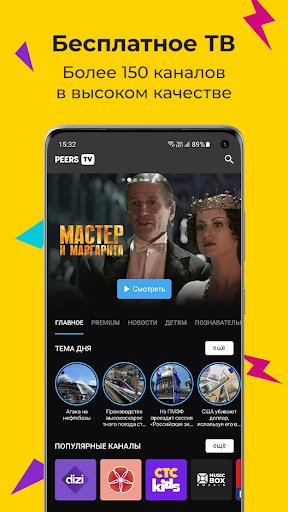
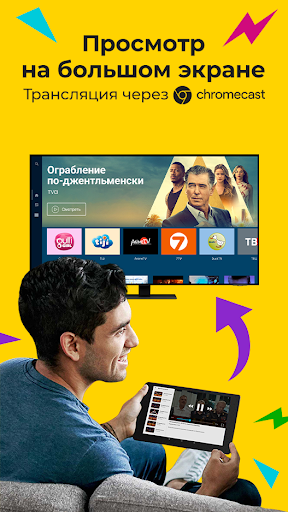
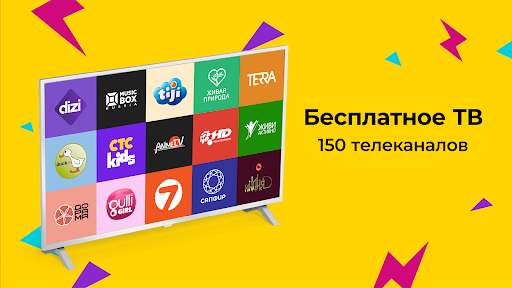
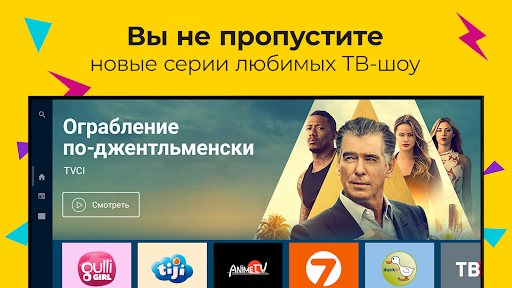
Meet us! Peers.TV is a free service for watching online TV channels, popular TV series, thousands of HD movies and children's cartoons. The functionality of the application is very wide: TV program of all channels, IPTV player, recording programs, creating playlists from your favorite TV shows.
The application has everything (and even more) for convenient viewing of television on your smartphone, tablet, TV and Android TV.
In short, with Peers.TV you can:
— watch TV online and the program guide for today everywhere for free;
— immerse yourself in a truly large selection of broadcast genres: news, sports, motorcycle racing, football, hockey, cartoons, movies, TV series, humor, music and TV shows;
— watch television online for free in a recording and control the live broadcast (if you missed an episode or an episode of your favorite series, watch them from the program archive, where we carefully save them for you);
— add TV channels to favorites and create your own list of TV channels.
OVER 150 FREE CHANNELS. Watch popular Russian and foreign channels. In addition to popular channels, on Peers.TV you can watch regional television in your city. Watch your favorite shows live and archived for 7 days!
The only thing that may be missing from the application is some channels, and only because of the reluctance of the TV channels themselves or because of their departure from Russian TV. However, we do everything possible (and sometimes impossible) to add the most popular and popular channels to Piers TV.
We are constantly adding new channels to our app, so stay tuned to the app and our social networks for updates.
8500 MOVIES AND SERIES. Our collection has more than 4000 films in HD for every taste. You will find selections by genre: action films, comedies, Russian and Soviet cinema, detective stories, horror, science fiction. A huge variety of TV series from Indian and Turkish to Russian and American.
CHILDREN'S CARTOONS. For our young viewers, we have wonderful channels with children's fairy tales, Soviet and Russian animated series for all ages.
⭐ BEST SERIES and Movies With the addition of new channels KinoLiving, HIT, Drama and Timeless DIZI (Turkish TV series), you can watch all seasons of the best TV series for the first 14 days as part of the trial period! Watch the premieres of “Now You See Me”, “Knock on My Door”, “Ruthless City”. So, re-watch your favorite seasons of the main TV series of recent years: “The Sopranos”, “Twin Peaks”, “Westworld”. All this is the largest legal online library of quality video content!
TRIAL PERIOD OF SUBSCRIPTION TO PREMIUM CHANNELS! We have prepared selections of a wide variety of popular subscription channels: “STS Kids”, “Visiting a Fairy Tale”, “Eurokino”, “Male”, “Auto24”, “ Hockey" and many other excellent channels. The cost of a subscription for 30 days will be from 99 rubles to 249 rubles, depending on the package. By the way, we often give out promotional codes for a free subscription, so follow us on social media. networks!
VIP SUBSCRIPTION TO ALL PREMIUM CHANNELS! We have collected all the top channels in one package - now you can watch content for every taste for only 999 rubles per month!
Would you like to tell us what will make our application even better for you? Or maybe everything is broken for you? Please share your ideas and suggestions at support@peers.tv.
For the latest news about the application and updates, join the official group on VK: vk.com/peerstv and Telegram: https://t.me/peerstv
Thank you for your feedback and good ratings - we promise not to be arrogant!
Show more

1. Download MEmu installer and finish the setup

2. Start MEmu then open Google Play on the desktop

3. Search Peers.TV: телевизор ОНЛАЙН ТВ in Google Play
Install
4. Download and Install Peers.TV: телевизор ОНЛАЙН ТВ
5. On install completion click the icon to start

6. Enjoy using Peers.TV: телевизор ОНЛАЙН ТВ on PC with MEmu
MEmu Play is the best Android emulator, and 100 million users already enjoy its superb Android app experience. Powered by advanced virtualization technology, it lets you enjoy thousands of Android apps smoothly on your PC—including the most graphics-intensive ones.
Bigger screen with better graphics; Long duration, without limitation of battery or mobile data.
Full Keymapping support for precise control of keyboard and mouse or gamepad.
Multiple game accounts or tasks on single PC at one time with Multi-Instance manager.
Use Peers.TV: телевизор ОНЛАЙН ТВ on PC by following steps: