Заказ-наряд
Updated
Current Version
1+
Offered By

Stop worrying about high battery drain when using Заказ-наряд on your phone. Free yourself from the tiny screen and enjoy the app on a much larger display. From now on, get a full-screen experience of your app with the convenience of a keyboard and mouse. MEmu offers you all the surprising features you’d expect: quick installation and easy setup, intuitive controls, and no more worries about battery life, mobile data, or unexpected calls. The all-new MEmu 9 is the choice for using Заказ-наряд on your computer. With the MEmu multi-instance manager, you can run two or more accounts at the same time. Most importantly, our exclusive emulation engine unlocks your PC’s full potential, delivering smooth and enjoyable performance.
Show more
Enjoy superb experience of using Заказ-наряд on PC with MEMU App Player. It's a powerful free Android emulator which provides you with thousands of android apps for their desktop version. Enjoy connecting with friends and polishing your work with higher efficiency! Мобильное приложение «Заказ-наряд» - это универсальный инструмент для ведения документооборота по заказ-нарядам (составлению заказ-нарядов).
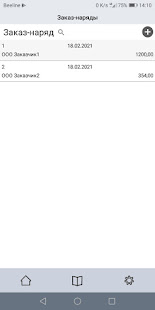
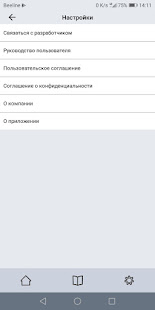
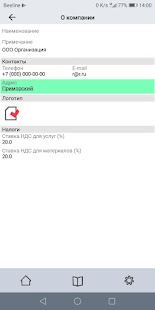
Мобильное приложение «Заказ-наряд» - это универсальный инструмент для ведения документооборота по заказ-нарядам (составлению заказ-нарядов). Это ваш «карманный» помощник в автоматизации части бизнес процессов, который будет полезен компаниям и предпринимателям малого и среднего бизнеса, таким как, автосервисы, мастерские, предприятия по оказанию услуг населению и компаниям.
Приложение предоставляет пользователю возможность создавать собственные справочники клиентов, услуг, запасных частей, материалов, а так же вести учет услуг и материалов по работе с клиентами, формирование и выписку заказ-нарядов.
Приложение просто незаменимо на всех стадиях оформления заказ-наряда, от обращения клиента и до формирования сопутствующего документа (всех необходимых документов).
Работа с приложением – это:
• Быстрый поиск информации.
• Легкое освоение благодаря интуитивно понятному интерфейсу
• Оптимальный набор параметров и справочников.
• Вся информация храниться на устройстве пользователя.
• Отправка документов по электронной почте.
• Выдача документов на печать.
Добавьте мобильности своей работе!
Show more

1. Download MEmu installer and finish the setup

2. Start MEmu then open Google Play on the desktop

3. Search Заказ-наряд in Google Play
Install
4. Download and Install Заказ-наряд
5. On install completion click the icon to start

6. Enjoy using Заказ-наряд on PC with MEmu
MEmu Play is the best Android emulator, and 100 million users already enjoy its superb Android app experience. Powered by advanced virtualization technology, it lets you enjoy thousands of Android apps smoothly on your PC—including the most graphics-intensive ones.
Bigger screen with better graphics; Long duration, without limitation of battery or mobile data.
Full Keymapping support for precise control of keyboard and mouse or gamepad.
Multiple game accounts or tasks on single PC at one time with Multi-Instance manager.
Use Заказ-наряд on PC by following steps: