
kari: обувь и аксессуары
Updated
Current Version
1.40.6
Offered By

Stop worrying about high battery drain when using kari: обувь и аксессуары on your phone. Free yourself from the tiny screen and enjoy the app on a much larger display. From now on, get a full-screen experience of your app with the convenience of a keyboard and mouse. MEmu offers you all the surprising features you’d expect: quick installation and easy setup, intuitive controls, and no more worries about battery life, mobile data, or unexpected calls. The all-new MEmu 9 is the choice for using kari: обувь и аксессуары on your computer. With the MEmu multi-instance manager, you can run two or more accounts at the same time. Most importantly, our exclusive emulation engine unlocks your PC’s full potential, delivering smooth and enjoyable performance.
Show more
Enjoy superb experience of using kari: обувь и аксессуары on PC with MEMU App Player. It's a powerful free Android emulator which provides you with thousands of android apps for their desktop version. Enjoy connecting with friends and polishing your work with higher efficiency! Интернет магазин kari это:.
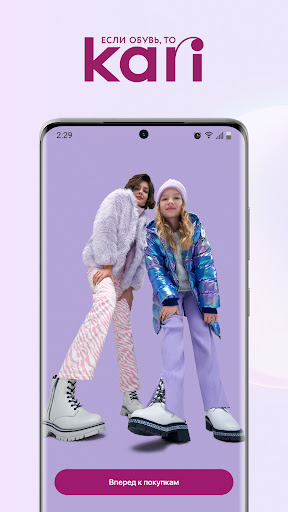
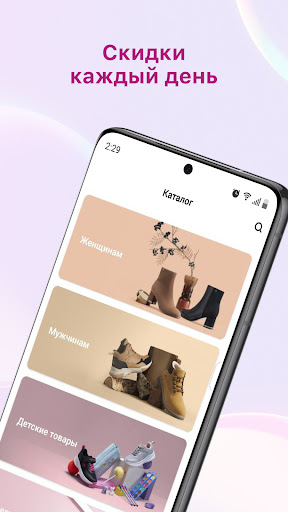
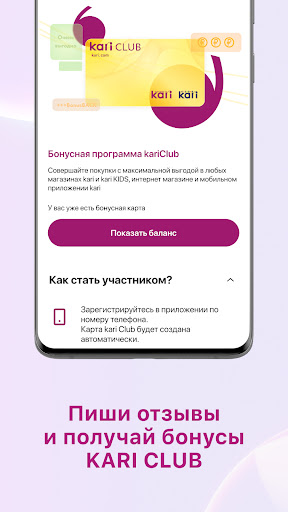
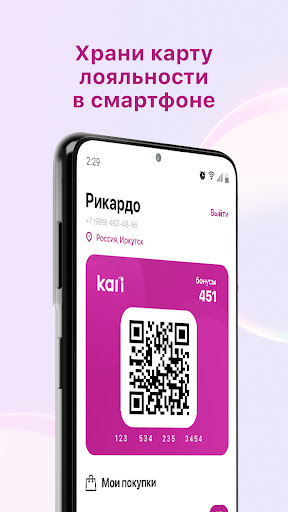
Интернет магазин kari это:
- Широкий ассортимент модной обуви и аксессуаров по разумным ценам. В каталоге kari представлено более 5 000 мужских, женских и детских товаров известных брендов.
- Удобная навигация.
Находи товар по артикулу или названию, а так же воспользуйся системой фильтров.
- Бесплатная доставка в любой магазин.
Мы будем рады видеть тебя в любом из 1 300 магазинов kari во всех крупных городах России, Казахстана и Республики Беларусь.
- Гарантия и обмен в течение 90 дней.
Мы уверены в качестве наших товаров, поэтому даем гарантию в 3 раза дольше, чем установленный законом период.
- Список желаний.
Откладывай в избранное то, что нравится, и покупай, когда удобно.
- Скидки и акции каждый день.
Мы любим тебя радовать, поэтому постоянно придумываем новые акции, чтобы сделать твои покупки еще более выгодными.
- Возвращаем 10% бонусами.
Накапливай бонусные баллы за совершенные покупки в магазинах kari (1 бонус = 1 рубль) и оплачивай ими обновки.
- Прямое общение.
Мы всегда на связи, оставь свой отзыв о товаре или расскажи, как нам стать еще лучше.
Cделаем первый заказ?
1. Выбери товар, кликнув по его изображению, чтобы увидеть подробное описание, фотографии и отзывы;
2. Определись с цветом модели и размером, а затем нажми “ДОБАВИТЬ В КОРЗИНУ”;
3. После добавления всех желаемых товаров перейти в корзину;
4. Нажми “ОФОРМИТЬ ЗАКАЗ”
Команда kari постоянно работает над улучшением мобильного приложения для повышения эффективности взаимодействия с нашими пользователями.
По вопросам и предложениям пишите на mobile@kari.com
Show more

1. Download MEmu installer and finish the setup

2. Start MEmu then open Google Play on the desktop

3. Search kari: обувь и аксессуары in Google Play
Install
4. Download and Install kari: обувь и аксессуары
5. On install completion click the icon to start

6. Enjoy using kari: обувь и аксессуары on PC with MEmu
MEmu Play is the best Android emulator, and 100 million users already enjoy its superb Android app experience. Powered by advanced virtualization technology, it lets you enjoy thousands of Android apps smoothly on your PC—including the most graphics-intensive ones.
Bigger screen with better graphics; Long duration, without limitation of battery or mobile data.
Full Keymapping support for precise control of keyboard and mouse or gamepad.
Multiple game accounts or tasks on single PC at one time with Multi-Instance manager.
Use kari: обувь и аксессуары on PC by following steps: