START: онлайн-кинотеатр
Updated
Current Version
1795514763
Offered By

Stop worrying about high battery drain when using START: онлайн-кинотеатр on your phone. Free yourself from the tiny screen and enjoy the app on a much larger display. From now on, get a full-screen experience of your app with the convenience of a keyboard and mouse. MEmu offers you all the surprising features you’d expect: quick installation and easy setup, intuitive controls, and no more worries about battery life, mobile data, or unexpected calls. The all-new MEmu 9 is the choice for using START: онлайн-кинотеатр on your computer. With the MEmu multi-instance manager, you can run two or more accounts at the same time. Most importantly, our exclusive emulation engine unlocks your PC’s full potential, delivering smooth and enjoyable performance.
Show more
Enjoy superb experience of using START Фильмы, сериалы и мультики on PC with MEMU App Player. It's a powerful free Android emulator which provides you with thousands of android apps for their desktop version. Enjoy connecting with friends and polishing your work with higher efficiency! START — an online cinema with original series and films.
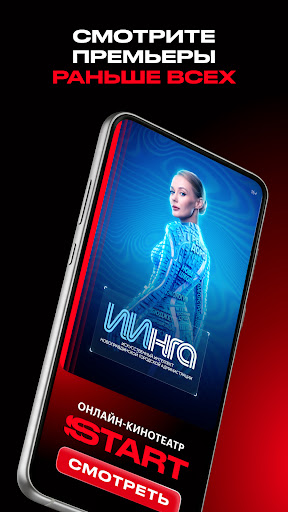
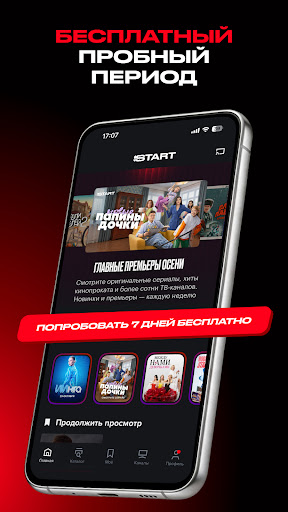
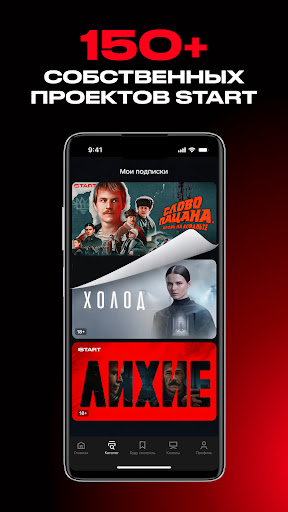
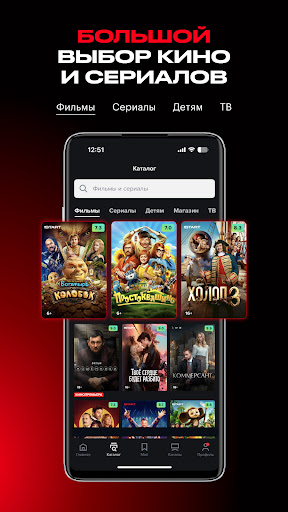
START — an online cinema with original series and films
Watch the series everyone's talking about, discover new films, and stay up to date with exclusive premieres. START offers over 150 original projects, a large library of films and cartoons, and over 130 online TV channels.
⭐ Original Series and Premieres
Watch stories you'll want to talk about and rewatch. START releases its own series and films that aren't available on other platforms. Discover new seasons of your favorite shows and stay up to date with early access premieres.
Some of START's most famous projects include "Slovo Patsana," "Kholod," "Kholie," "Kholie," "Vampires of the Middle Lane," "Daddy's Daughters," and others.
Movies and series for every taste
The app's catalog offers a wide selection for every audience:
• Russian series and hit comedies;
• Turkish melodramas and romantic comedies;
• Films from leading studios;
• Festival and arthouse films;
• Family films and cartoons for children;
• Popular TV shows and programs.
130+ TV channels online
Watch your favorite programs, news, sports broadcasts, and entertainment shows in one place and on any device. The subscription includes TV channels STS, Pyatnitsa!, TNT, Match TV, and many others.
Watch wherever and whenever convenient
START offers comfortable viewing options:
• Ad-free movies and TV series;
• Picture quality up to Ultra HD 4K on TV;
• Download movies, episodes, and cartoons for offline viewing;
• Watch on smartphones, tablets, computers, and Smart TVs;
• Connect up to 5 devices per account;
• Safe children's section with content for young viewers.
Download movies and episodes in advance to watch them offline on a plane, on the road, or at your dacha, even if you don't have an internet connection.
More than just an online cinema
Go behind the scenes of your favorite projects: watch behind-the-scenes videos with commentary from directors, producers, and actors. Read interviews and reports in START magazine, learn more about the creation of series, and discover fascinating story details.
Try START for free
New users can explore the catalog free for 7 days. After the trial period, the subscription automatically renews every 30 days, and payment will be charged according to the subscription terms.
If you no longer wish to use the subscription, cancel it before the end of the trial period. In this case, you will not be charged again.
Download the START app and choose what to watch today: a new series, your favorite comedy, a family movie, or a live TV channel.
Any questions? Contact us at support@start.ru
Show more

1. Download MEmu installer and finish the setup

2. Start MEmu then open Google Play on the desktop

3. Search START: онлайн-кинотеатр in Google Play
Install
4. Download and Install START: онлайн-кинотеатр
5. On install completion click the icon to start

6. Enjoy using START: онлайн-кинотеатр on PC with MEmu
MEmu Play is the best Android emulator, and 100 million users already enjoy its superb Android app experience. Powered by advanced virtualization technology, it lets you enjoy thousands of Android apps smoothly on your PC—including the most graphics-intensive ones.
Bigger screen with better graphics; Long duration, without limitation of battery or mobile data.
Full Keymapping support for precise control of keyboard and mouse or gamepad.
Multiple game accounts or tasks on single PC at one time with Multi-Instance manager.
Use START: онлайн-кинотеатр on PC by following steps: