Senera: Sleep Sounds & Stories
Updated
Current Version
1.2.07
Offered By

Stop worrying about high battery drain when using Senera: Sleep Sounds & Stories on your phone. Free yourself from the tiny screen and enjoy the app on a much larger display. From now on, get a full-screen experience of your app with the convenience of a keyboard and mouse. MEmu offers you all the surprising features you’d expect: quick installation and easy setup, intuitive controls, and no more worries about battery life, mobile data, or unexpected calls. The all-new MEmu 9 is the choice for using Senera: Sleep Sounds & Stories on your computer. With the MEmu multi-instance manager, you can run two or more accounts at the same time. Most importantly, our exclusive emulation engine unlocks your PC’s full potential, delivering smooth and enjoyable performance.
Show more
Enjoy superb experience of using Senera: Sleep Sounds & Stories on PC with MEMU App Player. It's a powerful free Android emulator which provides you with thousands of android apps for their desktop version. Enjoy connecting with friends and polishing your work with higher efficiency! Fall asleep faster tonight with Senera: calming sleep sounds, immersive soundscapes and gentle bedtime stories to quiet your mind and help you sleep through the night.
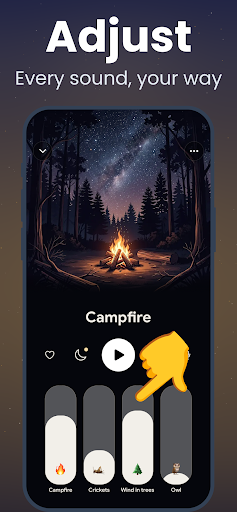
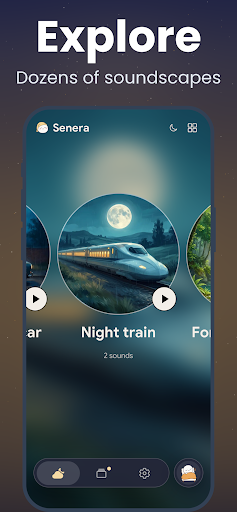
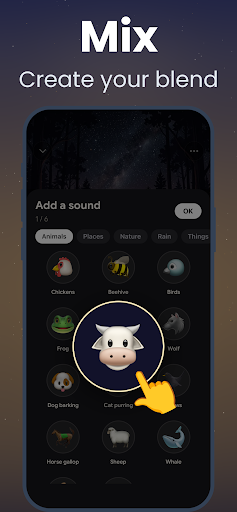
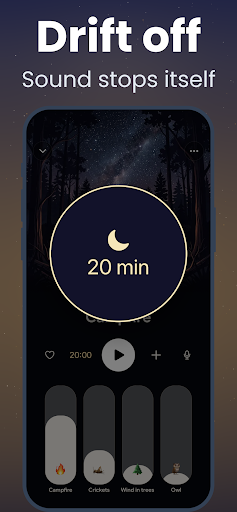
Fall asleep faster tonight with Senera: calming sleep sounds, immersive soundscapes and gentle bedtime stories to quiet your mind and help you sleep through the night.
Rain on the window, ocean waves, a summer storm, a forest at night… Pick a soundscape in one tap, dim the lights and let the sound do the rest.
SLEEP SOUNDS & SOUNDSCAPES
• Relaxing sounds of rain, ocean waves, wind, thunderstorms, forest and more
• Ready-made sleep soundscapes to set the mood in one tap
• High-quality loops that play seamlessly all night
CREATE YOUR OWN MIX
• Combine up to 10 sounds and adjust each volume
• Save your favorite mixes with your own name and picture
• Mask noise from traffic, neighbors or a snoring partner
BEDTIME STORIES
• Softly narrated stories that carry you all the way to sleep
• Play a story on its own or over your favorite soundscape
• Stories available in several languages
BUILT FOR YOUR NIGHTS
• Sleep timer with a gentle fade-out: the sound stops once you're asleep
• Keeps playing in the background, even with the screen locked
• Evening reminder so you go to bed on time
• Night streaks to build a calm bedtime routine
• Sounds you've already played stay available offline
Insomnia, racing thoughts or a noisy room: Senera helps you unwind, relax and fall asleep naturally.
SENERA PREMIUM
Senera is free to download and includes a selection of free soundscapes. Senera Premium unlocks every sound, soundscape and bedtime story, unlimited custom mixes and every sleep timer duration. New subscribers may be eligible for a free trial.
Payment is charged to your Google Play account at confirmation of purchase. The subscription renews automatically unless cancelled at least 24 hours before the end of the current period. You can manage or cancel it anytime in your Google Play subscriptions.
Terms of Use: https://qodam.com/terms
Privacy Policy: https://qodam.com/privacy
Sweet dreams.
Show more

1. Download MEmu installer and finish the setup

2. Start MEmu then open Google Play on the desktop

3. Search Senera: Sleep Sounds & Stories in Google Play
Install
4. Download and Install Senera: Sleep Sounds & Stories
5. On install completion click the icon to start

6. Enjoy using Senera: Sleep Sounds & Stories on PC with MEmu
MEmu Play is the best Android emulator, and 100 million users already enjoy its superb Android app experience. Powered by advanced virtualization technology, it lets you enjoy thousands of Android apps smoothly on your PC—including the most graphics-intensive ones.
Bigger screen with better graphics; Long duration, without limitation of battery or mobile data.
Full Keymapping support for precise control of keyboard and mouse or gamepad.
Multiple game accounts or tasks on single PC at one time with Multi-Instance manager.
Use Senera: Sleep Sounds & Stories on PC by following steps: