ShopeePay - Bayar & Transfer
Updated
Current Version
1.63.05
Offered By

Stop worrying about high battery drain when using ShopeePay - Bayar & Transfer on your phone. Free yourself from the tiny screen and enjoy the app on a much larger display. From now on, get a full-screen experience of your app with the convenience of a keyboard and mouse. MEmu offers you all the surprising features you’d expect: quick installation and easy setup, intuitive controls, and no more worries about battery life, mobile data, or unexpected calls. The all-new MEmu 9 is the choice for using ShopeePay - Bayar & Transfer on your computer. With the MEmu multi-instance manager, you can run two or more accounts at the same time. Most importantly, our exclusive emulation engine unlocks your PC’s full potential, delivering smooth and enjoyable performance.
Show more
Enjoy superb experience of using ShopeePay - Bayar & Transfer on PC with MEMU App Player. It's a powerful free Android emulator which provides you with thousands of android apps for their desktop version. Enjoy connecting with friends and polishing your work with higher efficiency! ShopeePay is a digital wallet app for purchasing phone credit and data packages, topping up PLN tokens, paying for QRIS at merchants and on the web/app, sending money to banks, sending funds to e-wallets, and even making PayLater payments with SPaylater or other digital payments.
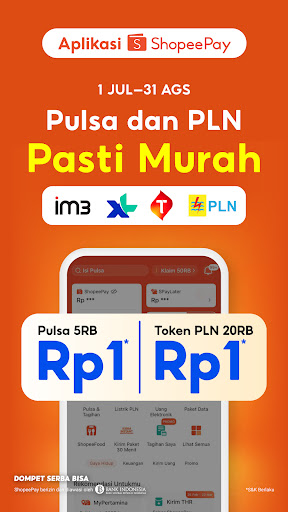
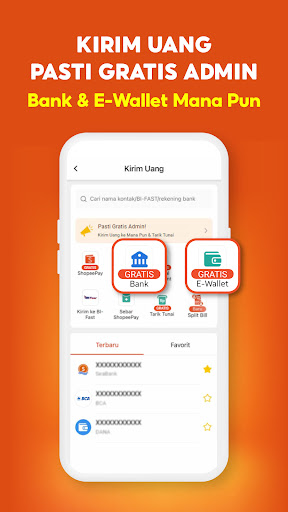
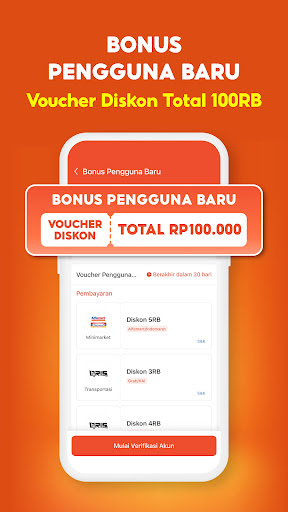
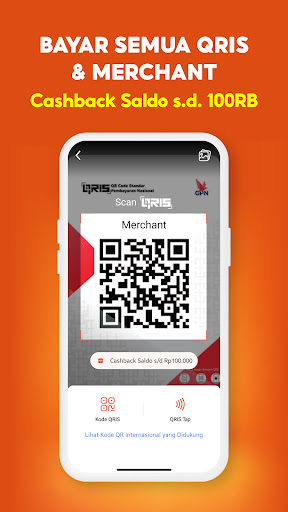
ShopeePay is a digital wallet app for purchasing phone credit and data packages, topping up PLN tokens, paying for QRIS at merchants and on the web/app, sending money to banks, sending funds to e-wallets, and even making PayLater payments with SPaylater or other digital payments.
All available in one ShopeePay app with the benefit of no admin fees for all transactions.
Pay for QRIS Anywhere
Pay using ShopeePay QRIS at many of your favorite merchants for online and offline payments. Use your ShopeePay balance or SPaylater PayLater limit to pay for QRIS. Enjoy cashback on every QRIS transaction using the ShopeePay app.
Money Transfers & Sends Admin-Free
Transfer or send money starting from IDR 1 to BCA, BRI, Bank Mandiri, BNI, SeaBank accounts, as well as e-wallets like DANA, GoPay, OVO, and LinkAja. Unlimited free admin fees for sending and transferring funds anywhere.
Top Up & Cash Withdrawals
Top up your ShopeePay balance, top up your e-wallet, and top up your balance via bank transfer, Virtual Account, debit/credit card, Alfamart, Indomaret, or Pos Indonesia. Enjoy admin-free cash withdrawals with no minimum transaction.
Buy Mobile Top-Up and Pay PLN Electricity Bills
All your payment needs are in one app. Pay bills, buy PLN tokens, mobile top-up, data packages, and various daily necessities with more economical digital payment promotions. Guaranteed low prices.
Daily Cashback & Promos*
Enjoy various promotions such as:
- Pay QRIS, Guaranteed Cashback Balance up to IDR 100,000
- Pay QRIS using SPayLater, 50% Discount
*Promotions and amounts may change depending on the period. Terms and conditions apply.
SPayLater & SPinjam Activation
Enjoy paylater services from SPayLater and online loans from SPinjam with fast activation using your e-KTP. Activate SPayLater and enjoy a Rp 50,000 discount on QRIS payments for your first transaction. Specifically for SPinjam, a Rp 25,000 ShopeePay balance bonus is available upon activation in the ShopeePay app.
Shop Now, Pay Later with SPayLater
Available with a limit of up to Rp 50 million, 0% installments, and flexible terms of 3–24 months with low installment fees starting from 2.45%. Use PayLater to pay for QRIS at any merchant and enjoy a discount of up to Rp 200,000 with no service fees. Maximum Annual Interest Rate of 36%.
Fast Funding with SPinjam
ShopeePay provides a platform for selected users to access an online loan service called SPinjam by PT Lentera Dana Nusantara. SPinjam by PT Lentera Dana Nusantara is licensed and supervised by the Financial Services Authority (OJK). Enjoy cash loans with a credit limit of up to Rp 100 million with a loan term of 2–24 months.
Loan Simulation:
Loan Amount: IDR 3,000,000
Loan Period: 12 months
Fixed interest starting from 1.8%/month* (Maximum Annual Interest Rate 36%)
Administration Fee for First Loan: IDR 0
Total payment = IDR 3,648,000 or equivalent to IDR 304,000/month
*First loan only. Monthly interest rates may vary for each user based on the assessment results.
In accordance with ShopeePay's privacy policy, we are committed to protecting all user data and information.
Order ShopeeFood More Economically
Enjoy shipping discounts of up to IDR 5,000 at all restaurants
Have a Business? Register for QRIS for Free
Register as a QRIS merchant directly from the ShopeePay app. Free transaction fees, free balance withdrawals, and cashback on QRIS fees of up to IDR 1 million.
Secure Transactions with ShopeePay Protection
Enjoy a 100% Balance Refund Guarantee and 24/7 Customer Service through the app's Help Center.
ShopeePay is an e-wallet provider licensed and supervised by Bank Indonesia.
Address:
Sopo Del Office Tower & Lifestyle Tower, 11th Floor, Jalan Mega Kuningan Barat III, Lot 10, Mega Kuningan Area, 1-6, Kuningan Timur, Setiabudi, South Jakarta
Learn more about ShopeePay:
https://shopeepay.co.id/
Instagram: @shopeepay_id
Facebook: ShopeePay Indonesia
TikTok: @shopeepay_id
Twitter: @shopeepay_id
Show more

1. Download MEmu installer and finish the setup

2. Start MEmu then open Google Play on the desktop

3. Search ShopeePay - Bayar & Transfer in Google Play
Install
4. Download and Install ShopeePay - Bayar & Transfer
5. On install completion click the icon to start

6. Enjoy using ShopeePay - Bayar & Transfer on PC with MEmu
MEmu Play is the best Android emulator, and 100 million users already enjoy its superb Android app experience. Powered by advanced virtualization technology, it lets you enjoy thousands of Android apps smoothly on your PC—including the most graphics-intensive ones.
Bigger screen with better graphics; Long duration, without limitation of battery or mobile data.
Full Keymapping support for precise control of keyboard and mouse or gamepad.
Multiple game accounts or tasks on single PC at one time with Multi-Instance manager.
Use ShopeePay - Bayar & Transfer on PC by following steps:
































