FLO – 플로
Updated
Current Version
Offered By

Stop worrying about high battery drain when using FLO – 플로 on your phone. Free yourself from the tiny screen and enjoy the app on a much larger display. From now on, get a full-screen experience of your app with the convenience of a keyboard and mouse. MEmu offers you all the surprising features you’d expect: quick installation and easy setup, intuitive controls, and no more worries about battery life, mobile data, or unexpected calls. The all-new MEmu 9 is the choice for using FLO – 플로 on your computer. With the MEmu multi-instance manager, you can run two or more accounts at the same time. Most importantly, our exclusive emulation engine unlocks your PC’s full potential, delivering smooth and enjoyable performance.
Show more
Enjoy superb experience of using FLO – 플로 on PC with MEMU App Player. It's a powerful free Android emulator which provides you with thousands of android apps for their desktop version. Enjoy connecting with friends and polishing your work with higher efficiency! · 'Mood:', a playlist to choose and listen to according to the mood you want.
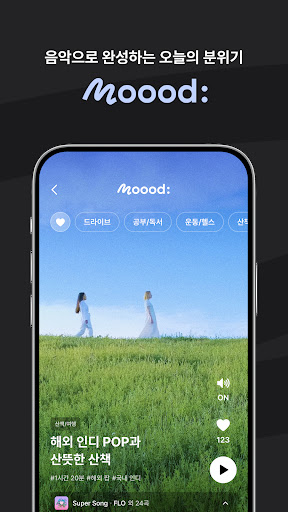
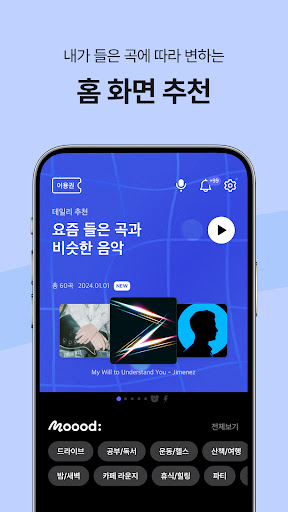
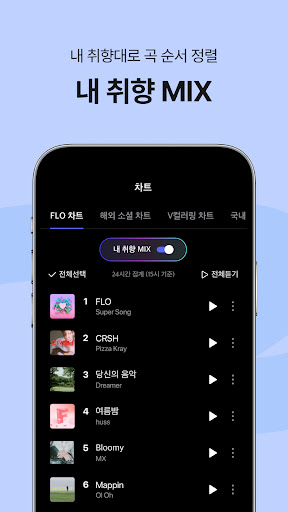
· 'Mood:', a playlist to choose and listen to according to the mood you want.
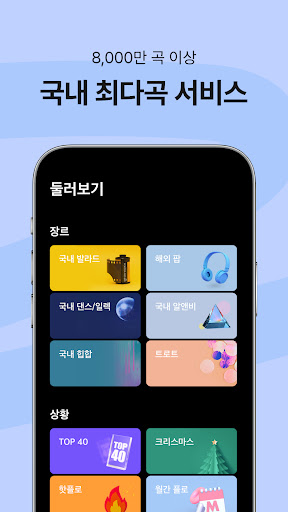
· The largest number of music services in Korea, ‘80 million music sources’
· ‘Cover song home’ where you can meet the colors of singers other than the original singer
· Playlist just for me ‘Home screen recommendation’
· 3D sound effect ‘Equalizer’ suitable for genre and situation
· If it’s not my taste, ‘don’t listen to the artist’
· Enjoy music quickly and easily! ‘Watch (Wear OS) support’
· All of this for 100 won if this is your first FLO purchase!
· 30% discount for up to 6 months if you are an SKT customer
[Access rights notice]
Required access rights
- Storage space: Required for storing content such as album art to minimize your data consumption and accessing the gallery to create my list with captured images.
Select access rights
- Microphone: Microphone permission is required to provide voice recognition and music search services.
※ You can use the service even if you do not agree to the optional access rights, but if you do not agree, use of certain functions may be restricted.
※ This app was developed to be optimized for Android 7.0 or higher. Accordingly, customers using Android version 7.0 or lower may not be fully implemented due to differences in operating systems.
※ For service-related opinions and inquiries, please contact 1:1 inquiry within the app or customer center (1599-6034, flo@music-flo.com).
----
Developer contact information:
Dreamus Company, 15th floor, 311 Gangnam-daero, Seocho-gu, Seoul (ZIP code) 06628 / 1599-6034 /
214-86-29288 / No. 2008-Seoul Seocho-1039 / Seocho-gu Office, Seoul
Show more

1. Download MEmu installer and finish the setup

2. Start MEmu then open Google Play on the desktop

3. Search FLO – 플로 in Google Play
Install
4. Download and Install FLO – 플로
5. On install completion click the icon to start

6. Enjoy using FLO – 플로 on PC with MEmu
MEmu Play is the best Android emulator, and 100 million users already enjoy its superb Android app experience. Powered by advanced virtualization technology, it lets you enjoy thousands of Android apps smoothly on your PC—including the most graphics-intensive ones.
Bigger screen with better graphics; Long duration, without limitation of battery or mobile data.
Full Keymapping support for precise control of keyboard and mouse or gamepad.
Multiple game accounts or tasks on single PC at one time with Multi-Instance manager.
Use FLO – 플로 on PC by following steps: