
Sony LIV: Sports & Entmt
Updated
Current Version
1735037743
Offered By

Stop worrying about high battery drain when using Sony LIV: Sports & Entmt on your phone. Free yourself from the tiny screen and enjoy the app on a much larger display. From now on, get a full-screen experience of your app with the convenience of a keyboard and mouse. MEmu offers you all the surprising features you’d expect: quick installation and easy setup, intuitive controls, and no more worries about battery life, mobile data, or unexpected calls. The all-new MEmu 9 is the choice for using Sony LIV: Sports & Entmt on your computer. With the MEmu multi-instance manager, you can run two or more accounts at the same time. Most importantly, our exclusive emulation engine unlocks your PC’s full potential, delivering smooth and enjoyable performance.
Show more
Enjoy superb experience of using Sony LIV: Sports & Entmt on PC with MEMU App Player. It's a powerful free Android emulator which provides you with thousands of android apps for their desktop version. Enjoy connecting with friends and polishing your work with higher efficiency! Freedom At Midnight on Sony LIV, is the electrifying story of India's Independence.



Freedom At Midnight on Sony LIV, is the electrifying story of India's Independence. Based on the bestselling book of the same name by Larry Collins and Dominique Lapierre, it recounts the partition of India and Pakistan, and the socio-political dynamics of the era.
Looking for a one-stop destination for original series, exclusive shows & movies? Sony LIV is your go-to streaming OTT platform! Create up to 5 personalized profiles & watch on 2 screens simultaneously with select packs.
Sony LIV offers amazing web series & latest movies! Subscribe & binge Sony LIV Originals across languages: Hindi, Marathi, Tamil, Telugu, Malayalam & Kannada.
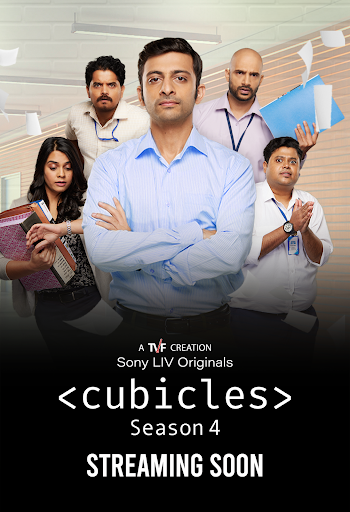
Hindi Originals: Freedom at Midnight, Undekhi, Maharani, Scam 1992, Scam 2003 - The Telgi Story, Rocket Boys, College Romance, Cubicles, JL50, Tanaav, Gullak, Avrodh, Jehanabad, Kathmandu Connection and more.
Hindi Exclusives: Adrishyam, Raisinghani vs Raisinghani, Balveer.
Marathi: Lampan, Shantit Krantit, Abol Preethichi Ajab Kahani, Kharach Tich Kay Chukal, Maharashtrachi Hasya Jatra, Karan Gunhyala Mafi Nahi, Post Office Ughad Ahe, Pratishodh - Zunj Astitvachi and more.
Malayalam: Bramayugam , 2018, Chaaver, 18+ Journey of Love, 1001 Nunakal (Ayirathonnu Nunakal), Eesho, Saudi Velakka, Antakshari, Sundari Gardens, Churuli and more
Tamil & Telugu: Sathya Sothanai, Koozhangal, Adiyae, Por Thozhil, Farhana, Story Of Things, Accidental Farmer, Oke Oka Kanam, Nijam With Smitha, Pareshan, Iru Dhuruvam (Season 2), Aadavallu Meeku Joharlu, Gargi and more.
Kannada: Toby.
Bengali: Saturday Afternoon, Lokkhi Chhele, Fatafati, Hawa, Haami 2.
TV Shows: Indian Idol, Superstar Singer S3, Shrimad Ramayan, Madness Machayenge, , India’s Best Dancer, Super Dancer, Vanshaj, Wagle Ki Duniya, Pushpa Impossible, Barsaatein, Katha, Aangan Apno Ka, Pashmina dhaage mohabbat ke, Dhruv Tara, Dil Diyaan Gallaan, Sapnon Ki Chhalaang, CID, Crime Patrol and more.
Movies: Whether it’s action, comedy, romance, drama or thriller, we have a movies just for you, in your favourite language too! Subscribe & watch Bollywood movies and movies in Tamil, Malayalam, Telugu and Kannada.
Sony LIV is available across multiple geographies. Sony LIV’s offering and the personal data it collects and processes differ for each country and may also vary based on the user’s age, preferences, selections, app version, usage, and country. Sony LIV’s country-specific privacy policy and/or collection notice provide a better understanding of how Sony LIV deals with your personal data.
For more details, please read our Privacy Policy -
https://www.sonyliv.com/privacy-policy
For complete Terms of Use, please visit https://www.sonyliv.com/terms-of-use
Show more

1. Download MEmu installer and finish the setup

2. Start MEmu then open Google Play on the desktop

3. Search Sony LIV: Sports & Entmt in Google Play
Install
4. Download and Install Sony LIV: Sports & Entmt
5. On install completion click the icon to start

6. Enjoy using Sony LIV: Sports & Entmt on PC with MEmu
MEmu Play is the best Android emulator, and 100 million users already enjoy its superb Android app experience. Powered by advanced virtualization technology, it lets you enjoy thousands of Android apps smoothly on your PC—including the most graphics-intensive ones.
Bigger screen with better graphics; Long duration, without limitation of battery or mobile data.
Full Keymapping support for precise control of keyboard and mouse or gamepad.
Multiple game accounts or tasks on single PC at one time with Multi-Instance manager.
Use Sony LIV: Sports & Entmt on PC by following steps: