South Africa Lotto Results
Updated
Current Version
3.1.7
Offered By

Stop worrying about high battery drain when using South Africa Lotto Results on your phone. Free yourself from the tiny screen and enjoy the app on a much larger display. From now on, get a full-screen experience of your app with the convenience of a keyboard and mouse. MEmu offers you all the surprising features you’d expect: quick installation and easy setup, intuitive controls, and no more worries about battery life, mobile data, or unexpected calls. The all-new MEmu 9 is the choice for using South Africa Lotto Results on your computer. With the MEmu multi-instance manager, you can run two or more accounts at the same time. Most importantly, our exclusive emulation engine unlocks your PC’s full potential, delivering smooth and enjoyable performance.
Show more
Enjoy superb experience of using South Africa Lotto Results on PC with MEMU App Player. It's a powerful free Android emulator which provides you with thousands of android apps for their desktop version. Enjoy connecting with friends and polishing your work with higher efficiency! Need to check your lotto ticket quickly?
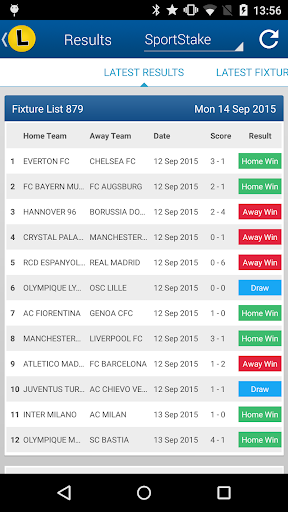
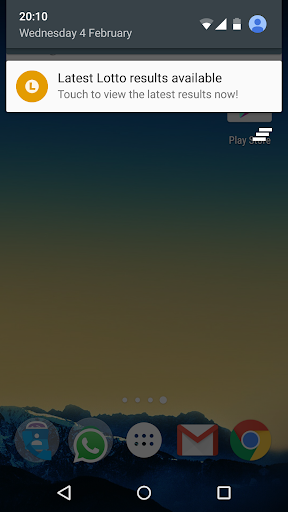
Need to check your lotto ticket quickly?
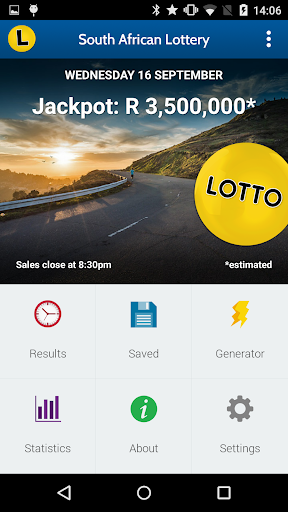
SA Lotto & Powerball Results has the latest results news and statistics for all the major South African Lottery game results in one handy app:
- Lotto
- Powerball
- Daily Lotto
- SportStake 13 Results & Fixtures
- SportStake 8 Results & Fixtures
- Raffle
MAIN FEATURES
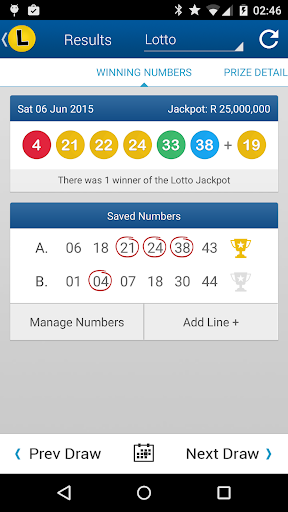
★ Draw Results - Latest and past draw results for all games including a full prize breakdown so you always know how much you've won.
★ Save Numbers - Save your numbers to have them checked automatically every time there's a new draw. You can save up to 50 lines at once with the PRO version of this app, perfect for syndicates!
★ Statistics - Ever wonder what numbers appear the most? Or which numbers haven't appeared in a long time? Now you can find out with our statistics for each game that shows you how many times each number has been drawn as well as which ones are overdue.
★ Notifications - Select which games you play from the Settings menu and we'll notify you when the latest results are available. This feature requires an internet connection. Of course, if you don't want notifications you can simply turn them off and check whenever is convenient for you!
★ Jackpot Details - You'll always know how much the next Jackpot is for each game. Swipe left on the top half of the home screen to see the details for each game.
★ Number Generator - Struggling to pick your own numbers? Let the number generator do the hard work for you. It generates 4 lines of random numbers for the game of your choice at a time.
★ Works Offline - Results, once downloaded, are stored on your device, so you'll have access to the results even when a connection isn't available.
Upgrade to PRO for less than the price of a lotto ticket and benefit from the following:
- No Ads! (Free version is Ad supported)
- Save up to 50 lines per game (Free version is limited to 4 lines)
- Browse all previous draw results (Free version is limited to last 30 draws)
Please note:
- This is an independent app, not associated in any way with the official lottery operator.
- This app does not support "small" screen devices or versions of Android prior to 6.0
- Tickets cannot be purchased from within the app.
- Players must be aged 18 years or over to participate in the South African National Lottery
If you have any concerns about our use of permissions please contact us. We do not, and never will, store any personal information.
Show more

1. Download MEmu installer and finish the setup

2. Start MEmu then open Google Play on the desktop

3. Search South Africa Lotto Results in Google Play
Install
4. Download and Install South Africa Lotto Results
5. On install completion click the icon to start

6. Enjoy using South Africa Lotto Results on PC with MEmu
MEmu Play is the best Android emulator, and 100 million users already enjoy its superb Android app experience. Powered by advanced virtualization technology, it lets you enjoy thousands of Android apps smoothly on your PC—including the most graphics-intensive ones.
Bigger screen with better graphics; Long duration, without limitation of battery or mobile data.
Full Keymapping support for precise control of keyboard and mouse or gamepad.
Multiple game accounts or tasks on single PC at one time with Multi-Instance manager.
Use South Africa Lotto Results on PC by following steps: