
iShowLife 愛秀生活
Updated
Current Version
3.0.207
Offered By

Stop worrying about high battery drain when using iShowLife 愛秀生活 on your phone. Free yourself from the tiny screen and enjoy the app on a much larger display. From now on, get a full-screen experience of your app with the convenience of a keyboard and mouse. MEmu offers you all the surprising features you’d expect: quick installation and easy setup, intuitive controls, and no more worries about battery life, mobile data, or unexpected calls. The all-new MEmu 9 is the choice for using iShowLife 愛秀生活 on your computer. With the MEmu multi-instance manager, you can run two or more accounts at the same time. Most importantly, our exclusive emulation engine unlocks your PC’s full potential, delivering smooth and enjoyable performance.
Show more
Enjoy superb experience of using iShowLife 愛秀生活 on PC with MEMU App Player. It's a powerful free Android emulator which provides you with thousands of android apps for their desktop version. Enjoy connecting with friends and polishing your work with higher efficiency! ishowlife,全球唯一直播電商社群平台,結合直播、商城與導購服務,利用「隨看即買/邊看邊買」專利技術完美銜接直播內容與電商導購,且免直播流量費、免商品上架費,素人也能出售二手商品,直播電商全新體驗 。
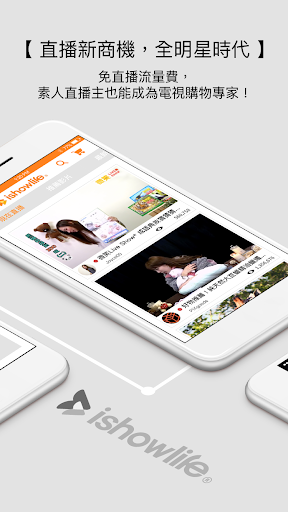

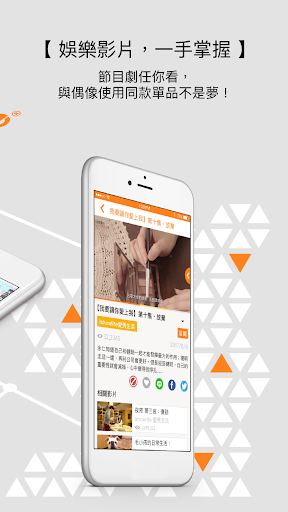
ishowlife,全球唯一直播電商社群平台,結合直播、商城與導購服務,利用「隨看即買/邊看邊買」專利技術完美銜接直播內容與電商導購,且免直播流量費、免商品上架費,素人也能出售二手商品,直播電商全新體驗 。
創意點子數位股份有限公司,為互動式影音平台商務的領導者,擁有於台灣、美國、大陸、日本、歐盟、南韓、印度、新加坡……等19項國際型IP專利技術,其中「隨看即買/邊看邊買」專利技術,更是引領全球,我們致力於提供更完整的影音商務服務,滿足消費者與廣告主的需求,透過「隨看即買/邊看邊買」達成雙贏的策略。
★ 佳績
全球第一可以在Facebook、twitter上完成一螢「隨看即買」專利技術
榮獲2013年資策會ideas show + 組第一名最具投資潛力獎
榮獲2014 年Neo Star創業之星
2016年與三立媒體集團合作推出「隨看即買」深夜料理節目 -「夜宵」,首播36小時內商品即銷售一空!
★ 任何問題與建議,歡迎來信service@bravoideas.com.tw,我們將會盡速為您處理。
★ 一起加入ishowlife,隨時獲得最新資訊!
ishowlife愛。秀生活官網:http://tw.ishowlife.com
ishowlife愛。秀生活粉絲團:https://goo.gl/4TRtfg
BRAVO iDEAS創意點子官網:http://bravoideas.com.tw
BRAVO iDEAS創意點子粉絲團:http://goo.gl/OZUGI0
Show more

1. Download MEmu installer and finish the setup

2. Start MEmu then open Google Play on the desktop

3. Search iShowLife 愛秀生活 in Google Play
Install
4. Download and Install iShowLife 愛秀生活
5. On install completion click the icon to start

6. Enjoy using iShowLife 愛秀生活 on PC with MEmu
MEmu Play is the best Android emulator, and 100 million users already enjoy its superb Android app experience. Powered by advanced virtualization technology, it lets you enjoy thousands of Android apps smoothly on your PC—including the most graphics-intensive ones.
Bigger screen with better graphics; Long duration, without limitation of battery or mobile data.
Full Keymapping support for precise control of keyboard and mouse or gamepad.
Multiple game accounts or tasks on single PC at one time with Multi-Instance manager.
Use iShowLife 愛秀生活 on PC by following steps:































