
Vimeo Create - Video Editor
Updated
Current Version
1.27.2
Offered By

Stop worrying about high battery drain when using Vimeo Create - Video Editor on your phone. Free yourself from the tiny screen and enjoy the app on a much larger display. From now on, get a full-screen experience of your app with the convenience of a keyboard and mouse. MEmu offers you all the surprising features you’d expect: quick installation and easy setup, intuitive controls, and no more worries about battery life, mobile data, or unexpected calls. The all-new MEmu 9 is the choice for using Vimeo Create - Video Editor on your computer. With the MEmu multi-instance manager, you can run two or more accounts at the same time. Most importantly, our exclusive emulation engine unlocks your PC’s full potential, delivering smooth and enjoyable performance.
Show more
Enjoy superb experience of using Vimeo Create - Video Editor on PC with MEMU App Player. It's a powerful free Android emulator which provides you with thousands of android apps for their desktop version. Enjoy connecting with friends and polishing your work with higher efficiency! Video made easy.
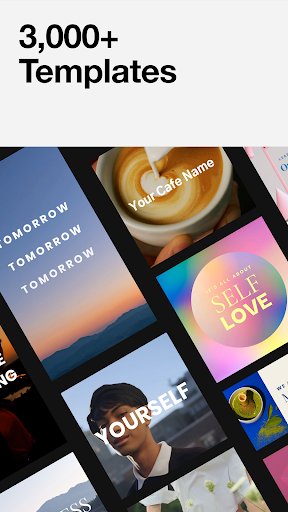
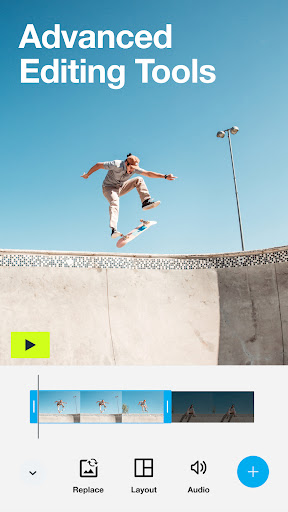
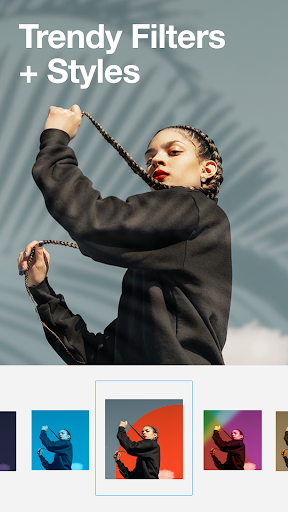
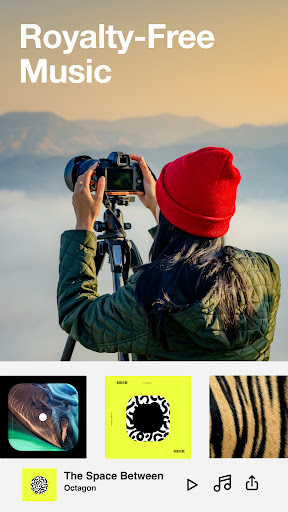
Video made easy. Create and customize videos for any occasion with our A.I. powered video maker.
Create wherever, whenever.
Start creating with our easy video maker for free and do it on any device. Download the Vimeo Create app to pick up where you left off and create video online with: phone, tablet, or desktop — anytime, anywhere.
Templates to match any message.
Explore over 3,000 + ready-made video templates. Each one has been professionally designed so no matter what type of video you need, our video creation software makes it easy. From: social ads, sales announcements and Instagram Stories, to bridal shower and birthday invitations — we’ve got you covered.
Powerful video making tools.
• Precision timeline editing
• Crop + fit media
• Snap to grid guidelines
• Easy audio with Cutaways
Advanced customization.
• Choose a style, sticker and soundtrack to fit any mood.
• Select a soundtrack from our licensed library
• Stand out with stickers
• Choose from exclusive filters and styles
• Make it move with sticker and text animations
Upgrade to unlock even more.
--
Create consistency for your brand.
Make a video by uploading your own stickers, brand colors, custom logos, and get access to even more marketing features, available when you upgrade.
Unlock unlimited.
Access to millions (yes, millions) of stock clips, hundreds of professional templates, and even more powerful video tools by making the jump to Vimeo Pro or higher. Upon confirmation of purchase, the amount will be charged to your iTunes account. You can always review the total price before completing payment.
Depending on your subscription, Vimeo Plus will renew monthly or annually, and pricing will vary by the subscription type and by country. Once your free trial ends (if any), you will be charged a subscription fee (plus any tax) per subscription period until you cancel. To avoid renewal, you must disable auto-renew at least 24 hours before your subscription ends. You can turn off auto-renew at any time from your Google Play account settings.
--
Use our online video maker for:
• TikTok ads and tutorials
• Testimonial maker
• Seasonal events and occasions
• Instagram story editor, and story highlights maker
• Create Facebook posts & Facebook video covers
• Youtube intros and outros, and Youtube ads
• Make video invitations, photo slideshows
• Corporate training and onboarding
• Business resume, presentation maker
• Motivational quote videos
• Any event: birthday card maker, wedding invitation maker, online invitation creator
• Recapping adventures: travel videos, blogging, vlog video editor
Connect with us on social:
Follow us @VimeoCreate
Video creator: show us what you #madewithvimeo
Have feedback for us?
Vimeo is full of actual humans who’d love to listen. Go to vimeo.com/help/contact to get in touch.
Terms of Service: https://vimeo.com/terms
Privacy Policy: https://vimeo.com/privacy
Show more

1. Download MEmu installer and finish the setup

2. Start MEmu then open Google Play on the desktop

3. Search Vimeo Create - Video Editor in Google Play
Install
4. Download and Install Vimeo Create - Video Editor
5. On install completion click the icon to start

6. Enjoy using Vimeo Create - Video Editor on PC with MEmu
MEmu Play is the best Android emulator, and 100 million users already enjoy its superb Android app experience. Powered by advanced virtualization technology, it lets you enjoy thousands of Android apps smoothly on your PC—including the most graphics-intensive ones.
Bigger screen with better graphics; Long duration, without limitation of battery or mobile data.
Full Keymapping support for precise control of keyboard and mouse or gamepad.
Multiple game accounts or tasks on single PC at one time with Multi-Instance manager.
Use Vimeo Create - Video Editor on PC by following steps:































