Volume Control Sound Launcher
Updated
Current Version
1.14.0
Offered By

Stop worrying about high battery drain when using Volume Control Sound Launcher on your phone. Free yourself from the tiny screen and enjoy the app on a much larger display. From now on, get a full-screen experience of your app with the convenience of a keyboard and mouse. MEmu offers you all the surprising features you’d expect: quick installation and easy setup, intuitive controls, and no more worries about battery life, mobile data, or unexpected calls. The all-new MEmu 9 is the choice for using Volume Control Sound Launcher on your computer. With the MEmu multi-instance manager, you can run two or more accounts at the same time. Most importantly, our exclusive emulation engine unlocks your PC’s full potential, delivering smooth and enjoyable performance.
Show more
Enjoy superb experience of using Volume Control Sound Launcher on PC with MEMU App Player. It's a powerful free Android emulator which provides you with thousands of android apps for their desktop version. Enjoy connecting with friends and polishing your work with higher efficiency! Do you sometimes wish your phone’s volume controls were easier to manage?
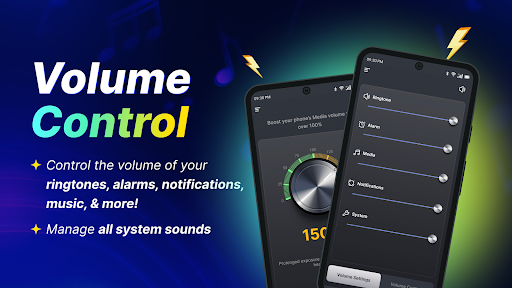
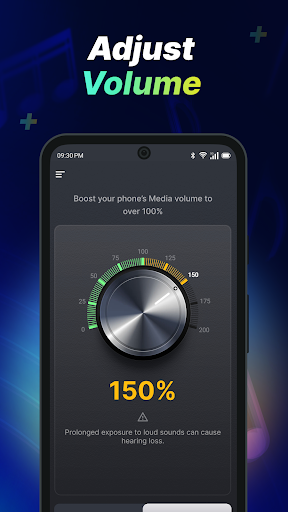
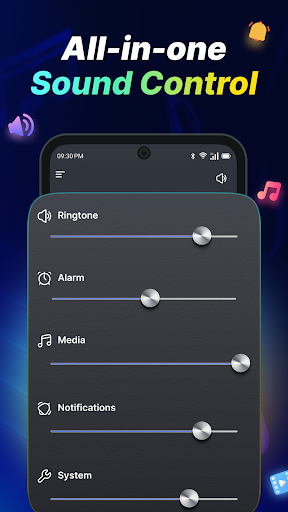
Do you sometimes wish your phone’s volume controls were easier to manage?
Please note: As a launcher app, the layout of your home screen may change after install. Don’t worry, all your apps are still on your phone – they just may be in a different location. To learn more, please visit our FAQ section: https://phonevolumecontrol.com/#faq
With a launcher app, you get the added benefits of:
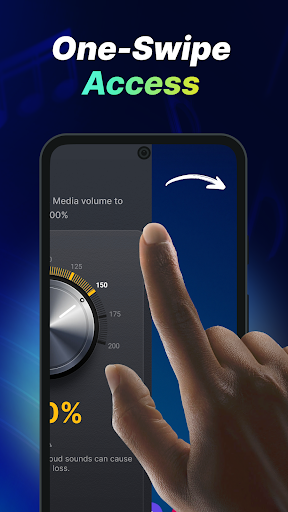
One-swipe access
Quickly adjust your device’s volume with just one swipe from your home screen!
Home screen widget
See the time, weather, and more, conveniently on your home screen with our customized widget.
Wallpaper
Personalize your home or lock screen with a wide selection of beautiful themed wallpapers.
Multi-touchpoint search
Apps and web search has never been easier. Search for installed apps or the web (powered by Google or Yahoo!) from multiple access points.
With Volume Control Sound Launcher, every sound – from your favorite songs to morning alarms – feels just right. This launcher app gives you quick access to the tools you need for a smoother and more personalized sound experience.
This launcher app puts all your essential volume settings just one swipe away, making it easy to adjust volume, fine-tune your sound, and enjoy better control throughout the day. Whether you want a simple volume control, clearer calls, or more balanced media sound, everything is easier to manage in one place.
Whether you’re enjoying music, watching videos, gaming, or taking calls, Volume Control Sound Launcher helps you create a more balanced and satisfying listening experience that fits your lifestyle. Use it as a sound settings tool for everyday phone use, to make music louder, or as a practical tool when you need faster access to your sound settings.
Here’s why you’ll love this free app:
Easily adjust volume for music, videos, calls, alarms, and notifications
Manage all system sounds quickly from one convenient location
Use smart controls designed for comfortable daily listening and better clarity
Convenient access to all your volume settings in one place
Who is it suitable for?
This free launcher app is ideal for anyone who values convenience and clarity in their daily phone use. Whether you’re relaxing with music, taking an important call, or waking up to an alarm.
Download Volume Control Sound Launcher now and enjoy better control over your audio.
Please write to us should you have any queries or comments about the app, including recommendations for new features. Also, please note that you can uninstall it at any time.
You give your consent to install Volume Control Sound Launcher from the Google Play™ Store by clicking the button above. You also agree to this app’s Terms and Conditions & Privacy Policy.
Google Play is a trademark of Google LLC. Use of it here does not imply any affiliation with or endorsement by Google LLC.
Yahoo is a registered trademark of Apollo Global Management, Inc.
For questions or feedback, reach out to us through our contact form: https://phonevolumecontrol.com/contact-us
Terms of Service: https://phonevolumecontrol.com/terms-of-service
Privacy Policy: https://phonevolumecontrol.com/privacy-policy
Show more

1. Download MEmu installer and finish the setup

2. Start MEmu then open Google Play on the desktop

3. Search Volume Control Sound Launcher in Google Play
Install
4. Download and Install Volume Control Sound Launcher
5. On install completion click the icon to start

6. Enjoy using Volume Control Sound Launcher on PC with MEmu
MEmu Play is the best Android emulator, and 100 million users already enjoy its superb Android app experience. Powered by advanced virtualization technology, it lets you enjoy thousands of Android apps smoothly on your PC—including the most graphics-intensive ones.
Bigger screen with better graphics; Long duration, without limitation of battery or mobile data.
Full Keymapping support for precise control of keyboard and mouse or gamepad.
Multiple game accounts or tasks on single PC at one time with Multi-Instance manager.
Use Volume Control Sound Launcher on PC by following steps: