
Wiz Player
Updated
Current Version
3.9
Offered By

Stop worrying about high battery drain when using Wiz Player on your phone. Free yourself from the tiny screen and enjoy the app on a much larger display. From now on, get a full-screen experience of your app with the convenience of a keyboard and mouse. MEmu offers you all the surprising features you’d expect: quick installation and easy setup, intuitive controls, and no more worries about battery life, mobile data, or unexpected calls. The all-new MEmu 9 is the choice for using Wiz Player on your computer. With the MEmu multi-instance manager, you can run two or more accounts at the same time. Most importantly, our exclusive emulation engine unlocks your PC’s full potential, delivering smooth and enjoyable performance.
Show more
Enjoy superb experience of using Wiz Player on PC with MEMU App Player. It's a powerful free Android emulator which provides you with thousands of android apps for their desktop version. Enjoy connecting with friends and polishing your work with higher efficiency! Wiz Player | Video Player, a lifestyle app crafted by Sneig, offers a diverse content experience, embracing live-streamed events and providing access to movies and music.
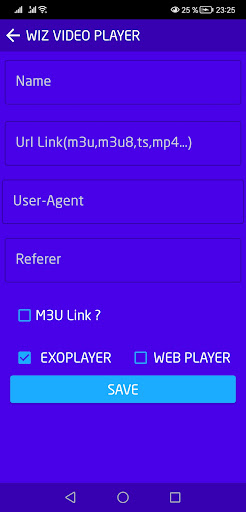
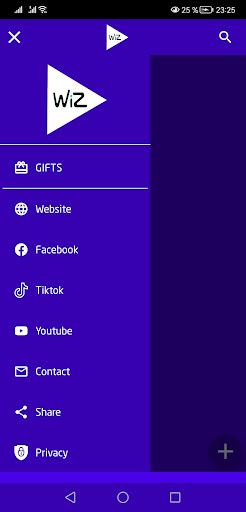

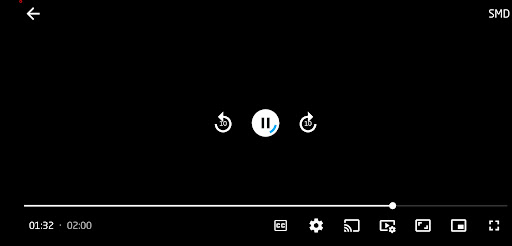
Wiz Player | Video Player, a lifestyle app crafted by Sneig, offers a diverse content experience, embracing live-streamed events and providing access to movies and music. This IPTV player supports streaming through Xtream, M3U, and FG codes, boasting an intuitive interface for seamless content consumption. Noteworthy features include background playback, the ability to save favorite channels, and simultaneous channel playback. Enhancing social interaction, the app facilitates chat with friends and family, supports content sharing, and allows casting to TVs via Web Video Caster and Miracast. Choose from SD, HD, FHD, and 4k video qualities, and relish uninterrupted streaming with exceptional quality, making it an ideal choice for hassle-free content enjoyment across a global spectrum.
Delving deeper into Wiz Player | Video Player, the app's versatility shines through its grid or list view organization of channels, adapting to user preferences seamlessly. The user-friendly interface ensures effortless navigation to find desired shows, movies, and channels. As you indulge in content, the background playback feature enables multitasking, letting you explore other apps without interrupting your viewing experience.
A standout attribute lies in the app's capability to support FG code, Xtream, and M3U URLs, providing access to a vast array of global content. Whether you opt for the smooth playback of SD, the clarity of HD, the sharpness of FHD, or the immersive experience of 4k quality, Wiz Player ensures a tailored viewing experience.
With its commitment to uninterrupted streaming, this IPTV player stands out for its reliability, making it a go-to choice for those who prioritize seamless content consumption. Wiz Player | Video Player redefines the boundaries of mobile entertainment by seamlessly integrating social interactions, content sharing, and high-quality streaming, establishing itself as a comprehensive and user-centric lifestyle application.
As far as we know a link reader does not directly infringe copyright because no copying is made on the app's servers, so this is not a valid reason to send a DMCA notice. To remove this content from the web, the content owner must contact the host who actually hosts the content (not the people responsible for this application).
At Drama Live, we are prepared to ban any server address if we receive a complaint that it is serving illegal content to wizgan2013@gmail.com
Show more

1. Download MEmu installer and finish the setup

2. Start MEmu then open Google Play on the desktop

3. Search Wiz Player in Google Play
Install
4. Download and Install Wiz Player
5. On install completion click the icon to start

6. Enjoy using Wiz Player on PC with MEmu
MEmu Play is the best Android emulator, and 100 million users already enjoy its superb Android app experience. Powered by advanced virtualization technology, it lets you enjoy thousands of Android apps smoothly on your PC—including the most graphics-intensive ones.
Bigger screen with better graphics; Long duration, without limitation of battery or mobile data.
Full Keymapping support for precise control of keyboard and mouse or gamepad.
Multiple game accounts or tasks on single PC at one time with Multi-Instance manager.
Use Wiz Player on PC by following steps:































