WM 2026 App mit TV.de Live TV
Updated
Current Version
7.4.3
Offered By

Stop worrying about high battery drain when using WM 2026 App mit TV.de Live TV on your phone. Free yourself from the tiny screen and enjoy the app on a much larger display. From now on, get a full-screen experience of your app with the convenience of a keyboard and mouse. MEmu offers you all the surprising features you’d expect: quick installation and easy setup, intuitive controls, and no more worries about battery life, mobile data, or unexpected calls. The all-new MEmu 9 is the choice for using WM 2026 App mit TV.de Live TV on your computer. With the MEmu multi-instance manager, you can run two or more accounts at the same time. Most importantly, our exclusive emulation engine unlocks your PC’s full potential, delivering smooth and enjoyable performance.
Show more
Enjoy superb experience of using WM 2026 App mit TV.de Live TV on PC with MEMU App Player. It's a powerful free Android emulator which provides you with thousands of android apps for their desktop version. Enjoy connecting with friends and polishing your work with higher efficiency! Experience the biggest FIFA World Cup of all time!
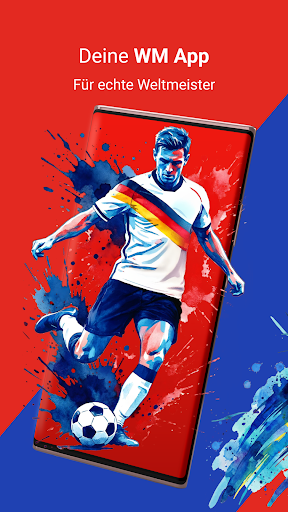
Experience the biggest FIFA World Cup of all time! With the 2026 World Cup app, you won't miss a single goal from the tournament in Canada, Mexico, and the USA. From the group stage and knockout rounds to the grand final, we bring the action to you.
Everything for your football experience:
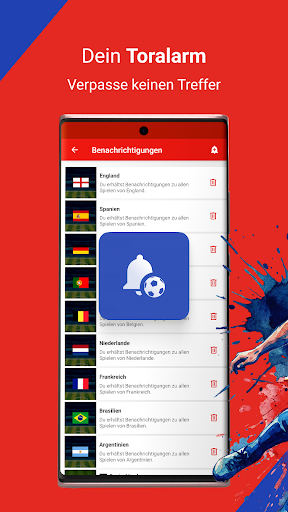
Lightning-fast goal alerts: Get real-time push notifications. You'll know before your neighbors!
TV.de Live TV: Watch the top matches live directly in the app or stream them to your TV via Chromecast/Android TV.
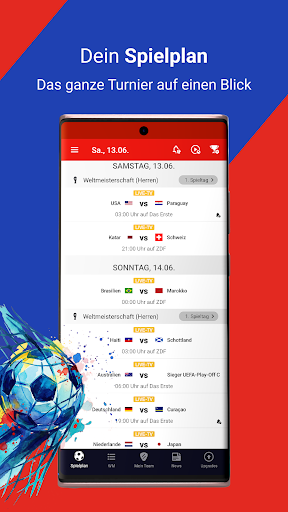
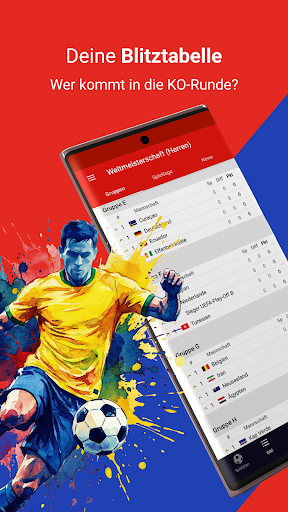
Interactive schedule: All dates, kick-off times, and the current standings at a glance.
Prediction game: Put your goal-scoring instincts to the test and predict the goals in all the 2026 World Cup matches. Climb the leaderboard and become the app world champion!
Real-time statistics: Live ticker, results, and lineups. Analyze your national team's game as it unfolds.
World Cup News & Highlights: Stay informed about the DFB (German Football Association), injuries, and behind-the-scenes information about the big tournament.
Community Chat: Discuss refereeing decisions and spectacular goals with other fans.
Your tournaments at a glance:
Men's World Cup 2026: The mega-event with 48 teams in North America.
Women's World Cup 2027: The return to Brazil and the road to the next World Cup title?
Qualifiers, friendlies & Nations League: The road to the trophy starts here. Keep an eye on every group.
Why TV.de?
Forget the hassle of searching for streams. We show you exactly which channel (ARD, ZDF, or Magenta) is broadcasting and offer selected matches directly with TV.de Live TV.
One login for everything: Use your TV package on all your devices (Pro upgrades available for ad-free viewing and HD quality).
Questions or feedback?
Our support team is here for you: support@TV.de or visit us at https://TV.de/hilfe/
Show more

1. Download MEmu installer and finish the setup

2. Start MEmu then open Google Play on the desktop

3. Search WM 2026 App mit TV.de Live TV in Google Play
Install
4. Download and Install WM 2026 App mit TV.de Live TV
5. On install completion click the icon to start

6. Enjoy using WM 2026 App mit TV.de Live TV on PC with MEmu
MEmu Play is the best Android emulator, and 100 million users already enjoy its superb Android app experience. Powered by advanced virtualization technology, it lets you enjoy thousands of Android apps smoothly on your PC—including the most graphics-intensive ones.
Bigger screen with better graphics; Long duration, without limitation of battery or mobile data.
Full Keymapping support for precise control of keyboard and mouse or gamepad.
Multiple game accounts or tasks on single PC at one time with Multi-Instance manager.
Use WM 2026 App mit TV.de Live TV on PC by following steps: